

No price development information for this product.
Product unavailable
This product is end of life or currently not available.
This product is end of life or currently not available.
Key Specifications
Choose one or multiple features to search for items that have the same specifications.
Specifications
Description
Store availability
Delivery
Price development
| System requirements | |
| Minimum storage drive space | 100 MB |
| Windows operating systems supported |  |
| Weight & dimensions | |
| Height | 3.7 cm |
| Width | 6.2 cm |
| Depth | 12 cm |
| Mouse weight | 80g |
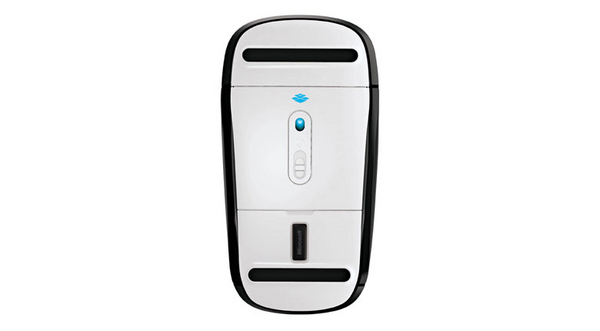
| Receiver depth | 1.83 cm |
| Receiver height | 4.4 mm |
| Receiver width | 1.31 cm |
| Receiver weight | 1.6g |
| Energy management | |
| Battery technology | Alkaline |
| Battery type | AA |
| Number of batteries supported | 2 |
| Power source | Batteries |
| Operational conditions | |
| Operating relative humidity (H-H) | 5 - 80% |
| Storage temperature (T-T) | -40 - 60 °C |
| Operating temperature (T-T) | 0 - 40 °C |
| Storage relative humidity (H-H) | 5 - 65% |
| Input device | |
| Buttons quantity | 2 |
| Frequency band | 2.4 GHz |
| Movement detection technology | BlueTrack |
| Movement resolution | 1000 DPI |
| Purpose | office |
| Scroll | |
| Recommended usage | PC |
| Device interface | RF Wireless |
| Scroll type | Touch |
| Packaging data | |
| Batteries included | |
| Ergonomics | |
| Wireless range | 3.05m |
| Design | |
| Form factor | Ambidextrous |
| Product colour | Black |
| Surface coloration | monotone |
| Wireless receiver interface | USB |
| Receiver type | Nano |
| EAN | 885370409048 |
| Warranty | 1 year |
| Source: Icecat.biz | |
Additional gesture settings in Windows 8
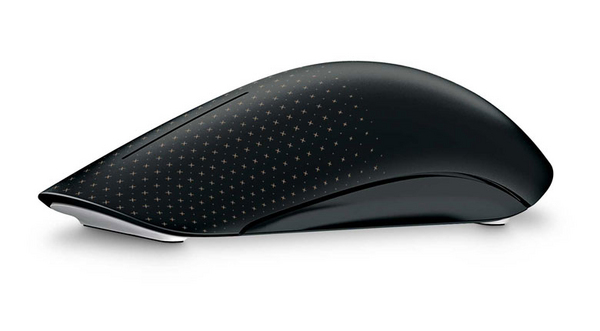
Get the best of both worlds—the control and precision of a conventional mouse, blended with the fluid movement available in touch technology. Navigate Windows 8 seamlessly with additional gesture settings. Personalize your Touch Mouse experience with new gesture and scrolling customizations.
Tradition meets innovation and flexibility
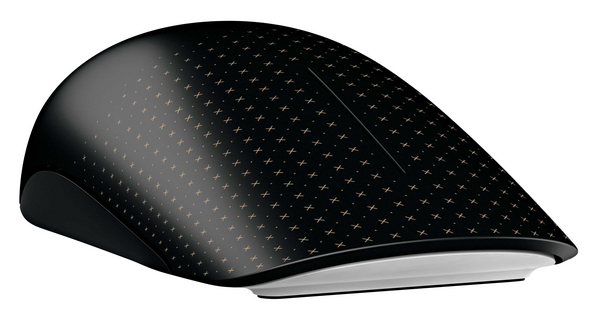
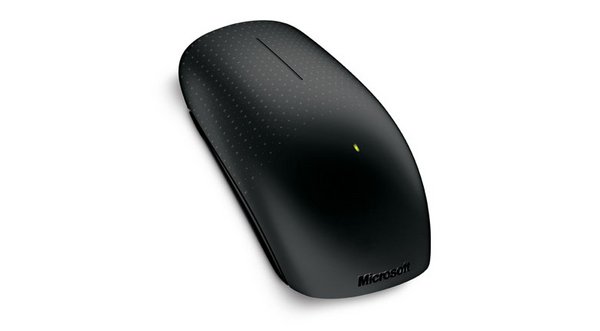
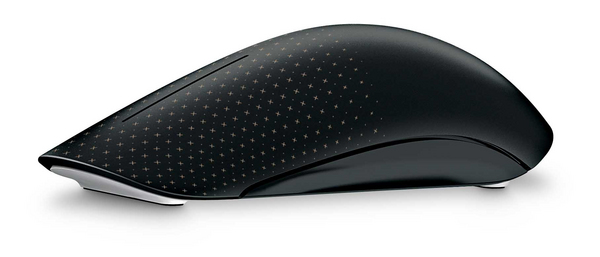
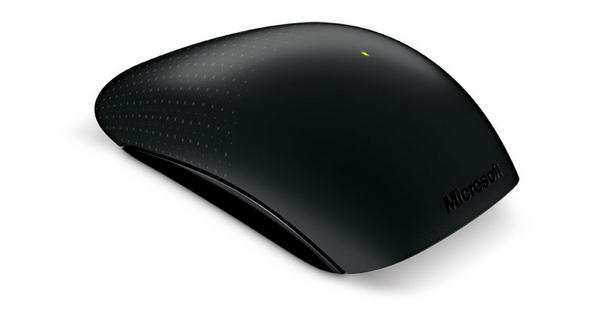
Its contoured shape fits comfortably in either hand, and with built-in BlueTrack Technology, you can use it virtually anywhere. Learn new ways to navigate Windows, while still being able to use familiar point-and-click functionality.
Simple movements that create waves
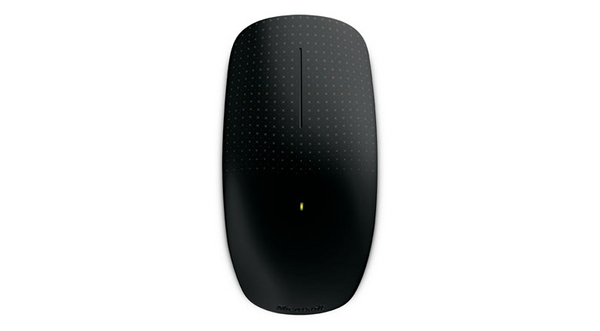
Touch Mouse features a large touch-sensitive surface that responds to one-, two-, and three-fingered gestures that are optimized for PC use. You can select which gestures correspond to snapping, moving, minimizing and maximizing windows, and switching between tasks. Use a simple thumb sweep to move back and forth between pages. Plus, with horizontal and vertical scrolling, you can swiftly navigate long documents and websites.
Upgrading to Windows 8? Touch Mouse goes with you
In Windows 8, you can adjust how sensitive Touch Mouse is to your touch. Want faster motion reactions or quicker scrolling? You can increase Touch Mouse’s response to your movements. If you want to reduce the likelihood of unintentional mouse scrolling, you can easily decrease its surface sensitivity through Microsoft Mouse and Keyboard Center settings.
Windows 8 offers even more ways to customize your Touch Mouse, with a new set of gesture setting options. You want Middle Click? You got it. Just choose the option in Microsoft Mouse and Keyboard Center and assign it to a gesture. Try out new gesture settings, or keep your existing settings and continue using your Touch Mouse as you always have.
Get the best of both worlds—the control and precision of a conventional mouse, blended with the fluid movement available in touch technology. Navigate Windows 8 seamlessly with additional gesture settings. Personalize your Touch Mouse experience with new gesture and scrolling customizations.
Tradition meets innovation and flexibility
Its contoured shape fits comfortably in either hand, and with built-in BlueTrack Technology, you can use it virtually anywhere. Learn new ways to navigate Windows, while still being able to use familiar point-and-click functionality.
Simple movements that create waves
Touch Mouse features a large touch-sensitive surface that responds to one-, two-, and three-fingered gestures that are optimized for PC use. You can select which gestures correspond to snapping, moving, minimizing and maximizing windows, and switching between tasks. Use a simple thumb sweep to move back and forth between pages. Plus, with horizontal and vertical scrolling, you can swiftly navigate long documents and websites.
Upgrading to Windows 8? Touch Mouse goes with you
In Windows 8, you can adjust how sensitive Touch Mouse is to your touch. Want faster motion reactions or quicker scrolling? You can increase Touch Mouse’s response to your movements. If you want to reduce the likelihood of unintentional mouse scrolling, you can easily decrease its surface sensitivity through Microsoft Mouse and Keyboard Center settings.
Windows 8 offers even more ways to customize your Touch Mouse, with a new set of gesture setting options. You want Middle Click? You got it. Just choose the option in Microsoft Mouse and Keyboard Center and assign it to a gesture. Try out new gesture settings, or keep your existing settings and continue using your Touch Mouse as you always have.
Multitronic Vaasa: 0 pcs
Estimated delivery: No delivery info
Estimated delivery: No delivery info
Today: 10:00 - 18:00
Multitronic Pietarsaari: 0 pcs
Estimated delivery: No delivery info
Estimated delivery: No delivery info
Today: 09:00 - 17:00
Multitronic Jyväskylä: 0 pcs
Estimated delivery: No delivery info
Estimated delivery: No delivery info
Today: 10:00 - 17:00
Multitronic Lappeenranta: 0 pcs
Estimated delivery: No delivery info
Estimated delivery: No delivery info
Today: 10:00 - 18:00
Multitronic Mariehamn: 0 pcs
Estimated delivery: No delivery info
Estimated delivery: No delivery info
Today: 10:00 - 17:00
The above technical details are for reference only and may change without notice. We reserve the right to correct printing errors and use illustrations for guidance. Some text may be auto-generated or machine-translated, which could lead to inaccuracies.