

Tällä tuotteella ei ole hinnanmuutostietoja.
Tuote ei ole saatavilla
Tätä tuotetta ei valmisteta enää tai sitä ei ole tällä hetkellä saatavilla.
Tätä tuotetta ei valmisteta enää tai sitä ei ole tällä hetkellä saatavilla.
Tärkeimmät tekniset tiedot
Valitse yksi tai useampi ominaisuus etsiäksesi tuotteita, joilla on samat tekniset tiedot.
Tuotetiedot
Kuvaus
Myymäläsaatavuus
Toimitus
Hinnan muutokset
| Järjestelmävaatimukset | |
| Tallennusaseman vähimmäistila | 100 MB |
| Windows-käyttöjärjestelmätuki |  |
| Paino ja mitat | |
| Tuotteen korkeus | 3,7 cm |
| Tuotteen leveys | 6,2 cm |
| Tuotteen syvyys | 12 cm |
| Hiiren paino | 80g |
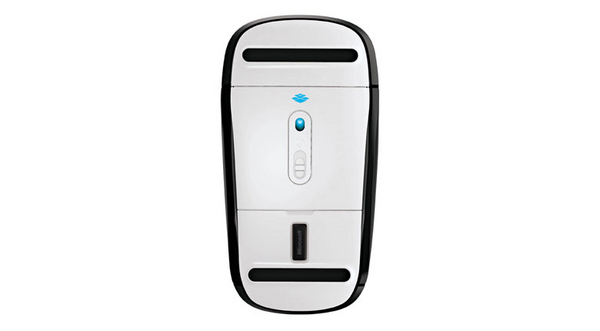
| Vastaanottimen syvyys | 1,83 cm |
| Vastaanottimen korkeus | 4,4 mm |
| Vastaanottimen leveys | 1,31 cm |
| Vastaanottimen paino | 1,6g |
| Virranhallinta | |
| Akkuteknologia | Alkali |
| Akkutyyppi | AA |
| Tuettu paristojen lukumäärä | 2 |
| Voimanlähde | Paristot |
| Ympäristöolosuhteet | |
| Käytön suhteellinen kosteus (H-H) | 5 - 80% |
| Varastointilämpötila | -40 - 60 °C |
| Käyttölämpötila (T-T) | 0 - 40 °C |
| Säilytysympäristön kosteus | 5 - 65% |
| Syöttölaite | |
| Painikkeiden määrä | 2 |
| Taajuuskaista | 2.4 GHz |
| Liikkeentunnistusteknologia | BlueTrack |
| Liikeen erottelutarkkuus | 1000 DPI |
| Tarkoitus | office |
| Vierittäminen | |
| Suositeltu käyttö | PC |
| Laitteen käyttöliittymä | Langaton RF |
| Vierityksen tyyppi | Kosketus |
| Pakkaustiedot | |
| Sisältää paristot | |
| Ergonomia | |
| Langaton alue | 3,05m |
| Suunnittelu | |
| Kotelo | Molempikätinen |
| Tuotteen väri | Musta |
| Pinnan väri | Monotoninen |
| Langattoman vastaanottimen liitäntä | USB |
| Vastaanottimen tyyppi | Nano |
| EAN | 885370409048 |
| Takuu | 1 vuosi |
| Source: Icecat.biz | |
Additional gesture settings in Windows 8
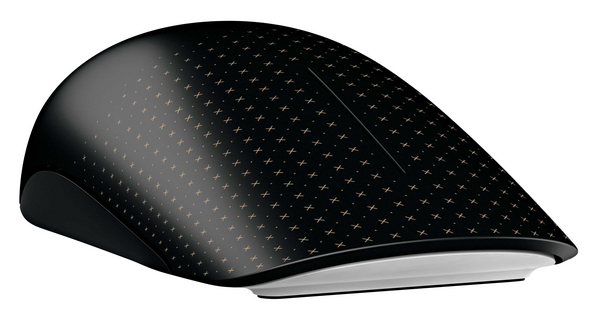
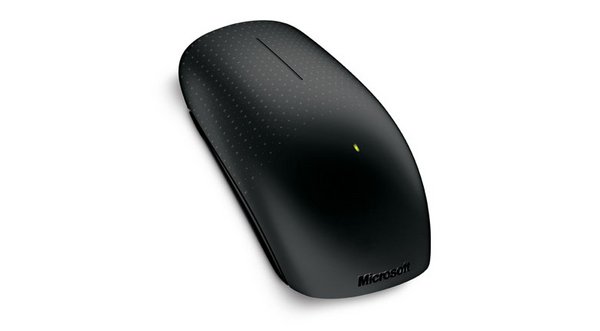
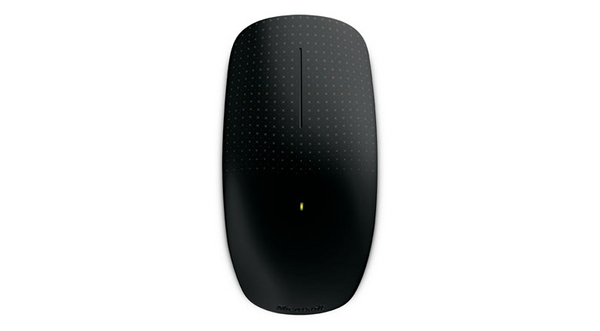
Get the best of both worlds—the control and precision of a conventional mouse, blended with the fluid movement available in touch technology. Navigate Windows 8 seamlessly with additional gesture settings. Personalize your Touch Mouse experience with new gesture and scrolling customizations.
Tradition meets innovation and flexibility
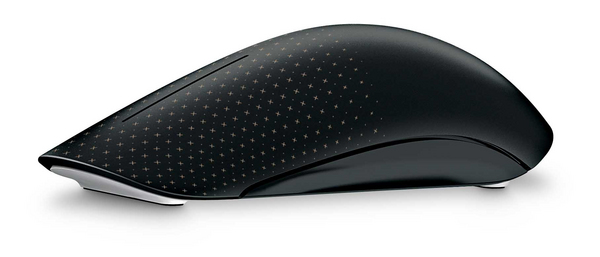
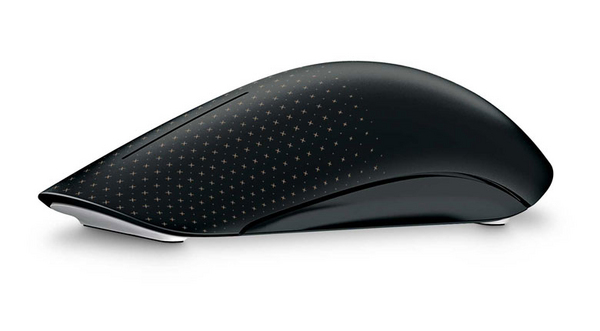
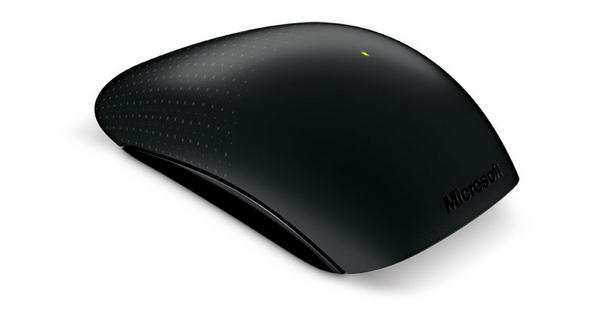
Its contoured shape fits comfortably in either hand, and with built-in BlueTrack Technology, you can use it virtually anywhere. Learn new ways to navigate Windows, while still being able to use familiar point-and-click functionality.
Simple movements that create waves
Touch Mouse features a large touch-sensitive surface that responds to one-, two-, and three-fingered gestures that are optimized for PC use. You can select which gestures correspond to snapping, moving, minimizing and maximizing windows, and switching between tasks. Use a simple thumb sweep to move back and forth between pages. Plus, with horizontal and vertical scrolling, you can swiftly navigate long documents and websites.
Upgrading to Windows 8? Touch Mouse goes with you
In Windows 8, you can adjust how sensitive Touch Mouse is to your touch. Want faster motion reactions or quicker scrolling? You can increase Touch Mouse’s response to your movements. If you want to reduce the likelihood of unintentional mouse scrolling, you can easily decrease its surface sensitivity through Microsoft Mouse and Keyboard Center settings.
Windows 8 offers even more ways to customize your Touch Mouse, with a new set of gesture setting options. You want Middle Click? You got it. Just choose the option in Microsoft Mouse and Keyboard Center and assign it to a gesture. Try out new gesture settings, or keep your existing settings and continue using your Touch Mouse as you always have.
Get the best of both worlds—the control and precision of a conventional mouse, blended with the fluid movement available in touch technology. Navigate Windows 8 seamlessly with additional gesture settings. Personalize your Touch Mouse experience with new gesture and scrolling customizations.
Tradition meets innovation and flexibility
Its contoured shape fits comfortably in either hand, and with built-in BlueTrack Technology, you can use it virtually anywhere. Learn new ways to navigate Windows, while still being able to use familiar point-and-click functionality.
Simple movements that create waves
Touch Mouse features a large touch-sensitive surface that responds to one-, two-, and three-fingered gestures that are optimized for PC use. You can select which gestures correspond to snapping, moving, minimizing and maximizing windows, and switching between tasks. Use a simple thumb sweep to move back and forth between pages. Plus, with horizontal and vertical scrolling, you can swiftly navigate long documents and websites.
Upgrading to Windows 8? Touch Mouse goes with you
In Windows 8, you can adjust how sensitive Touch Mouse is to your touch. Want faster motion reactions or quicker scrolling? You can increase Touch Mouse’s response to your movements. If you want to reduce the likelihood of unintentional mouse scrolling, you can easily decrease its surface sensitivity through Microsoft Mouse and Keyboard Center settings.
Windows 8 offers even more ways to customize your Touch Mouse, with a new set of gesture setting options. You want Middle Click? You got it. Just choose the option in Microsoft Mouse and Keyboard Center and assign it to a gesture. Try out new gesture settings, or keep your existing settings and continue using your Touch Mouse as you always have.
Multitronic Vaasa: 0 kpl
Arvioitu toimitus: Ei toimitustietoja
Arvioitu toimitus: Ei toimitustietoja
Tänään: 10:00 - 18:00
Multitronic Pietarsaari: 0 kpl
Arvioitu toimitus: Ei toimitustietoja
Arvioitu toimitus: Ei toimitustietoja
Tänään: 09:00 - 17:00
Multitronic Jyväskylä: 0 kpl
Arvioitu toimitus: Ei toimitustietoja
Arvioitu toimitus: Ei toimitustietoja
Tänään: 10:00 - 17:00
Multitronic Lappeenranta: 0 kpl
Arvioitu toimitus: Ei toimitustietoja
Arvioitu toimitus: Ei toimitustietoja
Tänään: 10:00 - 18:00
Multitronic Maarianhamina: 0 kpl
Arvioitu toimitus: Ei toimitustietoja
Arvioitu toimitus: Ei toimitustietoja
Tänään: 10:00 - 17:00
Edellä mainitut tekniset tiedot ovat vain viitteellisiä, ja ne voivat muuttua ilman ennakkoilmoitusta. Pidätämme oikeuden korjata virheet ja käyttää kuvia ohjeellisina. Teksti voi sisältää automaattisesti luotuja tai koneellisesti käännettyjä osia, mikä saattaa aiheuttaa epätarkkuuksia.