

Информация об изменение цен для данного товара отсутствует.
Товар не доступен
Данный товар более не продается или в настоящий момент не может быть приобретен.
Данный товар более не продается или в настоящий момент не может быть приобретен.
Коротко о товаре
Найдите похожие товары выбрав одну или несколько ключевых особенностей товара.
Характеристики
Описание
Наличие в магазинах
Доставка
Динамика цен
| Системные требования | |
| Минимальный объём жесткого диска | 100 MB |
| Поддерживаемые операционные системы Windows |  |
| Вес и размеры | |
| Высота | 3,7 cm |
| Ширина | 6,2 cm |
| Глубина | 12 cm |
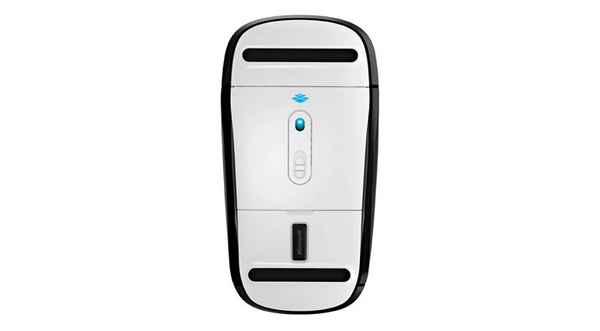
| Глубина приемника | 1,83 cm |
| Высота приемника | 4,4 mm |
| Ширина приемника | 1.31 cm |
| Энергопитание | |
| Технология батареи | Щелочной |
| Тип батареек | AA |
| Число поддерживаемых батарей | 2 |
| Источник питания | Батарейки |
| Внешние условия | |
| Диапазон относительной влажности при эксплуатации | 5 - 80% |
| Диапазон температуры хранения | -40 - 60 °C |
| Диапазон рабочих температур | 0 - 40 °C |
| Диапазон относительной влажности при хранении | 5 - 65% |
| Устройство ввода | |
| Количество кнопок | 2 |
| Полоса частот | 2.4 GHz |
| Датчик перемещения | BlueTrack |
| Разрешительная способность движения | 1000 DPI |
| Предназначение | Офисная |
| Прокрутка | |
| Рекомендованное применение | ПК |
| Интерфейс устройства | Беспроводной RF |
| Тип прокрутки | Сенсорный |
| Данные об упаковке | |
| Батарейки в комплекте | |
| Дизайн | |
| Формат | Для обеих рук |
| Цвет товара | Black |
| Расцветка покрытия | Одноцветный |
| Интерфейс беспроводного ресивера | USB |
| Тип ресивера | Нано |
| EAN | 885370409048 |
| Гарантия | 1 год |
| Source: Icecat.biz | |
Additional gesture settings in Windows 8
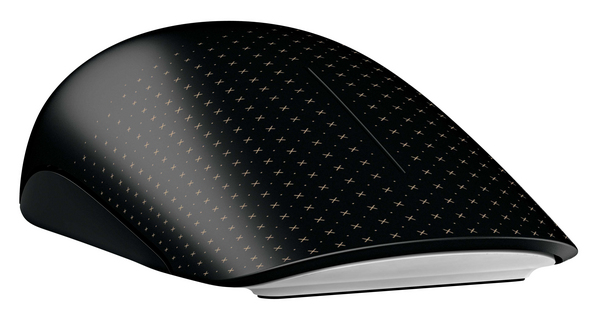
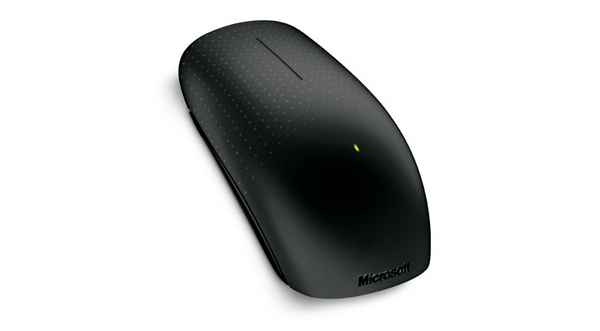
Get the best of both worlds—the control and precision of a conventional mouse, blended with the fluid movement available in touch technology. Navigate Windows 8 seamlessly with additional gesture settings. Personalize your Touch Mouse experience with new gesture and scrolling customizations.
Tradition meets innovation and flexibility
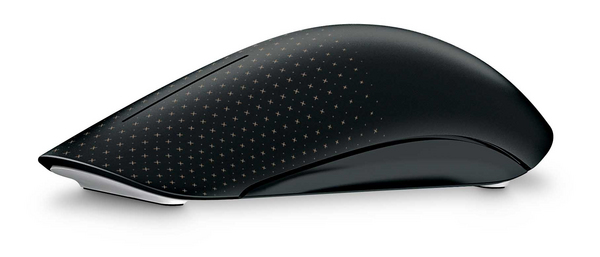
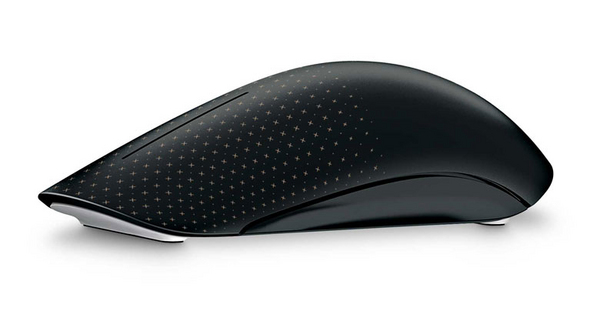
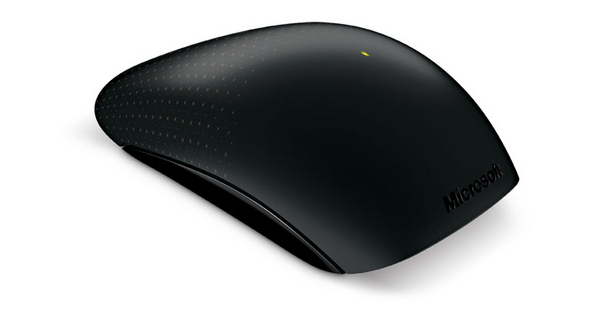
Its contoured shape fits comfortably in either hand, and with built-in BlueTrack Technology, you can use it virtually anywhere. Learn new ways to navigate Windows, while still being able to use familiar point-and-click functionality.
Simple movements that create waves
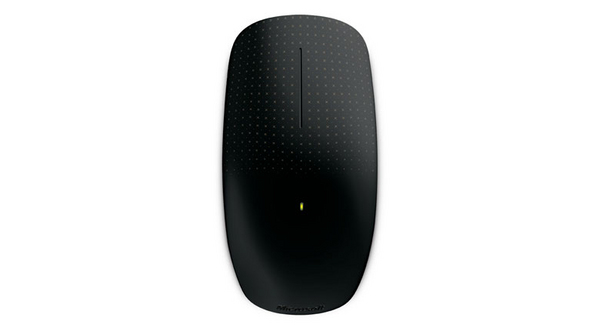
Touch Mouse features a large touch-sensitive surface that responds to one-, two-, and three-fingered gestures that are optimized for PC use. You can select which gestures correspond to snapping, moving, minimizing and maximizing windows, and switching between tasks. Use a simple thumb sweep to move back and forth between pages. Plus, with horizontal and vertical scrolling, you can swiftly navigate long documents and websites.
Upgrading to Windows 8? Touch Mouse goes with you
In Windows 8, you can adjust how sensitive Touch Mouse is to your touch. Want faster motion reactions or quicker scrolling? You can increase Touch Mouse’s response to your movements. If you want to reduce the likelihood of unintentional mouse scrolling, you can easily decrease its surface sensitivity through Microsoft Mouse and Keyboard Center settings.
Windows 8 offers even more ways to customize your Touch Mouse, with a new set of gesture setting options. You want Middle Click? You got it. Just choose the option in Microsoft Mouse and Keyboard Center and assign it to a gesture. Try out new gesture settings, or keep your existing settings and continue using your Touch Mouse as you always have.
Get the best of both worlds—the control and precision of a conventional mouse, blended with the fluid movement available in touch technology. Navigate Windows 8 seamlessly with additional gesture settings. Personalize your Touch Mouse experience with new gesture and scrolling customizations.
Tradition meets innovation and flexibility
Its contoured shape fits comfortably in either hand, and with built-in BlueTrack Technology, you can use it virtually anywhere. Learn new ways to navigate Windows, while still being able to use familiar point-and-click functionality.
Simple movements that create waves
Touch Mouse features a large touch-sensitive surface that responds to one-, two-, and three-fingered gestures that are optimized for PC use. You can select which gestures correspond to snapping, moving, minimizing and maximizing windows, and switching between tasks. Use a simple thumb sweep to move back and forth between pages. Plus, with horizontal and vertical scrolling, you can swiftly navigate long documents and websites.
Upgrading to Windows 8? Touch Mouse goes with you
In Windows 8, you can adjust how sensitive Touch Mouse is to your touch. Want faster motion reactions or quicker scrolling? You can increase Touch Mouse’s response to your movements. If you want to reduce the likelihood of unintentional mouse scrolling, you can easily decrease its surface sensitivity through Microsoft Mouse and Keyboard Center settings.
Windows 8 offers even more ways to customize your Touch Mouse, with a new set of gesture setting options. You want Middle Click? You got it. Just choose the option in Microsoft Mouse and Keyboard Center and assign it to a gesture. Try out new gesture settings, or keep your existing settings and continue using your Touch Mouse as you always have.
Multitronic Vaasa: 0 шт
Срок доставки: Нет информации о доставке
Срок доставки: Нет информации о доставке
Сегодня: 10:00 - 18:00
Multitronic Pietarsaari: 0 шт
Срок доставки: Нет информации о доставке
Срок доставки: Нет информации о доставке
Сегодня: 09:00 - 17:00
Multitronic Jyväskylä: 0 шт
Срок доставки: Нет информации о доставке
Срок доставки: Нет информации о доставке
Сегодня: 10:00 - 17:00
Multitronic Lappeenranta: 0 шт
Срок доставки: Нет информации о доставке
Срок доставки: Нет информации о доставке
Сегодня: 10:00 - 18:00
Multitronic Mariehamn: 0 шт
Срок доставки: Нет информации о доставке
Срок доставки: Нет информации о доставке
Сегодня: 10:00 - 17:00
The above technical details are for reference only and may change without notice. We reserve the right to correct printing errors and use illustrations for guidance. Some text may be auto-generated or machine-translated, which could lead to inaccuracies.