

Ingen prisutvecklingsinformation för denna produkt.
Produkten är inte tillgänglig
Produkten har utgått från sortimentet eller är inte tillgänglig för tillfället.
Produkten har utgått från sortimentet eller är inte tillgänglig för tillfället.
Produktspecifikation
Välj en eller flera funktioner för att söka efter produkter med samma specifikationer.
Produktspecifikation
Beskrivning
På lager i butiker
Leverans
Prisutveckling
| Systemkrav | |
| Minimum hårddisk utrymme | 100 MB |
| Windows-operativsystem som stöds |  |
| Vikt & dimension | |
| Höjd | 3,7 cm |
| Bredd | 6,2 cm |
| Djup | 12 cm |
| Musvikt | 80g |
| Mottagare, djup | 1,83 cm |
| Mottagare, höjd | 4,4 mm |
| Mottagare, bredd | 1,31 cm |
| Mottagarvikt | 1,6g |
| Strömtillförsel | |
| Batteriteknik | Alkalisk |
| Batterityp | AA |
| Antal batterier | 2 |
| Strömkälla | Batterier |
| Miljökrav | |
| Intervall för relativ operativ luftfuktighet | 5 - 80% |
| Temperaturintervall (förvaring) | -40 - 60 ° C |
| Temperatur vid drift | 0 - 40 ° C |
| Fuktighet (förvaring) | 5 - 65% |
| Inmatningsenhet | |
| Antal knappar | 2 |
| Frekvensband | 2.4 GHz |
| Rörelsedetektor-teknik | BlueTrack |
| Rörelseupplösning | 1000 DPI |
| Ändamål | Kontor |
| Skrollhjul | |
| Rekommenderad användning | PC |
| Gränssnitt | RF Trådlös |
| Scroll-typ | Röra |
| Förpackning | |
| Batterier medföljer | |
| Ergonomi | |
| Täckning, trådlös router | 3,05m |
| Design | |
| Formfaktor | Ambidextrous |
| Produktens färg | Svart |
| Ytfärg | Monoton |
| Trådlös mottagargränssnitt | USB |
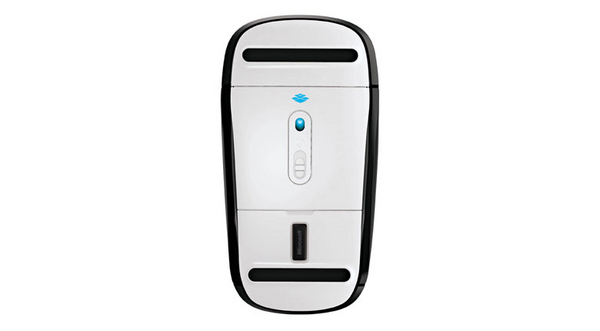
| Mottagartyp | Nano |
| EAN | 885370409048 |
| Garanti | 1 år |
| Source: Icecat.biz | |
Additional gesture settings in Windows 8
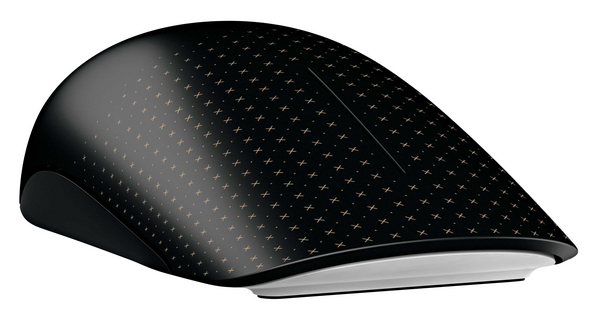
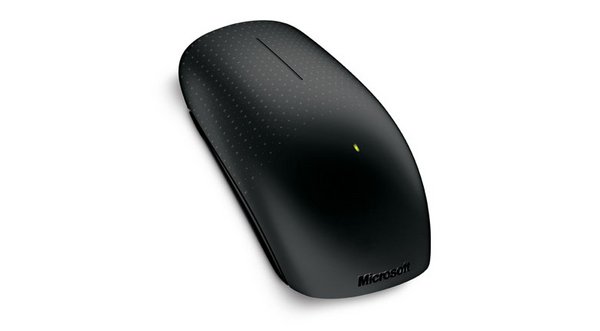
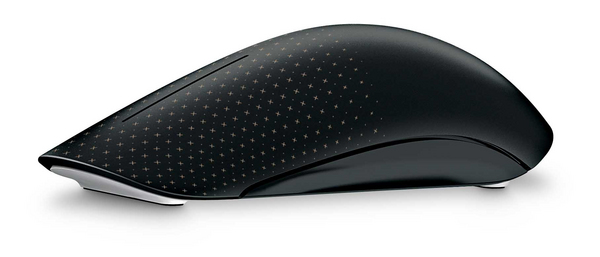
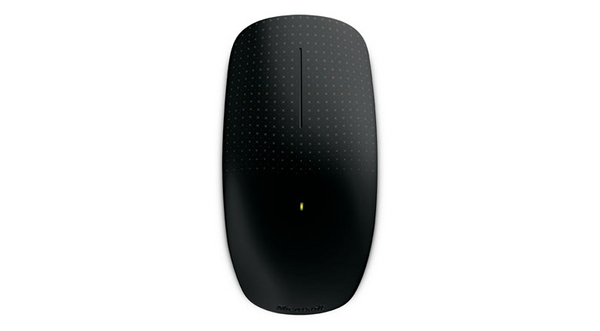
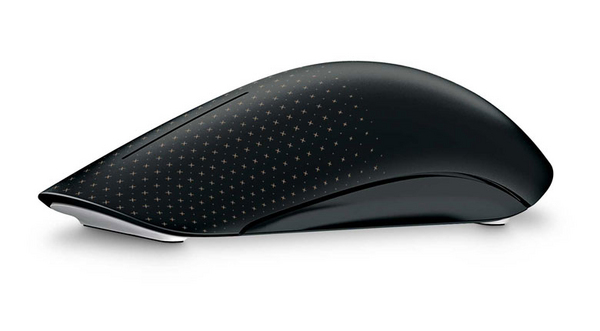
Get the best of both worlds—the control and precision of a conventional mouse, blended with the fluid movement available in touch technology. Navigate Windows 8 seamlessly with additional gesture settings. Personalize your Touch Mouse experience with new gesture and scrolling customizations.
Tradition meets innovation and flexibility
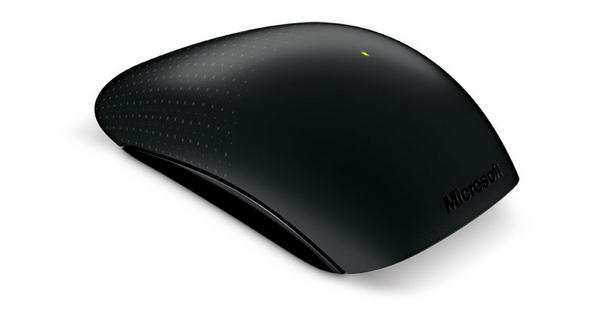
Its contoured shape fits comfortably in either hand, and with built-in BlueTrack Technology, you can use it virtually anywhere. Learn new ways to navigate Windows, while still being able to use familiar point-and-click functionality.
Simple movements that create waves
Touch Mouse features a large touch-sensitive surface that responds to one-, two-, and three-fingered gestures that are optimized for PC use. You can select which gestures correspond to snapping, moving, minimizing and maximizing windows, and switching between tasks. Use a simple thumb sweep to move back and forth between pages. Plus, with horizontal and vertical scrolling, you can swiftly navigate long documents and websites.
Upgrading to Windows 8? Touch Mouse goes with you
In Windows 8, you can adjust how sensitive Touch Mouse is to your touch. Want faster motion reactions or quicker scrolling? You can increase Touch Mouse’s response to your movements. If you want to reduce the likelihood of unintentional mouse scrolling, you can easily decrease its surface sensitivity through Microsoft Mouse and Keyboard Center settings.
Windows 8 offers even more ways to customize your Touch Mouse, with a new set of gesture setting options. You want Middle Click? You got it. Just choose the option in Microsoft Mouse and Keyboard Center and assign it to a gesture. Try out new gesture settings, or keep your existing settings and continue using your Touch Mouse as you always have.
Get the best of both worlds—the control and precision of a conventional mouse, blended with the fluid movement available in touch technology. Navigate Windows 8 seamlessly with additional gesture settings. Personalize your Touch Mouse experience with new gesture and scrolling customizations.
Tradition meets innovation and flexibility
Its contoured shape fits comfortably in either hand, and with built-in BlueTrack Technology, you can use it virtually anywhere. Learn new ways to navigate Windows, while still being able to use familiar point-and-click functionality.
Simple movements that create waves
Touch Mouse features a large touch-sensitive surface that responds to one-, two-, and three-fingered gestures that are optimized for PC use. You can select which gestures correspond to snapping, moving, minimizing and maximizing windows, and switching between tasks. Use a simple thumb sweep to move back and forth between pages. Plus, with horizontal and vertical scrolling, you can swiftly navigate long documents and websites.
Upgrading to Windows 8? Touch Mouse goes with you
In Windows 8, you can adjust how sensitive Touch Mouse is to your touch. Want faster motion reactions or quicker scrolling? You can increase Touch Mouse’s response to your movements. If you want to reduce the likelihood of unintentional mouse scrolling, you can easily decrease its surface sensitivity through Microsoft Mouse and Keyboard Center settings.
Windows 8 offers even more ways to customize your Touch Mouse, with a new set of gesture setting options. You want Middle Click? You got it. Just choose the option in Microsoft Mouse and Keyboard Center and assign it to a gesture. Try out new gesture settings, or keep your existing settings and continue using your Touch Mouse as you always have.
Multitronic Vasa: 0 st
Beräknad leverans: Ingen leverans information
Beräknad leverans: Ingen leverans information
Idag: 10:00 - 18:00
Multitronic Jakobstad: 0 st
Beräknad leverans: Ingen leverans information
Beräknad leverans: Ingen leverans information
Idag: 09:00 - 17:00
Multitronic Jyväskylä: 0 st
Beräknad leverans: Ingen leverans information
Beräknad leverans: Ingen leverans information
Idag: 10:00 - 17:00
Multitronic Villmanstrand: 0 st
Beräknad leverans: Ingen leverans information
Beräknad leverans: Ingen leverans information
Idag: 10:00 - 18:00
Multitronic Mariehamn: 0 st
Beräknad leverans: Ingen leverans information
Beräknad leverans: Ingen leverans information
Idag: 10:00 - 17:00
De tekniska uppgifterna ovan är endast avsedda som referens och kan ändras. Vi förbehåller oss rätten att korrigera tryckfel och att använda illustrationer som vägledning. Viss text kan vara autogenererad eller maskinöversatt, vilket kan leda till felaktigheter.