

Информация об изменение цен для данного товара отсутствует.
Товар не доступен
Данный товар более не продается или в настоящий момент не может быть приобретен.
Данный товар более не продается или в настоящий момент не может быть приобретен.
Характеристики
Описание
Наличие в магазинах
Доставка
Динамика цен
| Данные об упаковке | |
| Количество в упаковке | 1 шт |
| Свойства | |
| Совместимость | MX6500e |
| Совместимость c брэндом | Lexmark |
| Cовместимость с устройствами | Многофункциональный |
| EAN | 0734646521963 |
| Гарантия | 1 год |
| Source: Icecat.biz | |
Fast and easy to deploy!
Forms are stored in the printer so there is no server to configure and maintain. There is also a low initial investment for a small number of printing devices.
Generate forms and save in printer
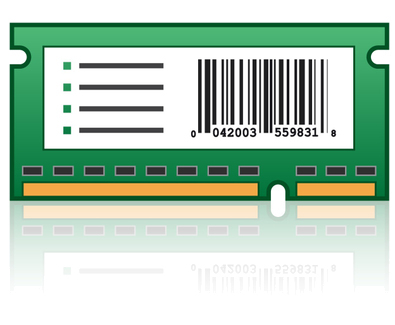
The Lexmark Forms and Bar Code Card is designed to accept electronic forms generated using Lexmark Forms Composer and saved in flash memory or hard disk in Lexmark printers using Lexmark Forms Manager. Requires either flash memory or a hard disk for electronic form storage in the MFP or printer.
Merge and Print
Merge and quickly print forms using only the variable ASCII text data transmitted over the network. This card works in conjunction with the printer firmware to monitor incoming ASCII, SAP RDI or PCL data. In the event that incoming data contains a pattern consistent with conditions set in a resident electronic form, a form merge process is initiated.
Simple Data Merge
This card works with Ethernet networks for IBM AS/400, S/390, IBM iSeries and UNIX (any host) using ASCII, SAP RDI (with Lexmark SAP® R/3® Device Type for PCL) or PCL data. It also supports PCL® and PostScript command access for more than 47 industry standard one-and two-dimensional bar codes.
Lexmark Forms Manager
Use Lexmark Forms Manager to upload and manage forms, to update firmware and to change the mode (Print, Data Capture, Disabled, Archive* and Print, and Archive* Only) of the card. *Archive modes require a hard disk.
Consideration
Only one of these cards may be used at any time: Forms and Bar Code, Card for IPDS, Card for PRESCRIBE or Lexmark PrintCryption Card. These cards are installed in the same single connector.
Forms are stored in the printer so there is no server to configure and maintain. There is also a low initial investment for a small number of printing devices.
Generate forms and save in printer
The Lexmark Forms and Bar Code Card is designed to accept electronic forms generated using Lexmark Forms Composer and saved in flash memory or hard disk in Lexmark printers using Lexmark Forms Manager. Requires either flash memory or a hard disk for electronic form storage in the MFP or printer.
Merge and Print
Merge and quickly print forms using only the variable ASCII text data transmitted over the network. This card works in conjunction with the printer firmware to monitor incoming ASCII, SAP RDI or PCL data. In the event that incoming data contains a pattern consistent with conditions set in a resident electronic form, a form merge process is initiated.
Simple Data Merge
This card works with Ethernet networks for IBM AS/400, S/390, IBM iSeries and UNIX (any host) using ASCII, SAP RDI (with Lexmark SAP® R/3® Device Type for PCL) or PCL data. It also supports PCL® and PostScript command access for more than 47 industry standard one-and two-dimensional bar codes.
Lexmark Forms Manager
Use Lexmark Forms Manager to upload and manage forms, to update firmware and to change the mode (Print, Data Capture, Disabled, Archive* and Print, and Archive* Only) of the card. *Archive modes require a hard disk.
Consideration
Only one of these cards may be used at any time: Forms and Bar Code, Card for IPDS, Card for PRESCRIBE or Lexmark PrintCryption Card. These cards are installed in the same single connector.
Multitronic Vaasa: 0 шт
Срок доставки: Нет информации о доставке
Срок доставки: Нет информации о доставке
Сегодня: 10:00 - 18:00
Multitronic Pietarsaari: 0 шт
Срок доставки: Нет информации о доставке
Срок доставки: Нет информации о доставке
Сегодня: 09:00 - 17:00
Multitronic Jyväskylä: 0 шт
Срок доставки: Нет информации о доставке
Срок доставки: Нет информации о доставке
Сегодня: 10:00 - 17:00
Multitronic Lappeenranta: 0 шт
Срок доставки: Нет информации о доставке
Срок доставки: Нет информации о доставке
Сегодня: 10:00 - 18:00
Multitronic Mariehamn: 0 шт
Срок доставки: Нет информации о доставке
Срок доставки: Нет информации о доставке
Сегодня: 10:00 - 17:00
The above technical details are for reference only and may change without notice. We reserve the right to correct printing errors and use illustrations for guidance. Some text may be auto-generated or machine-translated, which could lead to inaccuracies.