

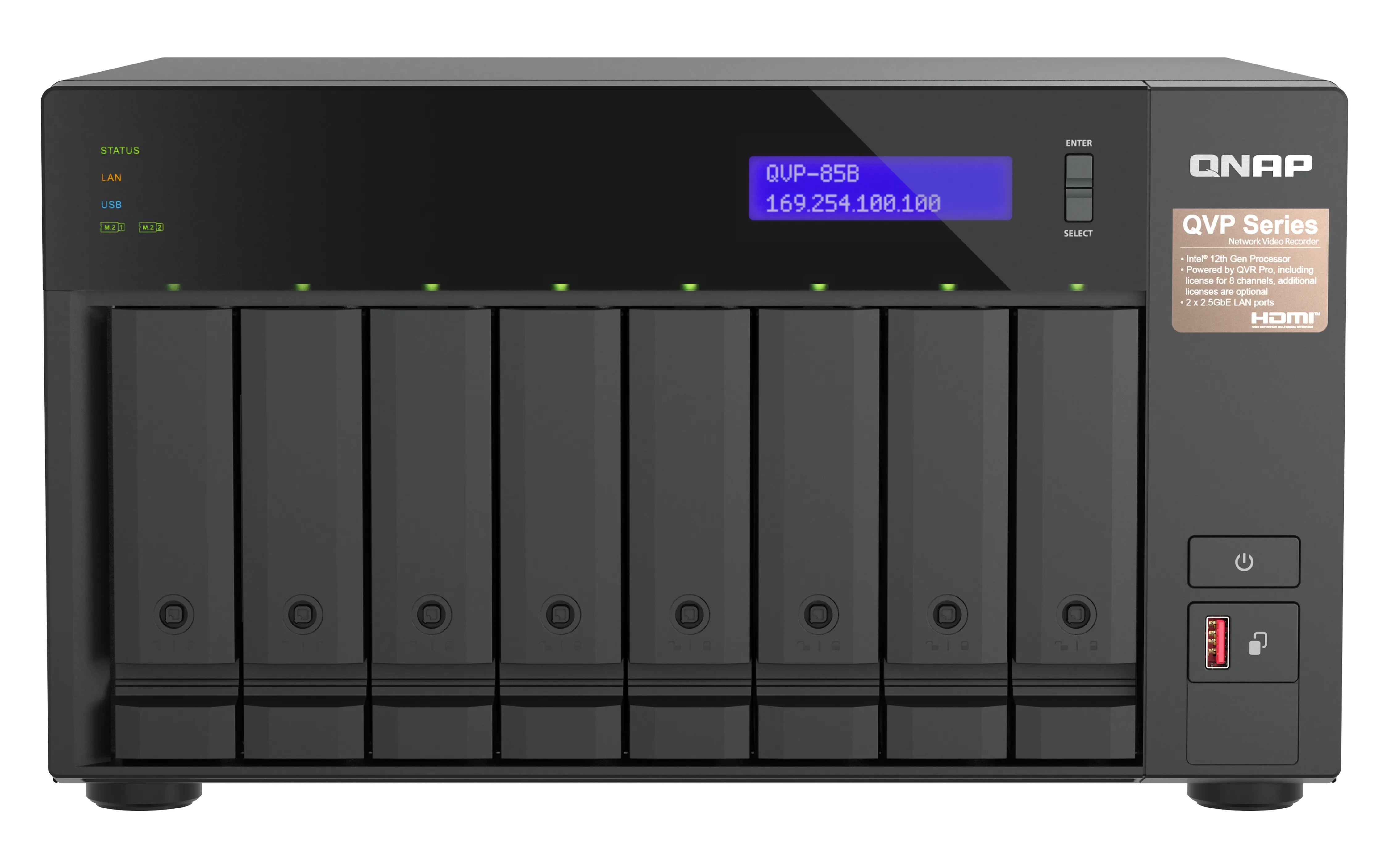
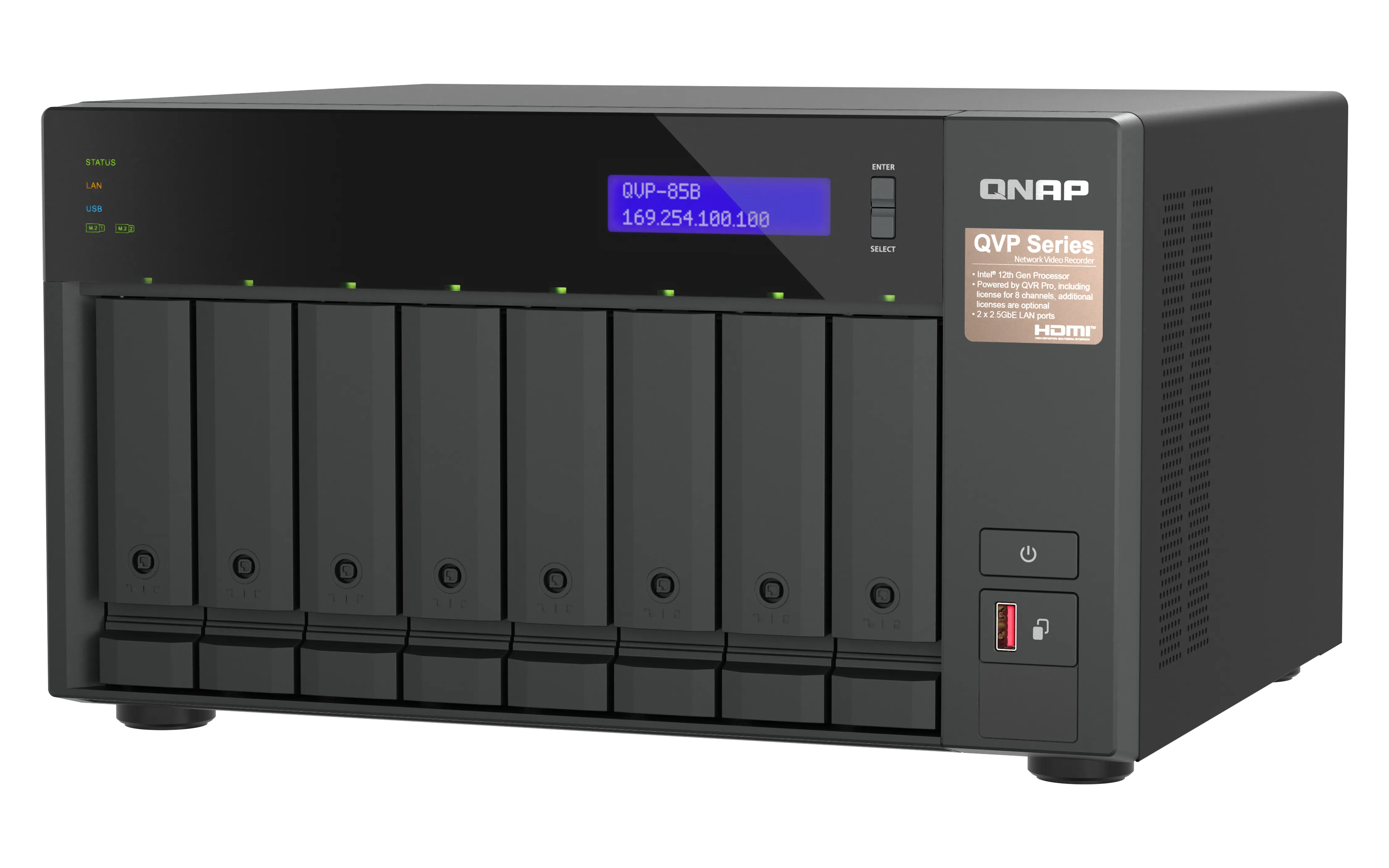
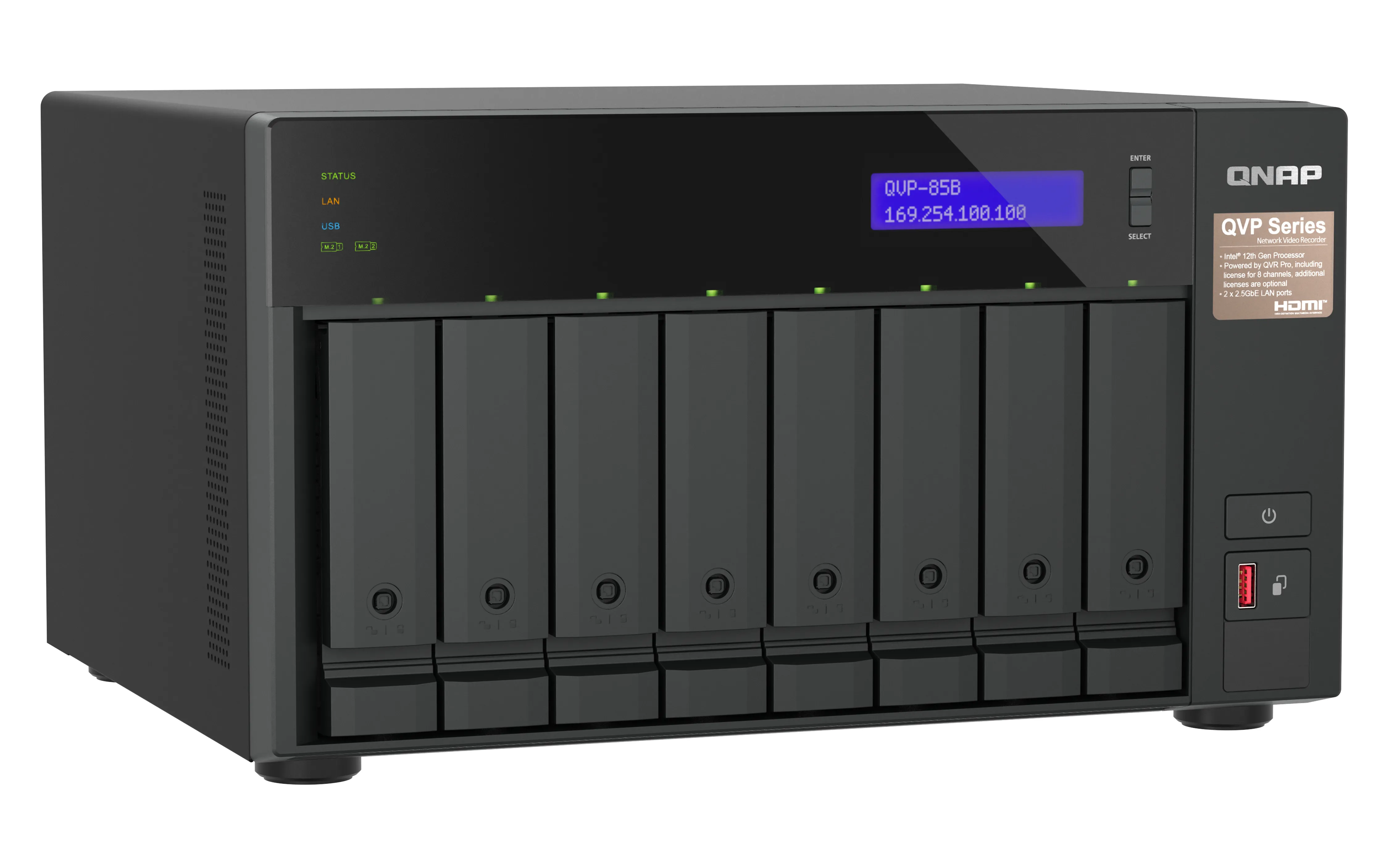
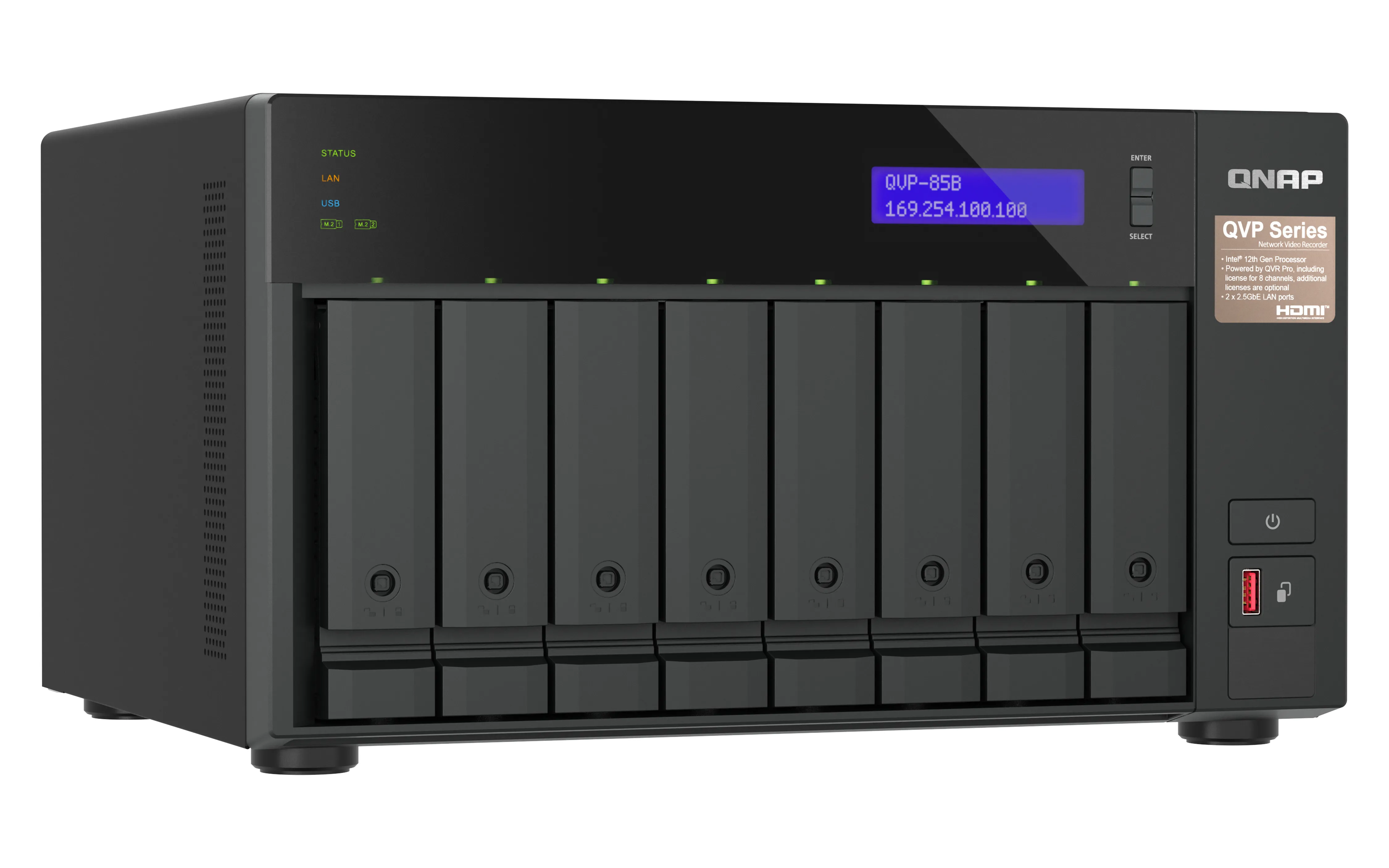
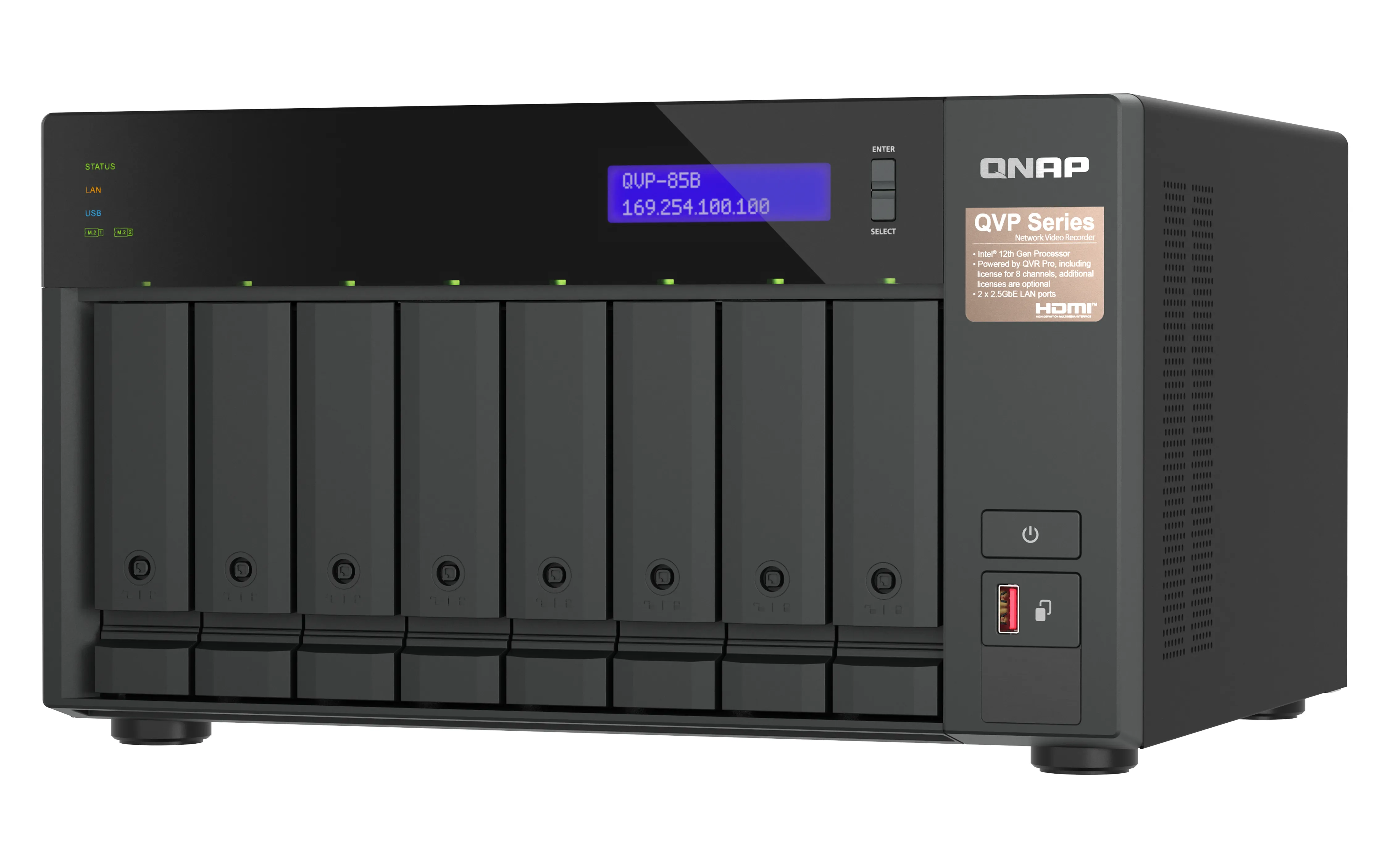
QNAP QVP-85B Surveillance NAS Intel Core i5-12400 6-core/12-thread Processor
Tillverkare: QNAP SYSTEMS
ID: QVP-85B
302890€
Visa Moms 0%
Visa Moms 25,5%
Multitronic Vasa
Multitronic Jakobstad
Multitronic Jyväskylä
Multitronic Villmanstrand
Multitronic Mariehamn
Produktspecifikation
Beskrivning
På lager i butiker
Leverans
Prisutveckling
Manuals
| Processor | |
| Processortillverkare | Intel |
| Processorfamilj | Intel Core i5 |
| Processorkärnor | 6 |
| Processortrådar | 12 |
| Minne | |
| Typ av internminne | DDR4 |
| Flashminne | 5000 MB |
| Minnesplatser | 2 |
| Minnets formfaktor | SO-DIMM |
| Maximal RAM som stöds | 64 GB |
| Internminne | 32 GB |
| Anslutningar | |
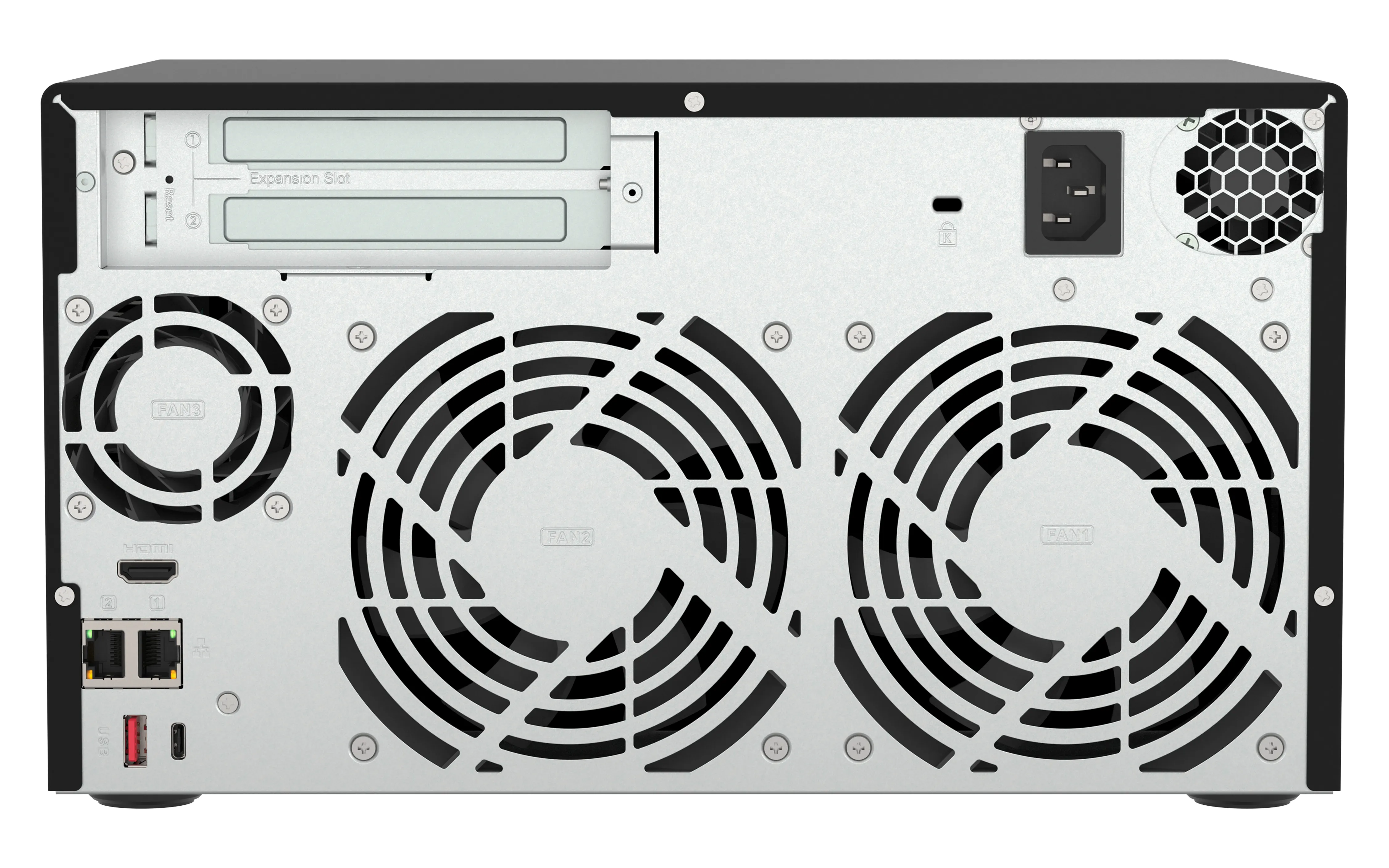
| Antal LAN (RJ-45) anslutningar | 2 |
| Antal HDMI-portar | 1 |
| HDMI-version | 1.4b |
| Ljud in/ut |  |
| PCI Express x4 (Gen 3.x)-kortplatser | 2 |
| Antal USB 3.2 Gen 1 (3.1 Gen 1) typ A-portar | 1 |
| Antal USB 3.2 Gen 2 (3.1 Gen 2) typ A-portar | 2 |
| Antal USB 3.2 Gen 2 (3.1 Gen 2) typ C-portar | 1 |
| USB-port | |
| Vikt & dimension | |
| Vikt | 7,3 kg |
| Vikt inkl. förpackning | 8,99 kg |
| Höjd | 396 mm |
| Bredd | 329,3 mm |
| Djup | 280,8 mm |
| Låddjup | 426 mm |
| Förpackningens bredd | 338 mm |
| Strömtillförsel | |
| Strömförbrukning (vanlig) | 85,701 W |
| Antal strömförsörjningsaggregat | 1 |
| Strömförbrukning i väntläge | 43,131 W |
| Växelström Frekvens | 50-60 hz |
| AC-inspänning | 100-240 V |
| Strömförsörjning plats | Inbyggd |
| Nätaggregatets effekt | 250 W |
| Miljökrav | |
| Intervall för relativ operativ luftfuktighet | 5 - 95% |
| Temperatur vid drift | 0 - 40 ° C |
| Nätverk | |
| Stöd för nätverksprotokoll | HTTP, HTTPS, TCP/IP, UDP, DHCP, Static IP, DNS, DDNS, UPnP, FTP, NTP, and SMTP |
| Nätverksansluten (Ethernet) | |
| Wake-on-LAN förberedd | |
| DHCP-server | |
| Datahastighet för Ethernet-LAN | 2500 Mbit/s |
| Lagringsmedia | |
| RAID-nivåer | 1, 5+S, 5, 6, 6+HS, 10+HS, 10, JBOD |
| RAID-stöd | |
| Lagringsenhetens gränssnitt | SATA |
| Antal lagringsenheter som stöds | 8 |
| Storlekar som stöds på lagringsenhet | 2.5,3.5" |
| Lagringsenheter installerade |  |
| Antal installerade lagringsenheter | 0 |
| Typ av installerad lagringsenhet | |
| Typer av lagringsenheter som stöds | HDD & SSD |
| Hårddiskplatser med hotswap-funktion | |
| Lagringsenhetens kapacitet | 0 GB |
| Lagringsenhetsgränssnitt som stöds | M.2, SATA |
| Online RAID-migrering | |
| Online RAID-expansion | |
| 2 | |
| Total installerad lagringskapacitet | 0 TB |
| Programvara | |
| Installerat operativsystem | QVR Pro |
| Förpackningens innehåll | |
| Kabel inkluderad | AC, LAN (RJ-45) |
| Antal skruvar | 52 |
| Antal strömkablar | 1 |
| Övriga egenskaper | |
| Garantiperiod | 3 År |
| Design | |
| Chassityp | Tower |
| LED-indikatorer | HDD, LAN, Status, USB |
| Produktens färg | Svart |
| Antal fläktar | 3 fläkt/-ar |
| Kylning typ | Aktiv |
| Fläktdiameter | 12 cm |
| Inbyggd display | |
| Skärmtyp | LCD |
| Fläkdiameter 2 | 6 cm |
| Prestanda | |
| Modell | NAS |
| Ljudnivå Lc IEC | 24,2 dB |
| Alarm | |
| Återställningsknapp | |
| På / av-knapp | |
| Stöd för S.M.A.R.T. | |
| Enhetsklass | Små och Medelstora Företag |
| Säkerhetskopieringsfunktion | |
| Hot spare-disk | |
| USB-kopieringsfunktion | |
| EAN | 4711103083468 |
| Garanti | 2 år |
| Source: Icecat.biz | |
The QVP-85A QVR Pro appliance is a tower-based network surveillance server that supports real-time video/audio monitoring, high-resolution recording, and simultaneous playback from multiple IP cameras. Users can easily monitor cameras from different platforms (Windows, Mac and mobile devices), making it easier for businesses and offices to safeguard their work environments.
QVP-85A vs. other NAS-based surveillance systems. What’s the difference?
In a conventional NAS-based surveillance system, surveillance is just one of many applications available to users. As all these applications need to share NAS system resources and storage space, surveillance performance could be impacted. The QVP-85A QVR Pro Appliance overcomes this by providing dedicated storage space and reserving full system resources for surveillance, delivering the utmost performance to fulfill professional surveillance system requirements. The QVP-85A also comes with built-in camera channel licenses and essential applications to enable local installation without requiring an internet connection. Simply install the hard drives and power up the QVP-85A to start the installation process.
Comprehensive camera support and management
The QVP-85A supports thousands of camera models from over 150 brands with a variety of image formats (including cameras that use ONVIF and RTSP/ HTTP streaming). Even USB webcams are supported, allowing home and budget-conscious users to quickly build surveillance solutions tailored to their environment while providing convenient camera management.
Motion detection using budget-friendly USB webcams
Standard surveillance systems normally only support event recording and notification functions for expensive cameras with integrated motion detection. The QVP-85A provides motion detection even for entry-level cameras and USB webcams. As long as your camera can stream its footage to the QVR Pro appliance (e.g. through RTSP protocol) it supports motion detection, allowing you to build a budget-friendly, motion-detecting surveillance system.
QVR Pro Client
The QVR Pro Client software can be installed on Windows and Mac devices, allowing you to monitor from different platforms and flexibly switch from live view or playback mode to take full control over monitored areas.
Live view and playback
Monitor the live view of multiple channels and play recordings on a single interface. You can also view recordings at a specific time by clicking the timeline or by defining a time range.
Region of Interest
The Region of Interest (ROI) feature allows for viewing multiple regional images from the same camera in live view and playback mode. You can define and enlarge multiple areas to watch the area more closely.
Qdewarp Technology
The innovative Qdewarp enables users to view standard fisheye camera recordings in proportional ratios and sizes without affecting original recordings. The distorted parts on the edges can be turned into a clear panoramic view.
Multiple Notification Methods
The event notification provides multiple ways of being informed of emerging events, including flashing red borders of channels, alert buzzers, and the motion icon on the e-map.
Easy remote monitoring with the QVR Pro Client mobile app
The QVR Pro Client mobile app allows you to remotely monitor multiple channels simultaneously. If your network connection is slow or metered/capped, you can choose the low-bandwidth mode to view a bandwidth-optimized stream without affecting the quality of recordings. In addition, you can remotely set the camera’s preset point or control the PTZ cameras within the app.
QVP-85A vs. other NAS-based surveillance systems. What’s the difference?
In a conventional NAS-based surveillance system, surveillance is just one of many applications available to users. As all these applications need to share NAS system resources and storage space, surveillance performance could be impacted. The QVP-85A QVR Pro Appliance overcomes this by providing dedicated storage space and reserving full system resources for surveillance, delivering the utmost performance to fulfill professional surveillance system requirements. The QVP-85A also comes with built-in camera channel licenses and essential applications to enable local installation without requiring an internet connection. Simply install the hard drives and power up the QVP-85A to start the installation process.
Comprehensive camera support and management
The QVP-85A supports thousands of camera models from over 150 brands with a variety of image formats (including cameras that use ONVIF and RTSP/ HTTP streaming). Even USB webcams are supported, allowing home and budget-conscious users to quickly build surveillance solutions tailored to their environment while providing convenient camera management.
Motion detection using budget-friendly USB webcams
Standard surveillance systems normally only support event recording and notification functions for expensive cameras with integrated motion detection. The QVP-85A provides motion detection even for entry-level cameras and USB webcams. As long as your camera can stream its footage to the QVR Pro appliance (e.g. through RTSP protocol) it supports motion detection, allowing you to build a budget-friendly, motion-detecting surveillance system.
QVR Pro Client
The QVR Pro Client software can be installed on Windows and Mac devices, allowing you to monitor from different platforms and flexibly switch from live view or playback mode to take full control over monitored areas.
Live view and playback
Monitor the live view of multiple channels and play recordings on a single interface. You can also view recordings at a specific time by clicking the timeline or by defining a time range.
Region of Interest
The Region of Interest (ROI) feature allows for viewing multiple regional images from the same camera in live view and playback mode. You can define and enlarge multiple areas to watch the area more closely.
Qdewarp Technology
The innovative Qdewarp enables users to view standard fisheye camera recordings in proportional ratios and sizes without affecting original recordings. The distorted parts on the edges can be turned into a clear panoramic view.
Multiple Notification Methods
The event notification provides multiple ways of being informed of emerging events, including flashing red borders of channels, alert buzzers, and the motion icon on the e-map.
Easy remote monitoring with the QVR Pro Client mobile app
The QVR Pro Client mobile app allows you to remotely monitor multiple channels simultaneously. If your network connection is slow or metered/capped, you can choose the low-bandwidth mode to view a bandwidth-optimized stream without affecting the quality of recordings. In addition, you can remotely set the camera’s preset point or control the PTZ cameras within the app.
Multitronic Vasa: 0 st
Beräknad leverans: 18.11 - 21.11
Beräknad leverans: 18.11 - 21.11
Idag: 10:00 - 18:00
Multitronic Jakobstad: 0 st
Beräknad leverans: 18.11 - 21.11
Beräknad leverans: 18.11 - 21.11
Idag: 09:00 - 17:00
Multitronic Jyväskylä: 0 st
Beräknad leverans: 18.11 - 21.11
Beräknad leverans: 18.11 - 21.11
Idag: 10:00 - 17:00
Multitronic Villmanstrand: 0 st
Beräknad leverans: 18.11 - 21.11
Beräknad leverans: 18.11 - 21.11
Idag: 10:00 - 18:00
Multitronic Mariehamn: 0 st
Beräknad leverans: 18.11 - 21.11
Beräknad leverans: 18.11 - 21.11
Idag: 10:00 - 17:00
Avhämtning från butiken
Beräknad leveranstid: 18.11 - 21.11
Beräknad leveranstid: 18.11 - 21.11
Posti: Paketautomater och serviceställen
Beräknad leveranstid: 18.11 - 20.11
Beräknad leveranstid: 18.11 - 20.11
Posti: Postpaket
Beräknad leveranstid: 19.11 - 21.11
Beräknad leveranstid: 19.11 - 21.11
Matkahuolto: Paketautomater och serviceställen
Beräknad leveranstid: 19.11 - 21.11
Beräknad leveranstid: 19.11 - 21.11
Posti: Till dörren-paket
Beräknad leveranstid: 19.11 - 20.11
Beräknad leveranstid: 19.11 - 20.11
Matkahuolto: Företagspaket
Beräknad leveranstid: 18.11 - 21.11
Beräknad leveranstid: 18.11 - 21.11
Matkahuolto: Hempaket
Beräknad leveranstid: 18.11 - 21.11
Beräknad leveranstid: 18.11 - 21.11
Posti: Hempaket
Beräknad leveranstid: 19.11 - 20.11
Beräknad leveranstid: 19.11 - 20.11
- leaflet (English)
De tekniska uppgifterna ovan är endast avsedda som referens och kan ändras. Vi förbehåller oss rätten att korrigera tryckfel och att använda illustrationer som vägledning. Viss text kan vara autogenererad eller maskinöversatt, vilket kan leda till felaktigheter.