



Ingen prisutvecklingsinformation för denna produkt.
Produkten är inte tillgänglig
Produkten har utgått från sortimentet eller är inte tillgänglig för tillfället.
Produkten har utgått från sortimentet eller är inte tillgänglig för tillfället.
Produktspecifikation
Välj en eller flera funktioner för att söka efter produkter med samma specifikationer.
Produktspecifikation
Beskrivning
På lager i butiker
Leverans
Prisutveckling
| Systemkrav | |
| Windows-operativsystem som stöds | Windows 7 Enterprise, Windows 7 Enterprise x64, Windows 7 Home Basic, Windows 7 Home Basic x64, Windows 7 Home Premium, Windows 7 Home Premium x64, Windows 7 Professional, Windows 7 Professional x64, Windows 7 Starter, Windows 7 Starter x64, Windows 7 Ultimate, Windows 7 Ultimate x64, Windows 8, Windows 8 Enterprise, Windows 8 Enterprise x64, Windows 8 Pro, Windows 8 Pro x64, Windows 8 x64, Windows 8.1, Windows 8.1 Enterprise, Windows 8.1 Enterprise x64, Windows 8.1 Pro, Windows 8.1 Pro x64, Windows 8.1 x64 |
| Mac-operativsystem som stöds | Mac OS X 10.10 Yosemite, Mac OS X 10.8 Mountain Lion, Mac OS X 10.9 Mavericks |
| Vikt & dimension | |
| Höjd | 48,4 mm |
| Bredd | 85,7 mm |
| Djup | 126 mm |
| Musvikt | 145 g |
| Mottagare, djup | 1,87 cm |
| Mottagare, höjd | 6,1 mm |
| Mottagare, bredd | 1,44 cm |
| Mottagarvikt | 1,8 g |
| Strömtillförsel | |
| Batteriteknik | Litium Polymer (LiPo) |
| Batterikapacitet | 500 mAh |
| Strömkälla | Batterier |
| Drifttid för batteri | 240 h |
| Inmatningsenhet | |
| Bluetooth-version | 4.0 |
| Antal knappar | 5 |
| Frekvensband | 2,4 |
| Rörelsedetektor-teknik | laser |
| Rörelseupplösning | 1000 DPI |
| Ändamål | Kontor |
| Skrollhjul |  |
| Programmerbara musknappar | |
| Rekommenderad användning | PC / bärbar dator |
| Gränssnitt | Trådlös RF + Bluetooth |
| Scroll-typ | Hjul |
| Typ av knappar | Tryckbara knappar |
| Anpassningsbar rörelseupplösning | |
| Antal rörelseupplösningslägen | 7 |
| Förpackning | |
| Kabel inkluderad | Micro-USB |
| Mottagare medföljer | |
| Ergonomi | |
| Täckning, trådlös router | 10 m |
| På / av-knapp | |
| Fungerar på alla underlag | |
| Design | |
| Formfaktor | högerhand |
| Produktens färg | Svart |
| Trådlös mottagargränssnitt | USB |
| Mottagartyp | Nano |
| Unifying-mottagare | |
| Mus | |
| Ändamål | Kontor |
| EAN | 5099206056213 |
| Garanti | 2 år |
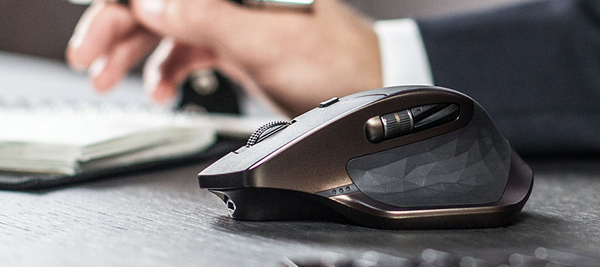
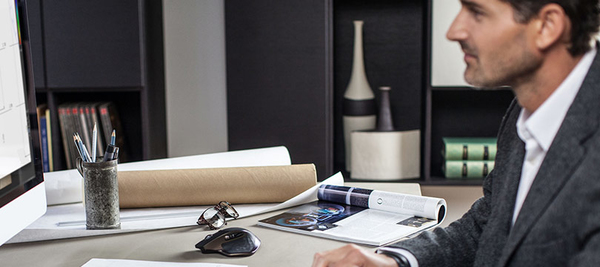
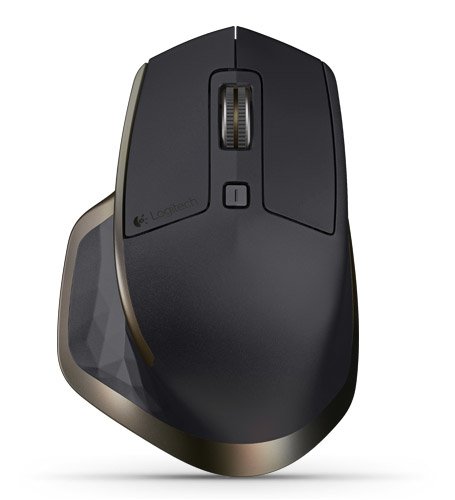
The new revolution is here. MX Master - a precision instrument for masters of their craft
Hand-sculpted comfort contour
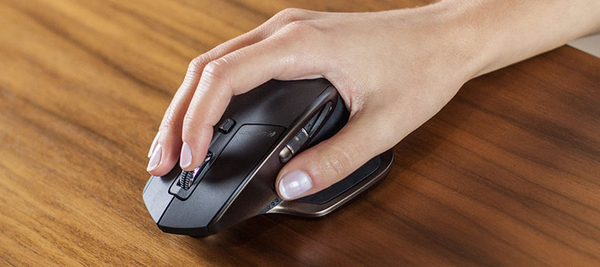
The perfectly sculpted, hand crafted shape* of this comfort mouse supports your hand and wrist in a comfortable, natural position.
Experience fine-motion control and fluid experience with well-positioned buttons and wheels.
* Mouse mold manufactured from an original hand sculpted design.
Speed-adaptive scroll wheel
Scroll through long documents or web pages faster and easier. The precision wheel auto-shifts from click-to-click to hyper-fast scroll.
Logitech Options™ software lets you customize this experience.
Unique thumb wheel
Experience side-to-side scrolling with a stroke of your thumb. To unlock the full range of thumb wheel possibilities, install Logitech Options™ software.
Turn pages, switch applications, reassign buttons, and much more using Logitech Options software.
Darkfield Laser Tracking
Darkfield™ Laser Sensor tracks flawlessly virtually anywhere, even on glass* and high-gloss surfaces.
*4 mm minimum thickness
Dual connectivity
Connect this performance mouse via included Logitech Unifying™ Receiver or via Bluetooth Smart wireless technology.
Easy-Switch technology
Pair up to 3 devices and easily switch between them with the touch of a button.
Rechargeable battery
Charge quickly. You can get enough power for a full day of usage in 4 minutes only, with no down time while recharging. A full charge can last up to 40 days*.
When the battery gets low, an indicator light lets you know. Recharging is fast and easy. Just plug MX Master into your computer using the micro-USB charging cable. Continue using your mouse while it charges.
*Based on a 6 hour daily office use. Battery life may vary based on user and computing conditions.
Unlock the possibilities
Install Logitech Options™ software to experience a full range of possibilities of this advanced mouse. Customize buttons and actions to your needs.
Set up and assign tasks to buttons with step-by-step instructions and Setup Guide available to help answer your questions.
Hand-sculpted comfort contour
The perfectly sculpted, hand crafted shape* of this comfort mouse supports your hand and wrist in a comfortable, natural position.
Experience fine-motion control and fluid experience with well-positioned buttons and wheels.
* Mouse mold manufactured from an original hand sculpted design.
Speed-adaptive scroll wheel
Scroll through long documents or web pages faster and easier. The precision wheel auto-shifts from click-to-click to hyper-fast scroll.
Logitech Options™ software lets you customize this experience.
Unique thumb wheel
Experience side-to-side scrolling with a stroke of your thumb. To unlock the full range of thumb wheel possibilities, install Logitech Options™ software.
Turn pages, switch applications, reassign buttons, and much more using Logitech Options software.
Darkfield Laser Tracking
Darkfield™ Laser Sensor tracks flawlessly virtually anywhere, even on glass* and high-gloss surfaces.
*4 mm minimum thickness
Dual connectivity
Connect this performance mouse via included Logitech Unifying™ Receiver or via Bluetooth Smart wireless technology.
Easy-Switch technology
Pair up to 3 devices and easily switch between them with the touch of a button.
Rechargeable battery
Charge quickly. You can get enough power for a full day of usage in 4 minutes only, with no down time while recharging. A full charge can last up to 40 days*.
When the battery gets low, an indicator light lets you know. Recharging is fast and easy. Just plug MX Master into your computer using the micro-USB charging cable. Continue using your mouse while it charges.
*Based on a 6 hour daily office use. Battery life may vary based on user and computing conditions.
Unlock the possibilities
Install Logitech Options™ software to experience a full range of possibilities of this advanced mouse. Customize buttons and actions to your needs.
Set up and assign tasks to buttons with step-by-step instructions and Setup Guide available to help answer your questions.
Multitronic Vasa: 0 st
Beräknad leverans: Ingen leverans information
Beräknad leverans: Ingen leverans information
Idag: 10:00 - 18:00
Multitronic Jakobstad: 0 st
Beräknad leverans: Ingen leverans information
Beräknad leverans: Ingen leverans information
Idag: 09:00 - 17:00
Multitronic Jyväskylä: 0 st
Beräknad leverans: Ingen leverans information
Beräknad leverans: Ingen leverans information
Idag: 10:00 - 17:00
Multitronic Villmanstrand: 0 st
Beräknad leverans: Ingen leverans information
Beräknad leverans: Ingen leverans information
Idag: 10:00 - 18:00
Multitronic Mariehamn: 0 st
Beräknad leverans: Ingen leverans information
Beräknad leverans: Ingen leverans information
Idag: 10:00 - 17:00
De tekniska uppgifterna ovan är endast avsedda som referens och kan ändras. Vi förbehåller oss rätten att korrigera tryckfel och att använda illustrationer som vägledning. Viss text kan vara autogenererad eller maskinöversatt, vilket kan leda till felaktigheter.