

50190€
Show VAT 0%
Show VAT 25,5%
Multitronic Vaasa
Multitronic Pietarsaari
Multitronic Jyväskylä
Multitronic Lappeenranta
Multitronic Mariehamn
Specifications
Description
Store availability
Delivery
Price development
| Ports & interfaces | |
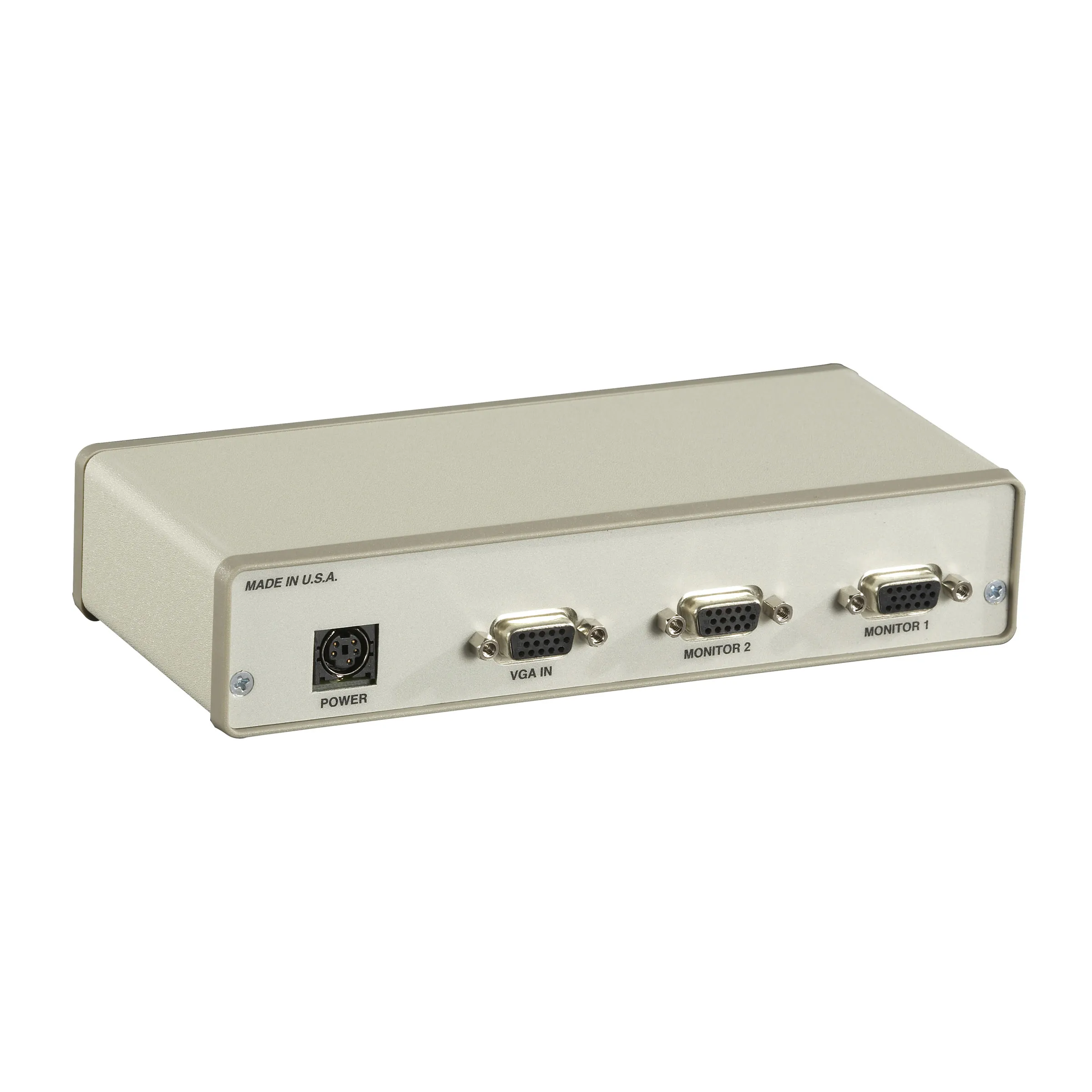
| Video in | 1 x VGA |
| Video out | 2x VGA |
| DC-in jack |  |
| Video port type | VGA |
| Video ports quantity | 3 |
| Weight & dimensions | |
| Dimensions (WxDxH) | 185 x 84 x 38 mm |
| Weight | 1.2 kg |
| Energy management | |
| AC input frequency | 60 Hz |
| AC input voltage | 115 V |
| Networking | |
| Ethernet LAN |  |
| Packaging content | |
| Manual | |
| Features | |
| Certification | RoHS |
| Product colour | Grey |
| Maximum operating distance | 76.2 m |
| Supported graphics resolutions | 1024 x 768 (XGA), 640 x 480 (VGA) |
| Bandwidth | 300 MHz |
| EAN | |
| Source: Icecat.biz | |
Quick Facts
- Provides the distance you need. Send PC video up to 250 feet (76.2 m)!
- Adds power to displays, demonstrations, classrooms, even manufacturing facilities.
- Cascade units to transmit to as many monitors as you want.
Further Details
- Quick setup. Just plug in your monitors and snap a few DIP switches.
- The 300-MHz bandwidth gives you sharp images at any resolution: VGA, SGA, and XGA.
- Includes one 6-foot (1.8-m) VGA input cable.
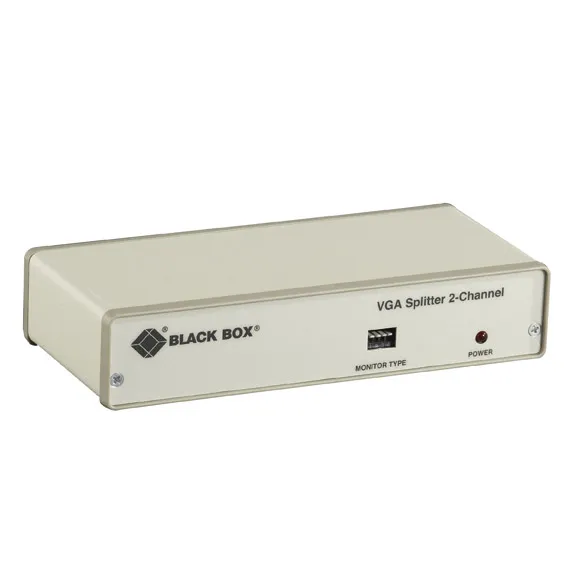
Sharp images. Long-distance video distribution. The versatility to handle a variety of applications, in any kind of environment. These qualities—and more—have made the Black Box® VGA Video Splitter an industry favorite.
A single splitter enables you to transmit displays from your CPU to two monitors 250 feet (76.2 m) away. And if you cascade multiple splitters, you can transmit to as many monitors as necessary. What’s more, the 300-MHz bandwidth provides clear images at any resolution—VGA, SVGA, and XGA®.
Setup is simple. Just connect the cables from all monitors to a splitter and flip a few DIP switches. That’s all it takes to project what’s on your PC’s screen to multiple monitors.
Typical applications.
The uses for a VGA Video Splitter are practically limitless, but some applications are especially popular:
- On a factory floor where it’s unsafe for CPUs, but your workers need information to do their jobs—with a splitter, you can distribute information to workstations on the floor while maintaining CPUs in separate rooms.
- In brokerage firms, stock exchanges, and day trader offices—one video splitter enables you to run real-time ticker crawls across multiple monitors while another splitter puts up-to-the-moment business news on other monitors.
- Anywhere you have closed-circuit TV (CCTV) feeds—splitters are perfect for CCTV monitoring in corporate buildings, department stores, hotels, entertainment venues, and stadiums.
- Education and training—a splitter enables you to do more with video in classrooms or for business training and presentations.
- Industry shows—create multiple attention-grabbing video kiosks or walls of video with a splitter connecting multiple VGA screens.
- Digital signage—make use of VGA monitors to create video signage that enhances external and internal communications.
Multitronic Vaasa: 0 pcs
Estimated delivery: No delivery date yet
Today: 10:00 - 18:00
Multitronic Pietarsaari: 0 pcs
Estimated delivery: No delivery date yet
Today: Closed (Stock taking)
Multitronic Jyväskylä: 0 pcs
Estimated delivery: No delivery date yet
Today: 10:00 - 17:00
Multitronic Lappeenranta: 0 pcs
Estimated delivery: No delivery date yet
Today: 10:00 - 18:00
Multitronic Mariehamn: 0 pcs
Estimated delivery: No delivery date yet
Today: 10:00 - 17:00
Fetch from the shop
Estimated delivery time: No delivery date yet
Posti: Parcel lockers and service points
Estimated delivery time: No delivery date yet
Posti: Postal package
Estimated delivery time: No delivery date yet
Matkahuolto: Parcel lockers and service points
Estimated delivery time: No delivery date yet
Posti: Doorstep delivery
Estimated delivery time: No delivery date yet
Matkahuolto: Business Parcel
Estimated delivery time: No delivery date yet
Matkahuolto: Home Parcel
Estimated delivery time: No delivery date yet
Posti: Home delivery
Estimated delivery time: No delivery date yet
The above technical details are for reference only and may change without notice. We reserve the right to correct printing errors and use illustrations for guidance. Some text may be auto-generated or machine-translated, which could lead to inaccuracies.