

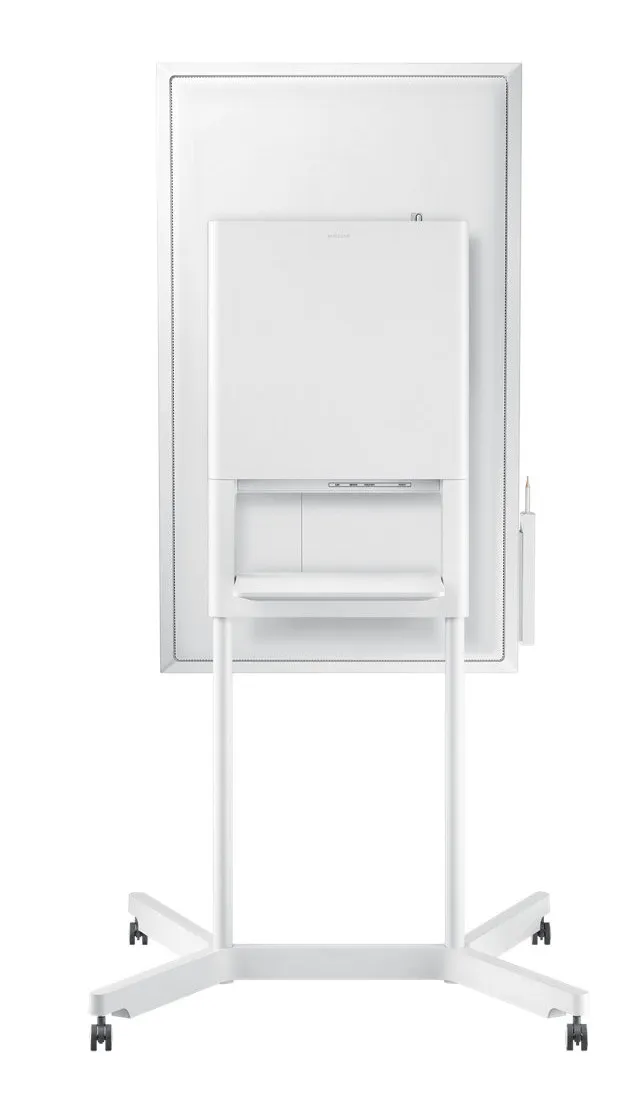
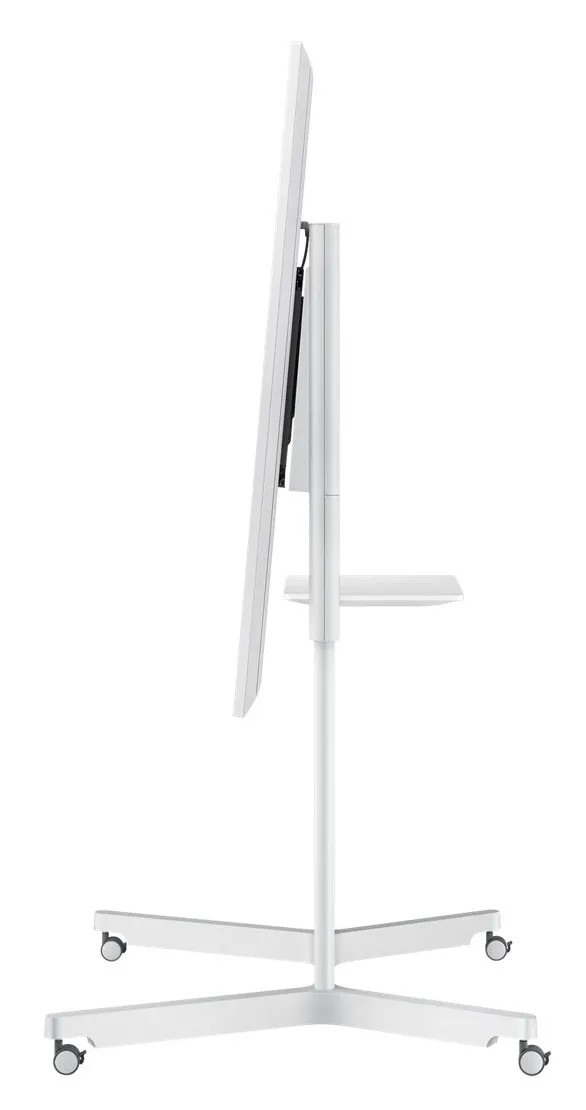
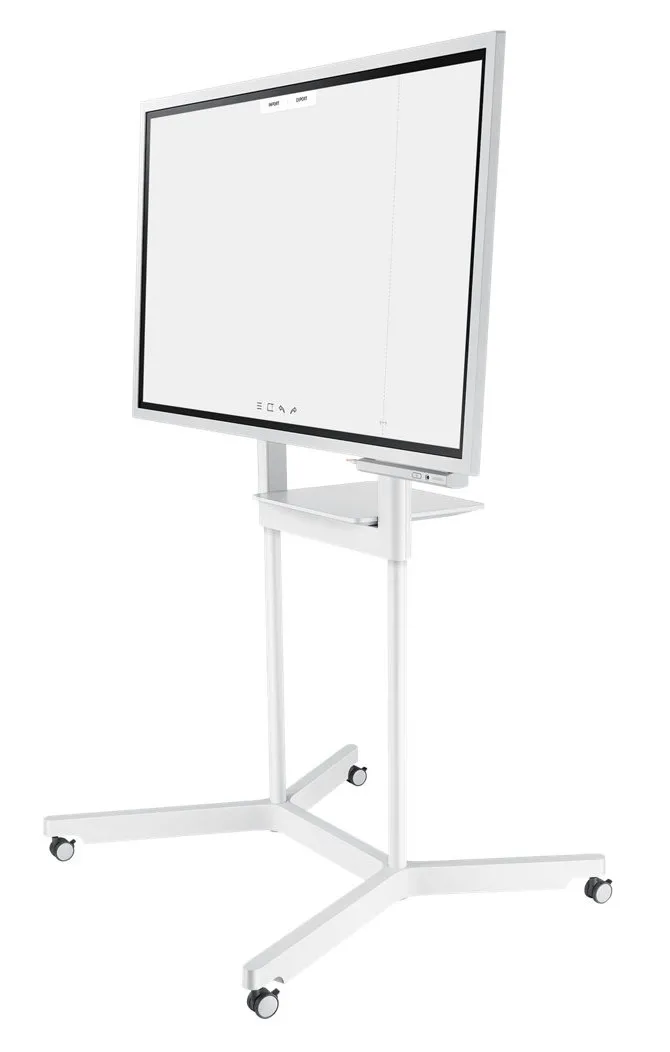
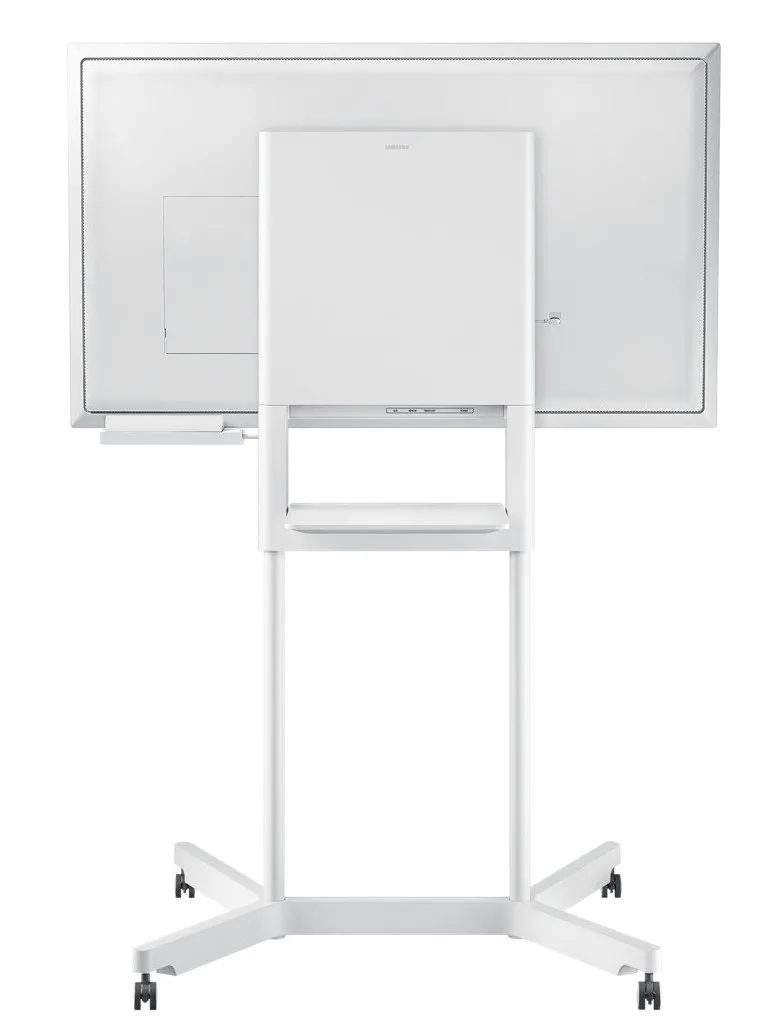
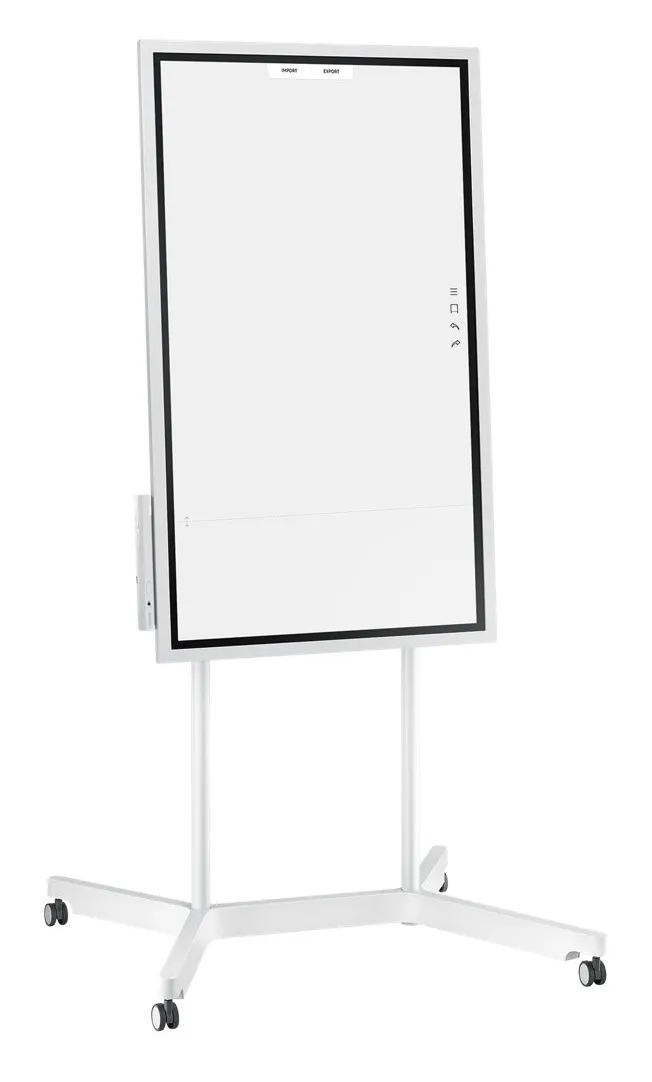
SAMSUNG Flip 55inch Edge LED 8ms 3840x2160 UHD 300cd/m2 HDMI USB TouchOut Pivot WiFi VESA grey
Valmistaja: SAMSUNG
ID: LH55WMHPTWC/EN

91690€
Näytä ALV 0%
Näytä ALV 25,5%
Multitronic Vaasa
Multitronic Pietarsaari
Multitronic Jyväskylä
Multitronic Lappeenranta
Multitronic Maarianhamina
Tuotetiedot
Kuvaus
Myymäläsaatavuus
Toimitus
Hinnan muutokset
Manuals
| Näyttö | |
| Kuvapikselitiheys | 0,105 x 0,315 mm |
| Kontrastisuhde (tyypillinen) | 4700:1 |
| Skannausalue (vaaka) | 0 - 135 kHz |
| Katselukulma, vaakasuora | 178° |
| Katselukulma, pystysuora | 178° |
| Skannausalue (pysty) | 0 - 60 Hz |
| Näytön halkaisija | 139,7 cm (55") |
| Näytön kirkkaus | 220 cd/m² |
| Vasteaika (tyypillinen) | 8 ms |
| Näytön erottelutarkkuus | 4K 3840 x 2160 pixels |
| Kosketusnäyttö |  |
| Värikirjo | 72% |
| Paneelin tyyppi | ELED |
| Haze rate | 2,3% |
| Maksimaalinen pikselikello | 578 MHz |
| Järjestelmävaatimukset | |
| Tuetut käyttöjärjestelmät | Tizen |
| Ääni | |
| Kaiuttimen teho | 10 W |
| Sisäänrakennettujen kaiuttimien määrä | 2 |
| Sisäiset kaiuttimet | |
| Liitettävyys | |
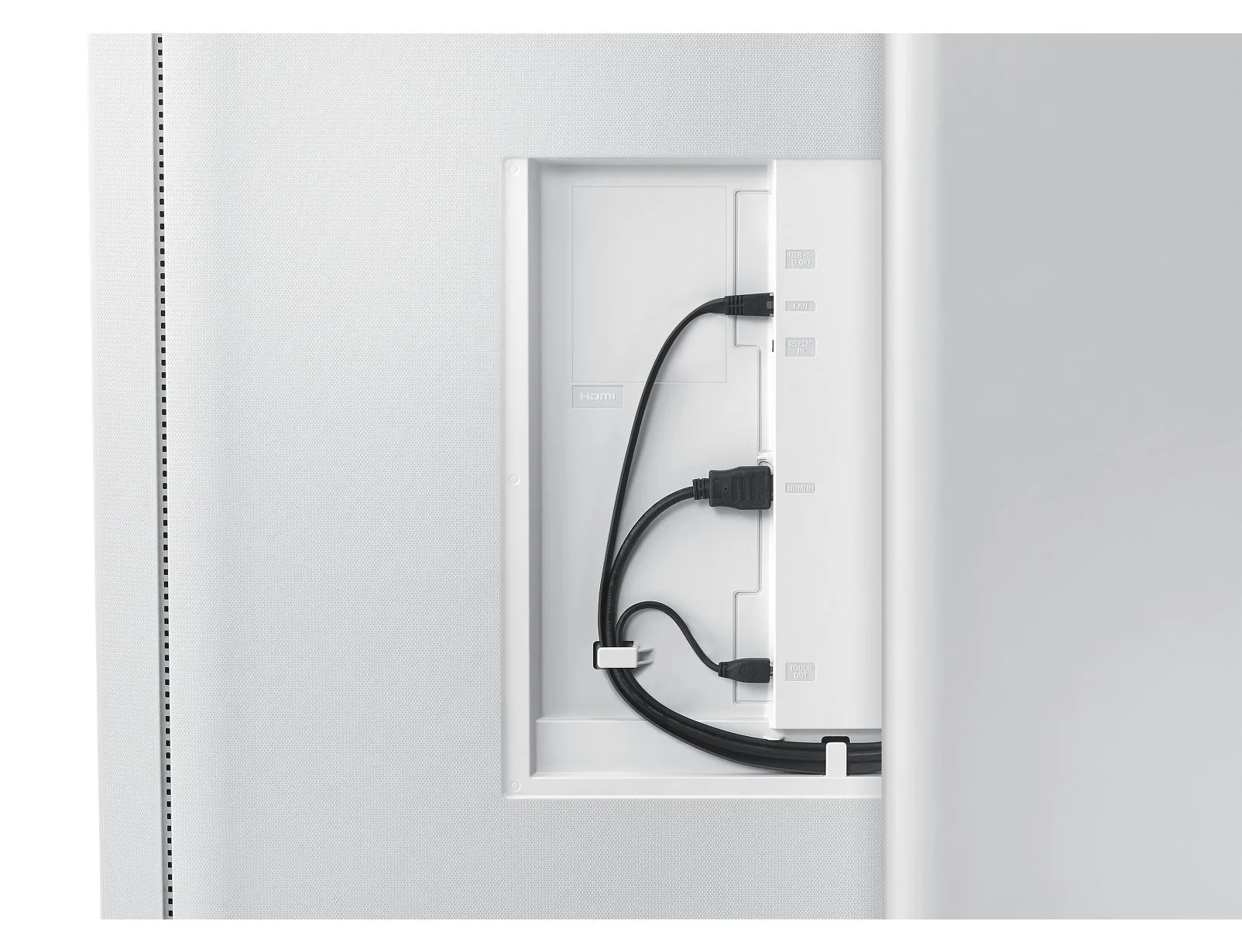
| USB 2.0 -porttien määrä | 2 |
| Ethernet LAN (RJ-45) -portit | 1 |
| HDMI-porttien lukumäärä | 1 |
| Paino ja mitat | |
| Paino | 28,9 kg |
| Tuotteen korkeus | 805,5 mm |
| Tuotteen leveys | 1302,6 mm |
| Tuotteen syvyys | 52 mm |
| Virranhallinta | |
| Virrankulutus | 100 W |
| Virrankulutus valmiustilassa | 0,5 W |
| Enimmäiskapasiteetti | 562,65 BTU/h |
| AC-syöttötaajuus | 60 Hz |
| AC-syöttöjännite | 100/240 V |
| Tehonkulutus (maks.) | 165 W |
| Energiatehokkuusluokka (vanha) | A |
| Ympäristöolosuhteet | |
| Käytön suhteellinen kosteus (H-H) | 20 - 95% |
| Käyttölämpötila (T-T) | 0 - 40 °C |
| Verkko | |
| Wi-Fi | |
| Lähialueen kommunikointi (NFC) | |
| Pakkaustiedot | |
| Pakkauksen paino | 34,9 kg |
| Pakkauksen syvyys | 210 mm |
| Pakkauksen korkeus | 924 mm |
| Pakkauksen leveys | 1469 mm |
| Ergonomia | |
| Sertifiointi | EMC, FCC (USA) Part 15, Subpart B Class A CE (Europe) : EN55022:2006+A1:2007 EN55024:1998+A1:2001+A2:2003 VCCI (Japan) : VCCI V-3 /2010.04 Class A KCC/EK (Korea) : Tuner : KN13 / KN20 Tunerless : KN22 / KN24 BSMI (Taiwan) : CNS13438 (ITE EMI) Class A / CNS13439 (AV EMI) / CNS14409 (AV EMS) / CNS14972 (Digital) C-Tick (Australia) : AS/NZS CISPR22:2009 CCC(China) :GB9254-2008 GB17625.1-2012 GOST(Russia/CIS) : GOST R 51317 Series, GOST 22505-97 EN55022:2006+A1:2007 EN55024:1998+A1:2001+A2:2003 CB (Europe) : IEC60950-1/EN60950-1 CCC (China) : GB4943.1-2011 PSB (Singapore ) : PSB+IEC60950-1 NOM (Mexico ) : NOM-001-SCFI-1993 IRAM (Argentina ) : IRAM+IEC60950-1 SASO (Saudi Arabia ) : SASO+IEC60950-1 BIS(India) : IEC60950-1 / IS13252 NOM(Mexico) : Tuner : NOM-001-SCFI-1993 Tunerless : NOM-019-SCFI-1998 KC(Korea) : K 60950-1 EAC(Russia) : EAC+IEC60950-1 INMETRO(Brazil) : INMETRO+IEC60950-1 BSMI(Taiwan) : BSMI+IEC60950-1 RCM(Australia) : IEC60950-1/AS/NZS 60950-1 UL(USA) : cUL60950-1 CSA (Canada) : cUL TUV (Germany) : CE NEMKO (Norway) : CE |
| Seinäkiinnitteinen | |
| Tuotteen väri | Valkoinen |
| Pivot-toiminto | |
| VESA-asennusliitännät | 400 x 400 mm |
| Pivot-kulma | 0 - 90° |
| Virtakaapelin pituus | 3 m |
| VESA-kiinnitys | |
| Pakkauksen sisältö | |
| Sisältää johdot | AC |
| Suorituskyky | |
| Lähestymisanturi | |
| Kiihtyvyysmittari | |
| Lämpötila-anturi | |
| Tietokonejärjestelmä | |
| Sisäinen enimmäismuisti | 8 GB |
| Prosessorin ytimet | 4 |
| Sisäänrakennettu prosessori | |
| RAM-kapasiteetti | 3 GB |
| Prosessorin välimuisti | 1 MB |
| Prosessorin taajuus | 1,7 GHz |
| RAM-tyyppi | LPDDR4 |
| Käyttäjän muisti | 5,35 GB |
| RAM-kellonopeus | 1400 MHz |
| EAN | 8801643047481 |
| Takuu | 1 vuosi |
| Source: Icecat.biz | |
Flip Notation
Draw, Write, Inspire
Enjoy the smooth, familiar feel of traditional writing in a versatile digital format, with a variety of colors, styles and widths available. Up to 4 people can write simultaneously, using any object as a writing tool.
Flip Capture
Capture, in Collaboration
Through Samsung Flip's broad connectivity, you and your team can share and make notations within a variety of content files, all maintained at optimal visual quality.
Flip Navigation
Navigate, with Intuition
Samsung Flip's intuitive, user-friendly menu simplifies navigation and reduces the time required to access controls or view content in its entirety. Facilitators also can preview individual content pages and make instant changes directly on the screen.
Flip Navigation
Scroll, with Ease
You and your teammates no longer need to sort through endless stacks of paper to find a specific discussion point. Now, you can seamlessly scroll through and search within up to 20 clearly-divided digital Flip pages.
Flip protection
Protect Your Valuable Ideas
Ensure that your game-changing ideas remain in the right hands through a reinforced security system. Each in-office team can set a unique numeric password to lock the display and remove critical content from view.
Flip Connection
Enjoy Versatile Connectivity
Samsung Flip's connectivity empowers a fully synchronized, user-friendly collaborative experience. Align your personal devices with the central screen for interactive content visibility, notation and sharing.
Flip Synchronization
Sync Viewing, Sync Control
The touch out control functionality allows users to sync their personal devices to the Flip for real-time viewing and control. Changes made on the central screen will automatically transmit to the user's personal device, and vice versa, for efficient, matched viewing.
Flip Presentation
Professionally Showcase Your Work
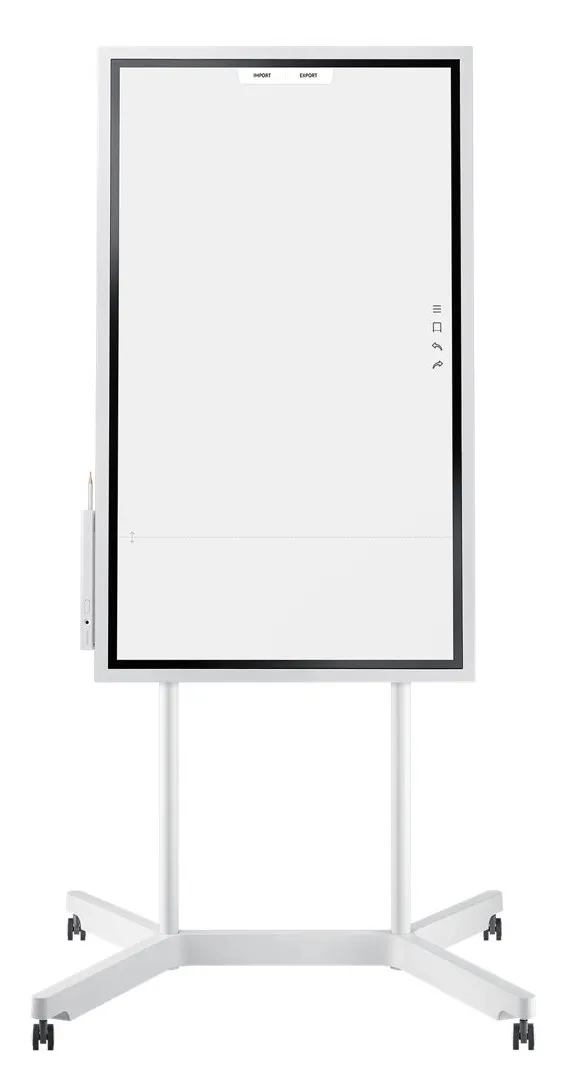
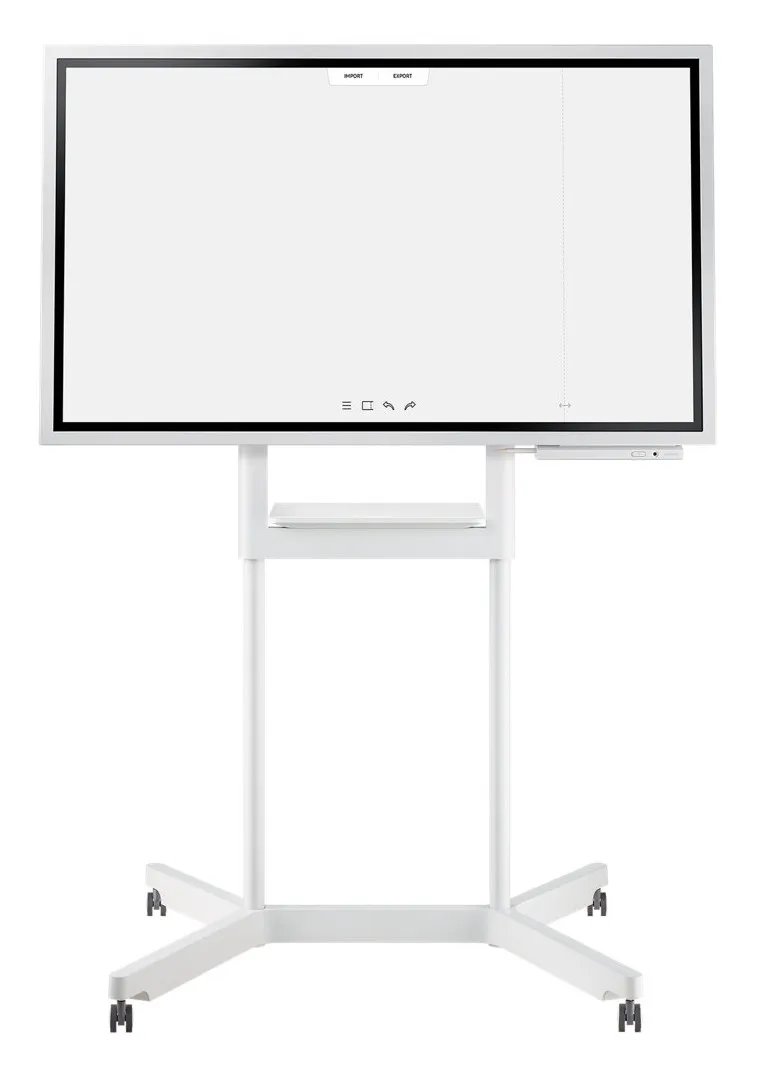
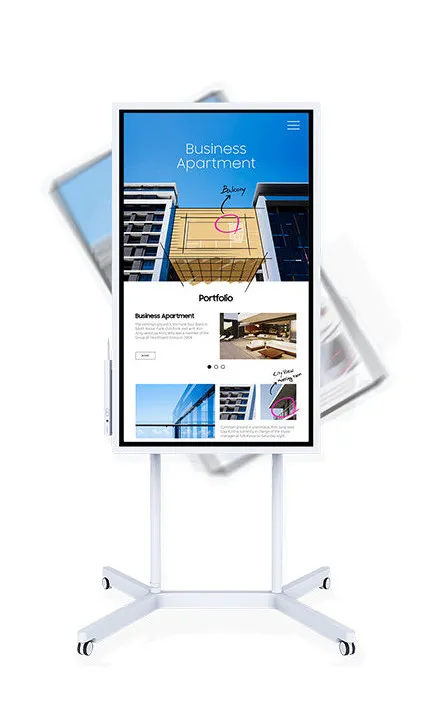
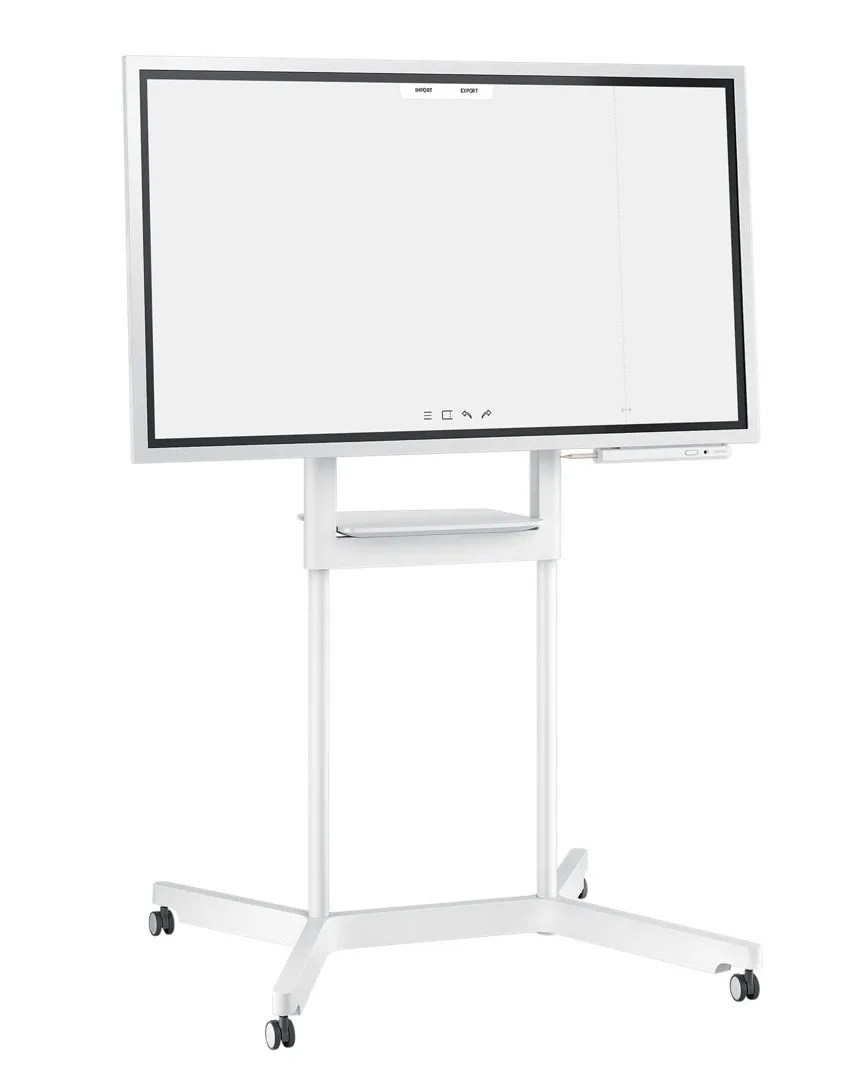
Adjust to varying huddle room dynamics without sacrificing comfort. Featuring a versatile pivot mode and ergonomic stand, each Flip display can configure to a portrait or landscape orientation to match your collaborative needs.
Flip Distribution
Effortlessly Share Post-Meeting Recaps
Any meeting participant knows the frustration of capturing and sending handwritten recaps. The Samsung Flip relieves this burdensome process. Save conversations and critical content within the display's central storage, and easily share with your colleagues through mobile and digital channels.
Flip touch
Navigate Touch-Driven Communication
InGlass™ technology ensures real-time feedback and speeds without delay. This allows users to experience smooth writing or drawing, equivalent to that of working on traditional paper.
Flip Design
Pioneer thought, Style and Comfort
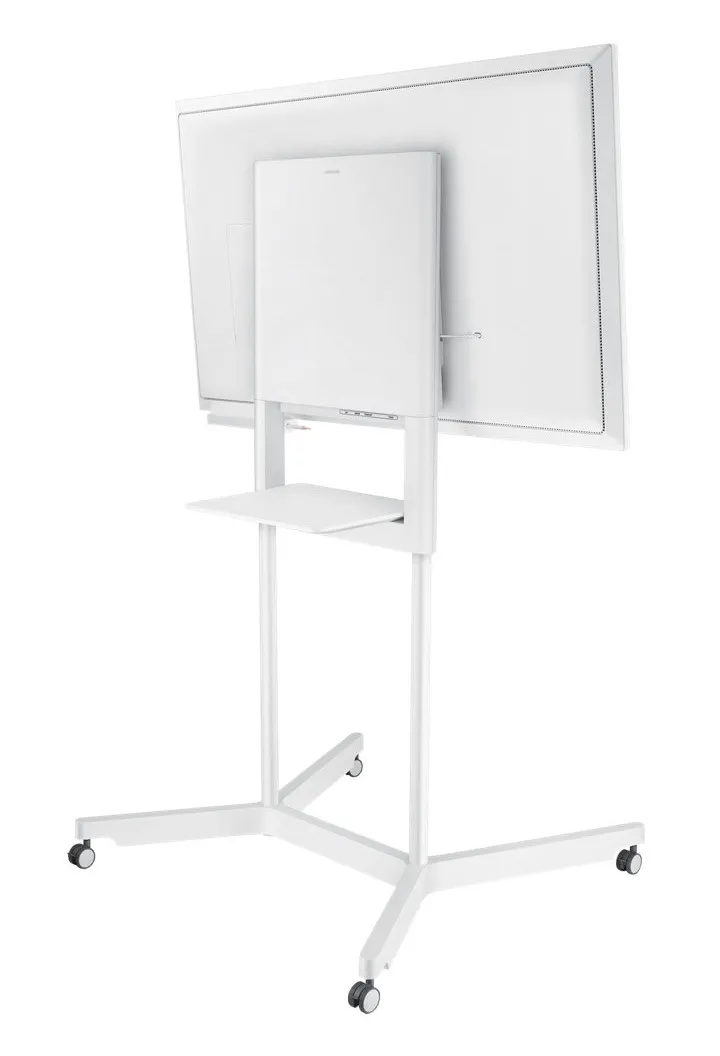
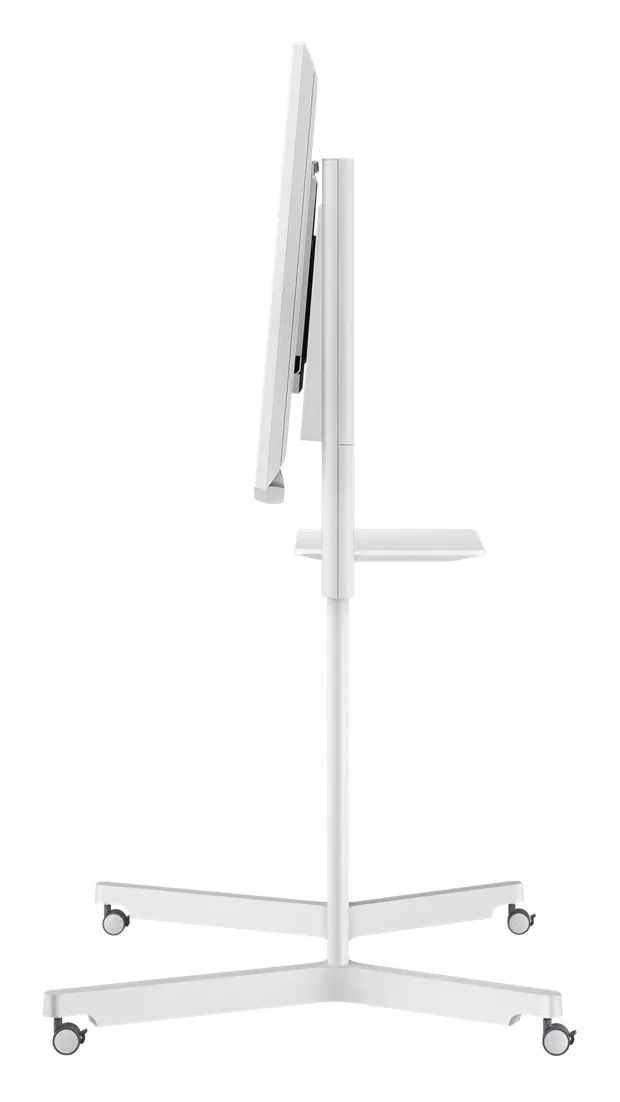
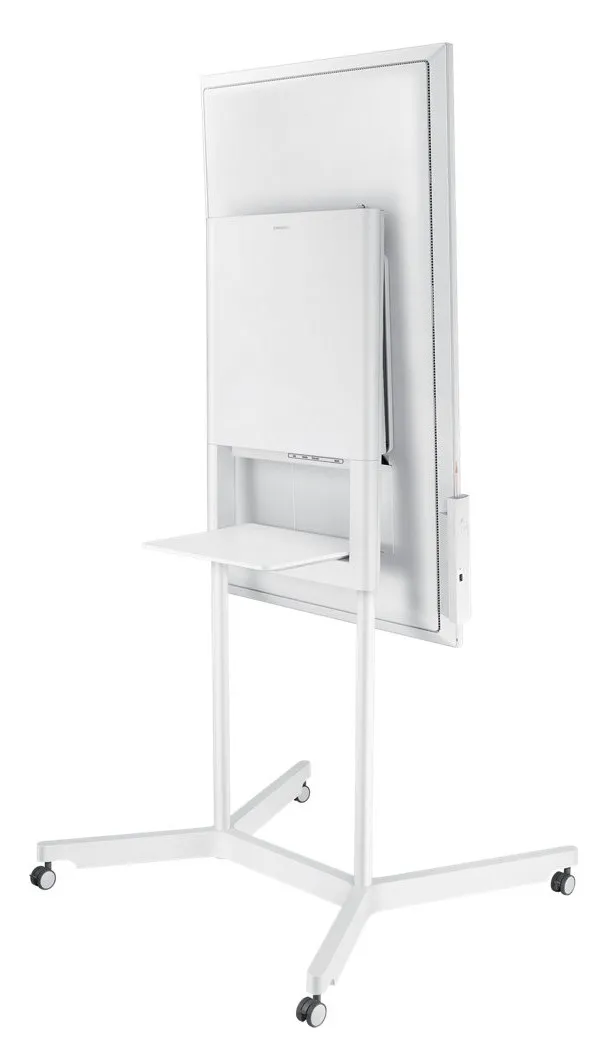
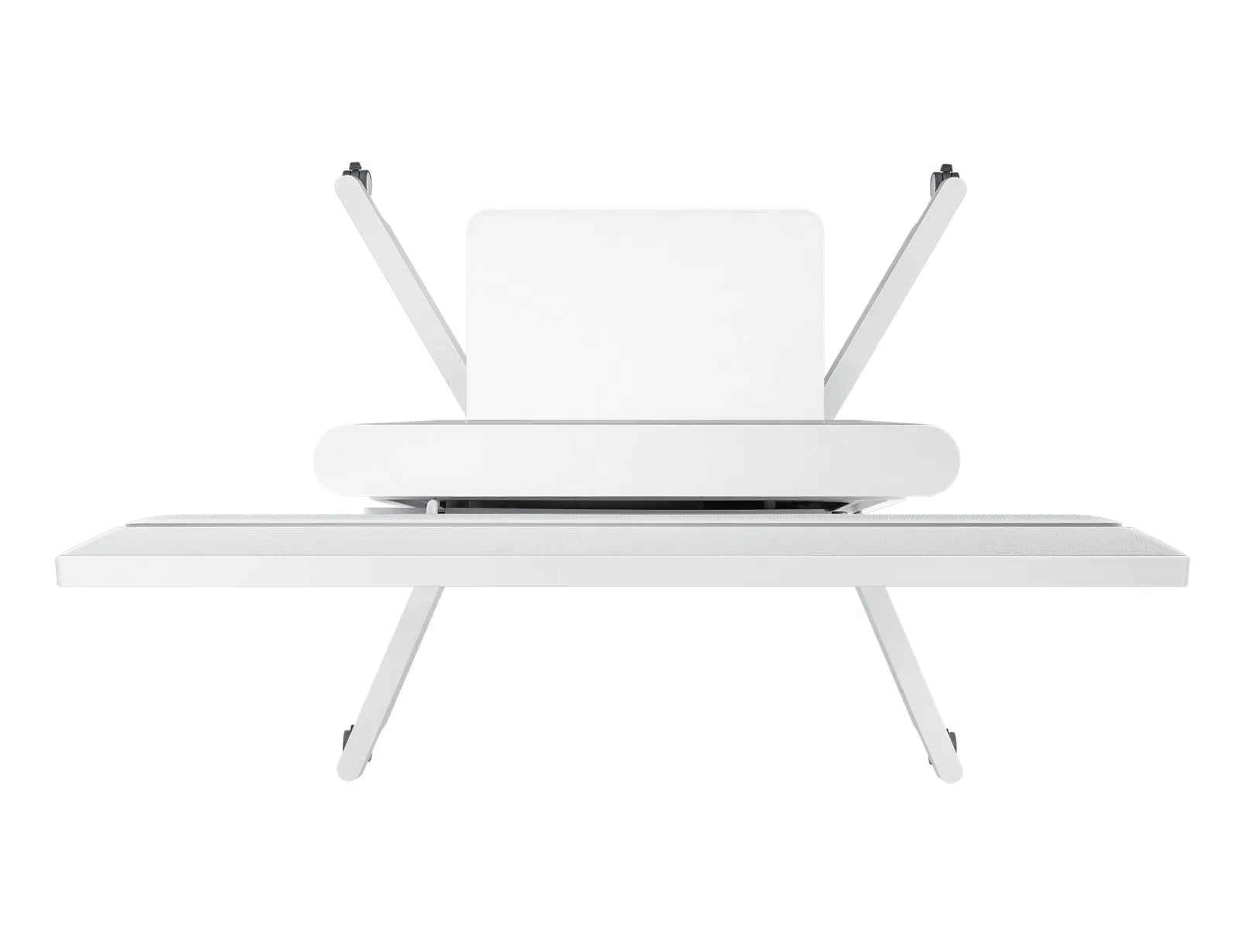
The Flip’s sleek, gray design positions any environment as sophisticated and forward thinking. With an ergonomic tilt of 4.5° and a spacious front tray and pen holder to house essential meeting tools, you and your team can stay comfortable and organized to focus on what’s important.
Flip Design
Transform any Space into a Meeting Room
For business with limited collaborative areas, the Samsung Flip elevates any personal office or available room into a fully-functional huddle space. A portable, wheel-based stand empowers users to start a meeting in any location at anytime.
Flip Display
Present Visuals with Precision
Samsung Flip maintains consistent and clear UHD picture quality regardless of the surrounding environment or use case, introducing more powerful and compelling visuals to the meeting room.
Keep Your Ideas Within Reach
Avoid the fears of lost or erased handwritten meeting notes. Backed by the powerful TIZEN 3.0 operating system, the Flip offers extensive, centralized space to store meeting content. Additionally, TIZEN 3.0 provides you and your team with an intuitive interface to locate and view saved materials.
Flip Solution
Activate your Display Intuitively
Start your meetings on time and without a lengthy boot-up. Embedded sensors activate the Flip display ad user approach the screen, pick ip a pen or rotate between portrait and landscape modes, allowing you and your colleagues to launch a new discussion or resume where you left off.
Hall sensor
The screen turns on instantly when a user removes the pen in the holder.
Proximity sensor
The Flip begins to boot automatically when a user approaches the display
Accelerometer sensor
The UX intuitively adjusts according to the Flip's portrait or landscape orientation.
Draw, Write, Inspire
Enjoy the smooth, familiar feel of traditional writing in a versatile digital format, with a variety of colors, styles and widths available. Up to 4 people can write simultaneously, using any object as a writing tool.
Flip Capture
Capture, in Collaboration
Through Samsung Flip's broad connectivity, you and your team can share and make notations within a variety of content files, all maintained at optimal visual quality.
Flip Navigation
Navigate, with Intuition
Samsung Flip's intuitive, user-friendly menu simplifies navigation and reduces the time required to access controls or view content in its entirety. Facilitators also can preview individual content pages and make instant changes directly on the screen.
Flip Navigation
Scroll, with Ease
You and your teammates no longer need to sort through endless stacks of paper to find a specific discussion point. Now, you can seamlessly scroll through and search within up to 20 clearly-divided digital Flip pages.
Flip protection
Protect Your Valuable Ideas
Ensure that your game-changing ideas remain in the right hands through a reinforced security system. Each in-office team can set a unique numeric password to lock the display and remove critical content from view.
Flip Connection
Enjoy Versatile Connectivity
Samsung Flip's connectivity empowers a fully synchronized, user-friendly collaborative experience. Align your personal devices with the central screen for interactive content visibility, notation and sharing.
Flip Synchronization
Sync Viewing, Sync Control
The touch out control functionality allows users to sync their personal devices to the Flip for real-time viewing and control. Changes made on the central screen will automatically transmit to the user's personal device, and vice versa, for efficient, matched viewing.
Flip Presentation
Professionally Showcase Your Work
Adjust to varying huddle room dynamics without sacrificing comfort. Featuring a versatile pivot mode and ergonomic stand, each Flip display can configure to a portrait or landscape orientation to match your collaborative needs.
Flip Distribution
Effortlessly Share Post-Meeting Recaps
Any meeting participant knows the frustration of capturing and sending handwritten recaps. The Samsung Flip relieves this burdensome process. Save conversations and critical content within the display's central storage, and easily share with your colleagues through mobile and digital channels.
Flip touch
Navigate Touch-Driven Communication
InGlass™ technology ensures real-time feedback and speeds without delay. This allows users to experience smooth writing or drawing, equivalent to that of working on traditional paper.
Flip Design
Pioneer thought, Style and Comfort
The Flip’s sleek, gray design positions any environment as sophisticated and forward thinking. With an ergonomic tilt of 4.5° and a spacious front tray and pen holder to house essential meeting tools, you and your team can stay comfortable and organized to focus on what’s important.
Flip Design
Transform any Space into a Meeting Room
For business with limited collaborative areas, the Samsung Flip elevates any personal office or available room into a fully-functional huddle space. A portable, wheel-based stand empowers users to start a meeting in any location at anytime.
Flip Display
Present Visuals with Precision
Samsung Flip maintains consistent and clear UHD picture quality regardless of the surrounding environment or use case, introducing more powerful and compelling visuals to the meeting room.
Keep Your Ideas Within Reach
Avoid the fears of lost or erased handwritten meeting notes. Backed by the powerful TIZEN 3.0 operating system, the Flip offers extensive, centralized space to store meeting content. Additionally, TIZEN 3.0 provides you and your team with an intuitive interface to locate and view saved materials.
Flip Solution
Activate your Display Intuitively
Start your meetings on time and without a lengthy boot-up. Embedded sensors activate the Flip display ad user approach the screen, pick ip a pen or rotate between portrait and landscape modes, allowing you and your colleagues to launch a new discussion or resume where you left off.
Hall sensor
The screen turns on instantly when a user removes the pen in the holder.
Proximity sensor
The Flip begins to boot automatically when a user approaches the display
Accelerometer sensor
The UX intuitively adjusts according to the Flip's portrait or landscape orientation.
Multitronic Vaasa: 0 kpl
Arvioitu toimitus: 02.05. - 08.05.
Arvioitu toimitus: 02.05. - 08.05.
Tänään: Suljettu
Multitronic Pietarsaari: 0 kpl
Arvioitu toimitus: 02.05. - 08.05.
Arvioitu toimitus: 02.05. - 08.05.
Tänään: Suljettu
Multitronic Jyväskylä: 0 kpl
Arvioitu toimitus: 02.05. - 08.05.
Arvioitu toimitus: 02.05. - 08.05.
Tänään: Suljettu
Multitronic Lappeenranta: 0 kpl
Arvioitu toimitus: 02.05. - 08.05.
Arvioitu toimitus: 02.05. - 08.05.
Tänään: Suljettu
Multitronic Maarianhamina: 0 kpl
Arvioitu toimitus: 02.05. - 08.05.
Arvioitu toimitus: 02.05. - 08.05.
Tänään: Suljettu
Nouto myymälästä
Arvioitu toimitusaika: 02.05. - 08.05.
Arvioitu toimitusaika: 02.05. - 08.05.
Posti: Pakettiautomaatit ja noutopisteet
Arvioitu toimitusaika: 02.05. - 07.05.
Arvioitu toimitusaika: 02.05. - 07.05.
Posti: Postipaketti
Arvioitu toimitusaika: 03.05. - 08.05.
Arvioitu toimitusaika: 03.05. - 08.05.
Posti: Ovelle-paketti
Arvioitu toimitusaika: 03.05. - 07.05.
Arvioitu toimitusaika: 03.05. - 07.05.
Matkahuolto: Jakopaketti
Arvioitu toimitusaika: 02.05. - 08.05.
Arvioitu toimitusaika: 02.05. - 08.05.
Matkahuolto: Kotijakelu
Arvioitu toimitusaika: 02.05. - 08.05.
Arvioitu toimitusaika: 02.05. - 08.05.
Posti: Kotipaketti
Arvioitu toimitusaika: 03.05. - 07.05.
Arvioitu toimitusaika: 03.05. - 07.05.
- leaflet (English)
- manual pdf (English)
Edellä mainitut tekniset tiedot ovat vain viitteellisiä, ja ne voivat muuttua ilman ennakkoilmoitusta. Pidätämme oikeuden korjata virheet ja käyttää kuvia ohjeellisina. Teksti voi sisältää automaattisesti luotuja tai koneellisesti käännettyjä osia, mikä saattaa aiheuttaa epätarkkuuksia.