

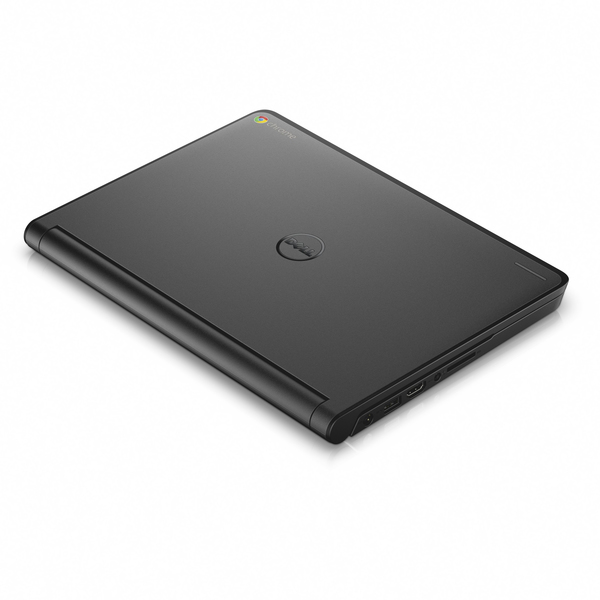
No price development information for this product.
Product unavailable
This product is end of life or currently not available.
This product is end of life or currently not available.
Key Specifications
Choose one or multiple features to search for items that have the same specifications.
Specifications
Description
Store availability
Delivery
Price development
| Processor | |
| Processor model | N2840 |
| Processor lithography | 22 nm |
| Processor family | Intel Celeron |
| Processor socket | BGA 1170 |
| Stepping | C0 |
| Processor cores | 2 |
| Processor threads | 2 |
| PCI Express slots version | 2.0 |
| Processor operating modes | 32-bit,64-bit |
| Processor boost frequency | 2.58 GHz |
| Processor cache | 1 MB |
| Tjunction | 100 °C |
| FSB Parity |  |
| PCI Express configurations | 1x4 |
| Processor frequency | 2.16 GHz |
| Thermal Design Power (TDP) | 7.5 W |
| Scenario Design Power (SDP) | 4.5 W |
| Processor codename | Bay Trail |
| Maximum number of PCI Express lanes | 4 |
| Processor cache type | L2 |
| Processor series | Intel Celeron Processor N2000 series for Mobile |
| ECC supported by processor | |
| Memory | |
| Internal memory type | DDR3L-SDRAM |
| Maximum internal memory | 4 GB |
| Memory clock speed | 1333 MHz |
| Maximum internal memory (64-bit) | 4 GB |
| Memory layout (slots x size) | 1 x 2 GB |
| Internal memory | 2 GB |
| Optical drive | |
| Optical drive type | N |
| Display | |
| Aspect ratio | 16:9 |
| Display diagonal | 29.5 cm (11.6") |
| Display brightness | 220 cd/m² |
| Display resolution | 1366 x 768 pixels |
| Touchscreen | |
| LED backlight |  |
| Audio | |
| Built-in microphone | |
| Number of built-in speakers | 2 |
| Ports & interfaces | |
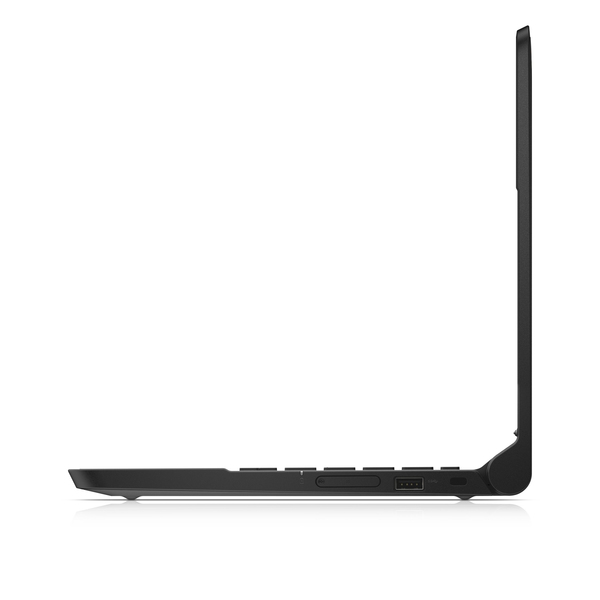
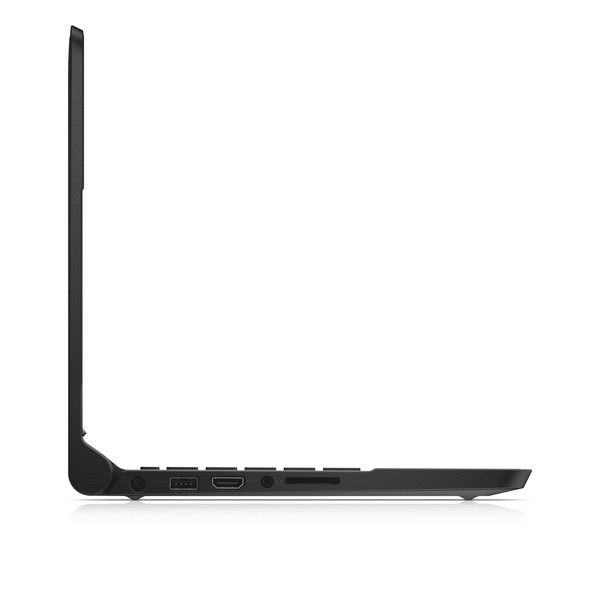
| USB 2.0 ports quantity | 1 |
| Microphone in | |
| S/PDIF out port | |
| DVI port | |
| CardBus PCMCIA slot type | |
| SmartCard slot | |
| ExpressCard slot | |
| HDMI ports quantity | 1 |
| Docking connector | |
| HDMI version | 1.4a |
| Combo headphone/mic port | |
| USB 3.2 Gen 1 (3.1 Gen 1) Type-A ports quantity | 1 |
| Total number of SATA connectors | 2 |
| Weight & dimensions | |
| Weight | 1.27 kg |
| Width | 297 mm |
| Depth | 217 mm |
| Height (front) | 2 cm |
| Height (rear) | 2.1 cm |
| Energy management | |
| AC adapter input voltage | 100 - 240 V |
| AC adapter frequency | 50/60 Hz |
| AC adapter output voltage | 19.5 V |
| AC adapter output current | 6.67 A |
| AC adapter power | 65 W |
| Operational conditions | |
| Operating relative humidity (H-H) | 10 - 90% |
| Storage temperature (T-T) | -40 - 70 °C |
| Operating temperature (T-T) | 0 - 40 °C |
| Storage relative humidity (H-H) | 10 - 95% |
| Keyboard | |
| Pointing device | Touchpad |
| Numeric keypad | |
| Networking | |
| Wi-Fi standards | 802.11a,Wi-Fi 5 (802.11ac),802.11b,802.11g,Wi-Fi 4 (802.11n) |
| Bluetooth version | 4.0 |
| Ethernet LAN | |
| Bluetooth | |
| Wi-Fi | |
| 3G | |
| 4G | |
| Top Wi-Fi standard | Wi-Fi 5 (802.11ac) |
| Storage | |
| Compatible memory cards | SD |
| Total storage capacity | 16 GB |
| Card reader integrated | |
| Flash memory | 16 GB |
| Storage media | Flash |
| Security | |
| Cable lock slot | |
| Cable lock slot type | Kensington |
| Operating system/software | |
| Operating system installed | Chrome OS |
| Camera | |
| Video capturing speed | 30 fps |
| Front camera | |
| Front camera resolution (numeric) | 0.92 MP |
| Front camera resolution | 1280 x 720 pixels |
| Packaging content | |
| AC adapter included | |
| Manual | |
| Power cord included | |
| Warranty card | |
| Battery | |
| Battery technology | Lithium-Ion (Li-Ion) |
| Number of battery cells | 3 |
| Battery capacity | 43 Wh |
| Design | |
| Form factor | Clamshell |
| Product colour | Black |
| Market positioning | Educational |
| Product type | Chromebook |
| Graphics | |
| On-board graphics card model | |
| Discrete graphics card model | Not available |
| On-board graphics card | |
| On-board graphics card base frequency | 311 MHz |
| On-board graphics card dynamic frequency (max) | 792 MHz |
| On-board graphics card burst frequency | 792 MHz |
| Discrete graphics card | |
| On-board graphics card family | |
| Processor special features | |
| Processor code | SR1YJ |
| Intel® My WiFi Technology (Intel® MWT) | |
| Intel® Identity Protection Technology (Intel® IPT) | |
| Intel® Anti-Theft Technology (Intel® AT) | |
| Intel® Rapid Start Technology | |
| Intel® Smart Response Technology | |
| Intel Smart Connect Technology | |
| Intel® vPro™ Technology | |
| Intel® Hyper Threading Technology (Intel® HT Technology) | |
| Intel® Turbo Boost Technology | |
| Intel® Quick Sync Video Technology | |
| Intel® InTru™ 3D Technology | |
| Intel® Wireless Display (Intel® WiDi) | |
| Intel FDI Technology | |
| Intel® Clear Video HD Technology (Intel® CVT HD) | |
| Intel Dual Display Capable Technology | |
| Intel® Insider™ | |
| Intel Fast Memory Access | |
| Intel Flex Memory Access | |
| Intel® AES New Instructions (Intel® AES-NI) | |
| Enhanced Intel SpeedStep Technology | |
| Execute Disable Bit | |
| Thermal Monitoring Technologies | |
| Intel Trusted Execution Technology | |
| Intel® Active Management Technology (Intel® AMT) | |
| Intel® Matrix Storage Technology (Intel® MST) | |
| CPU configuration (max) | 1 |
| Intel Enhanced Halt State | |
| Intel® Clear Video Technology for Mobile Internet Devices (Intel CVT for MID) | |
| Intel VT-x with Extended Page Tables (EPT) | |
| Embedded options available | |
| Intel Demand Based Switching | |
| Intel Rapid Storage Technology | |
| Intel® High Definition Audio (Intel® HD Audio) | |
| Graphics & IMC lithography | 22 nm |
| Intel® Small Business Advantage (Intel® SBA) | |
| Intel® Secure Key | |
| Intel 64 | |
| Intel Virtualization Technology for Directed I/O (VT-d) | |
| Intel Clear Video Technology | |
| Intel Secure Key Technology version | 1.00 |
| Intel Virtualization Technology (VT-x) | |
| Intel Smart Connect Technology version | 1.00 |
| Processor package size | 25 mm |
| Conflict-Free processor | |
| Processor ARK ID | 82103 |
| EAN | 5397063898145 |
Superior durability and design
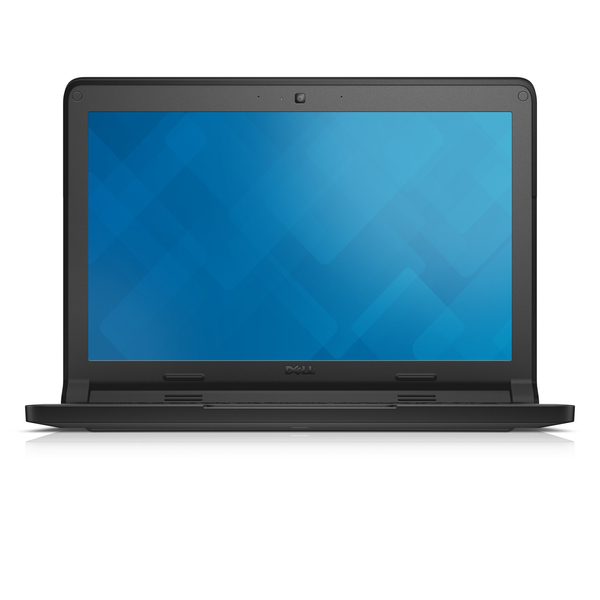
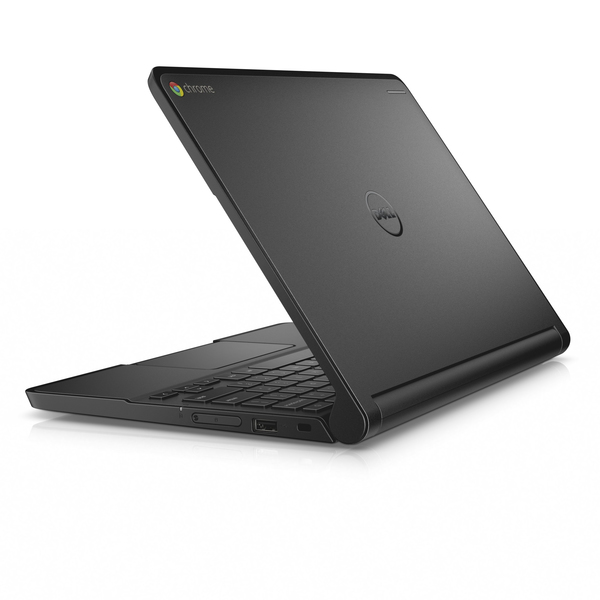
School tough: The Dell Chromebook 11 is MIL-STD (U.S. Military Standard) tested for durability, pressure, temperature, humidity, shock and vibration so it can handle student life.
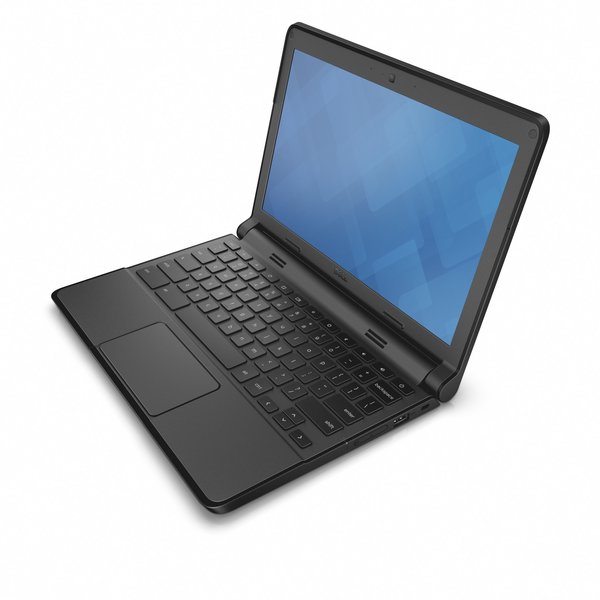
Built for the backpack: The rubberised LCD and base trim absorbs shock for superior drop protection.
Surface strength: The optional scratch-resistant touch screen is made of Corning® Gorilla® Glass NBT™ — built to handle every tap, stroke and swipe.
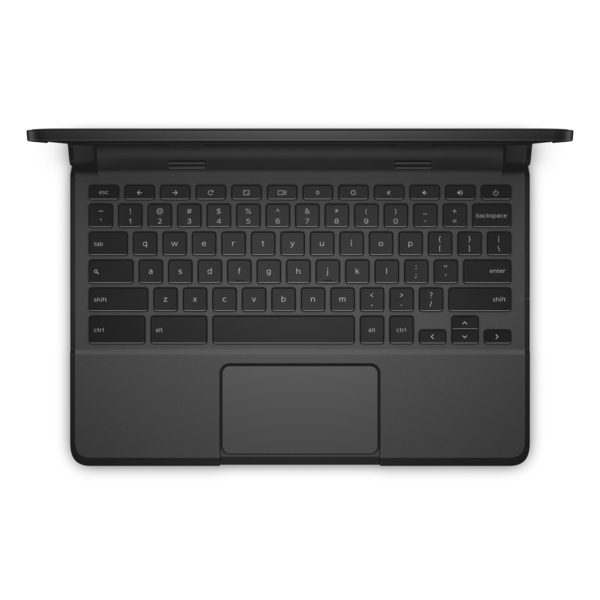
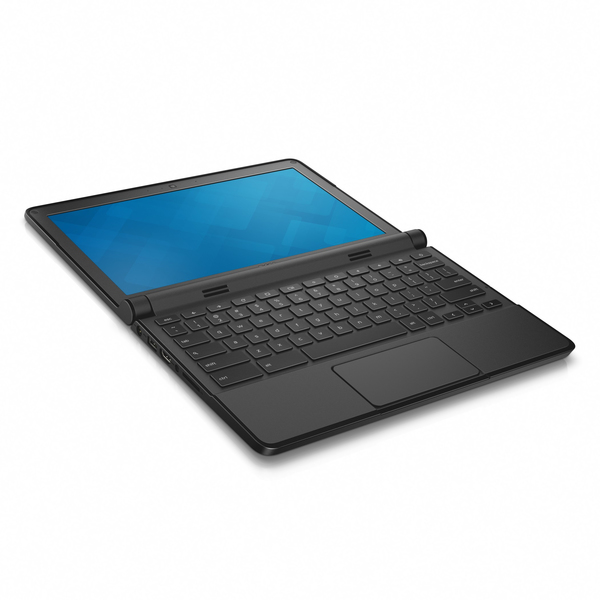
Spill protection: Students can learn without fear. A fully sealed keyboard and touch pad provide the industry’s best spill protection for a student laptop.
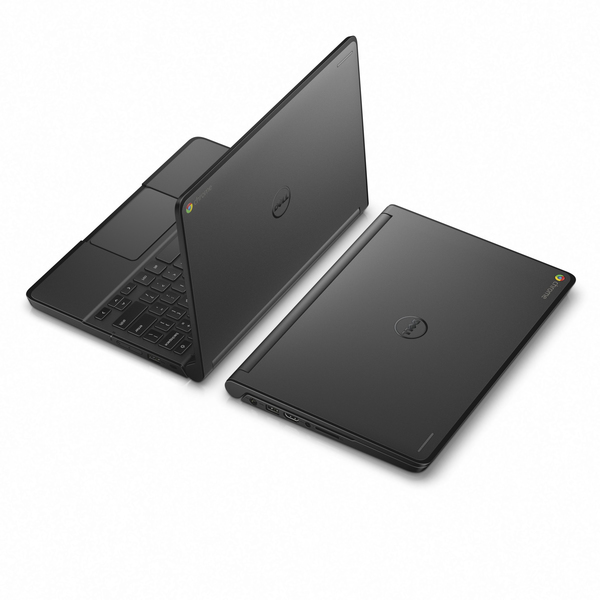
Lightweight design: At under 1.5kg with a compact 11.6" display, it’s easy to pop it in a backpack and head from class to class.
Innovative features
Flexible viewing: A 180-degree LCD hinge reduces stress on the lid, lets it lay flat and allows students to easily adjust their screen for more group work opportunities.
Creative opportunity: Encourage collaboration while deterring distraction with the inventive Chromebook. Multi-coloured lights signal to the teacher when students are online and not participating, or they can be used to answer questions for a fun change in classroom interaction.
Easy to hear: Whether they are watching a presentation, chatting with a classmate or playing music to inspire, the dual-array microphones and front-facing speakers make it easy to hear and be heard.
Apps for everything: Their favorite Google apps are built in, and there are thousands more available at the Chrome Web Store to help them collaborate and create with ease. They don’t even have to be online to use the apps, so their creativity knows no bounds.
Impressive performance
Power performer: A 4th Gen Intel® Core™ processor gives them the speed they need for easier multitasking. The Dell Chromebook 11 boots up in less than 8 seconds. Load web pages with the Chrome OS and Chrome browser in an instant for better productivity.
Excellent battery life: With state of the art battery life, there is more to see and learn without looking for an outlet.
Automatically secure: Students can stay online without the risk of security threats. Apps and data are automatically scanned for malware in the cloud, so your Chromebook stays secure without any additional software.
Always up to date: Software updates happen automatically, so you will never need to purchase or install upgrades manually.
Drive student success with education solutions
Dell K-12 Education Solutions help schools effectively use technology, increase teacher productivity and engage students. From hardware and software support to IT planning and professional development for teachers, Dell helps schools build a digital learning environment from start to finish.
Cloud-based convenience
Simple syncing
Connect with other Android™ phones, tablets or other devices running a Chrome browser for interactive presentations.
Smart backup
Count on Google Drive for cloud backup and storage (200GB free for 2 years). Students can access their files from almost anywhere and even print straight from the cloud.
School tough: The Dell Chromebook 11 is MIL-STD (U.S. Military Standard) tested for durability, pressure, temperature, humidity, shock and vibration so it can handle student life.
Built for the backpack: The rubberised LCD and base trim absorbs shock for superior drop protection.
Surface strength: The optional scratch-resistant touch screen is made of Corning® Gorilla® Glass NBT™ — built to handle every tap, stroke and swipe.
Spill protection: Students can learn without fear. A fully sealed keyboard and touch pad provide the industry’s best spill protection for a student laptop.
Lightweight design: At under 1.5kg with a compact 11.6" display, it’s easy to pop it in a backpack and head from class to class.
Innovative features
Flexible viewing: A 180-degree LCD hinge reduces stress on the lid, lets it lay flat and allows students to easily adjust their screen for more group work opportunities.
Creative opportunity: Encourage collaboration while deterring distraction with the inventive Chromebook. Multi-coloured lights signal to the teacher when students are online and not participating, or they can be used to answer questions for a fun change in classroom interaction.
Easy to hear: Whether they are watching a presentation, chatting with a classmate or playing music to inspire, the dual-array microphones and front-facing speakers make it easy to hear and be heard.
Apps for everything: Their favorite Google apps are built in, and there are thousands more available at the Chrome Web Store to help them collaborate and create with ease. They don’t even have to be online to use the apps, so their creativity knows no bounds.
Impressive performance
Power performer: A 4th Gen Intel® Core™ processor gives them the speed they need for easier multitasking. The Dell Chromebook 11 boots up in less than 8 seconds. Load web pages with the Chrome OS and Chrome browser in an instant for better productivity.
Excellent battery life: With state of the art battery life, there is more to see and learn without looking for an outlet.
Automatically secure: Students can stay online without the risk of security threats. Apps and data are automatically scanned for malware in the cloud, so your Chromebook stays secure without any additional software.
Always up to date: Software updates happen automatically, so you will never need to purchase or install upgrades manually.
Drive student success with education solutions
Dell K-12 Education Solutions help schools effectively use technology, increase teacher productivity and engage students. From hardware and software support to IT planning and professional development for teachers, Dell helps schools build a digital learning environment from start to finish.
Cloud-based convenience
Simple syncing
Connect with other Android™ phones, tablets or other devices running a Chrome browser for interactive presentations.
Smart backup
Count on Google Drive for cloud backup and storage (200GB free for 2 years). Students can access their files from almost anywhere and even print straight from the cloud.
Multitronic Vaasa: 0 pcs
Estimated delivery: No delivery info
Estimated delivery: No delivery info
Today: Closed
Multitronic Pietarsaari: 0 pcs
Estimated delivery: No delivery info
Estimated delivery: No delivery info
Today: Closed
Multitronic Jyväskylä: 0 pcs
Estimated delivery: No delivery info
Estimated delivery: No delivery info
Today: Closed
Multitronic Lappeenranta: 0 pcs
Estimated delivery: No delivery info
Estimated delivery: No delivery info
Today: Closed
Multitronic Mariehamn: 0 pcs
Estimated delivery: No delivery info
Estimated delivery: No delivery info
Today: Closed
The above technical details are for reference only and may change without notice. We reserve the right to correct printing errors and use illustrations for guidance. Some text may be auto-generated or machine-translated, which could lead to inaccuracies.