

No price development information for this product.
Product unavailable
This product is end of life or currently not available.
This product is end of life or currently not available.
Specifications
Description
Store availability
Delivery
Price development
| License | |
| Software type | Box |
| System requirements | |
| Minimum storage drive space | 1000 MB |
| Minimum processor | Intel Pentium III 500MHz |
| Minimum RAM | 128 MB |
| Platform | PC |
| Media types supported | CD |
| Mac compatibility |  |
| Compatible operating systems | Windows Vista Home Windows Vista Business Windows Vista Ultimate Windows XP Home SP3 Windows XP Professional SP3 Windows XP MCE SP3 Windows 7 Home Premium Windows 7 Professional Windows 7 Ultimate |
| Recommended processor | Intel Pentium 4 1.6GHz |
| Recommended RAM | 256 MB |
| Language | |
| Language version |  |
| EAN | 0687967131253 |
| Source: Icecat.biz | |
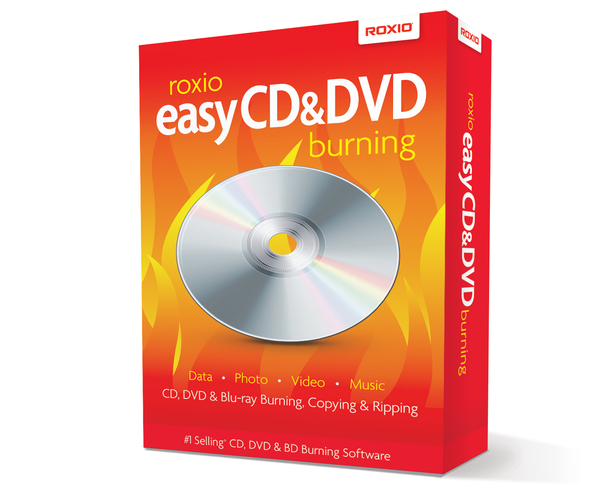
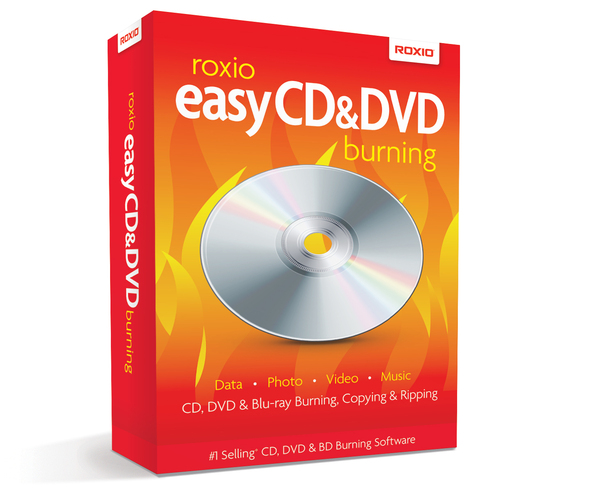
Easy CD & DVD Burning
Easy disc burning & copying right from your desktop.
Roxio Easy CD & DVD Burning™ is an easy to use software program for sharing and preserving digital media on discs. Capture, organize, edit, burn and share your photos, videos, audio and data files on CD or DVD.
Drag, drop, burn.
The new, handy desktop widget in Roxio Easy CD & DVD Burning lets you easily drag and drop files for burning or copying right on your desktop.
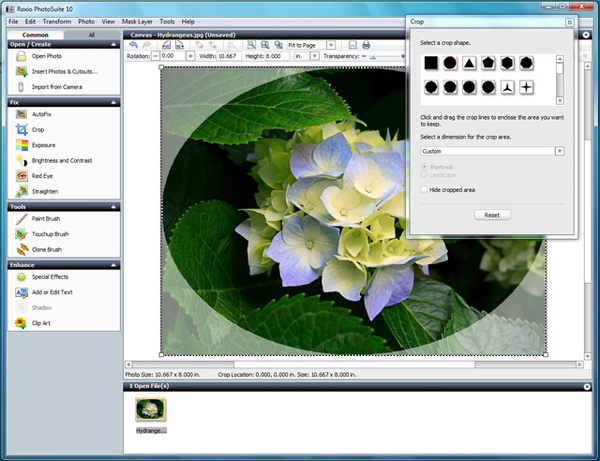
Preserve your photos
Use photo enhancement tools including red-eye removal, photo cropping & brightness adjustments to improve your photos. Then share or preserve them on CD or DVD.
Your music, your way
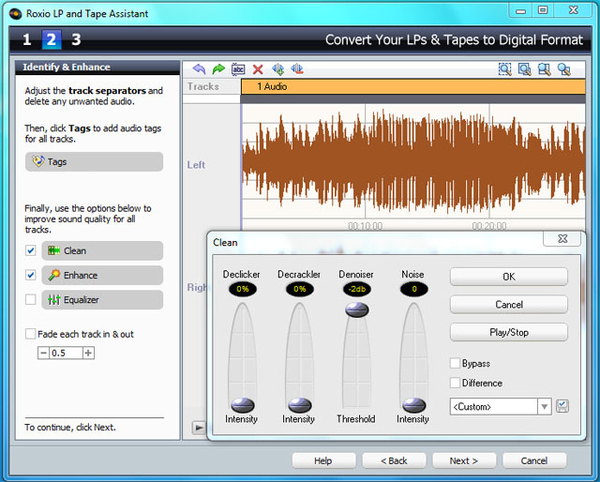
Convert analog audio from LPs and cassettes, enhance the sound quality and add effects. Then create auto-mix playlists and burn your music to CD or DVD.
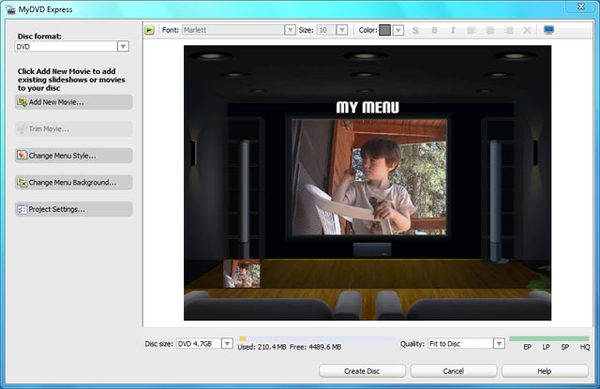
Preserve your video memories
Import video to your PC. Edit your raw footage into home movies using transitions, menus and music. Then burn to DVD to watch on any DVD player.
Burning & Copying
- Burn and copy discs directly on your desktop with the Roxio Burn desktop widget;
- Archive large data projects across multiple discs;
- Back up your media and data files to CDs, DVDs, and dual-layer DVDs.
Photo
- Organize your pictures into digital photo albums;
- Crop and straighten, remove red-eye or add special effects;
- Create stunning slide shows to play back in your home DVD player;
- Preserve your photos on CD or DVD.
Music
- Rip, play, edit, organize, burn and share music;
- Create your own music CD mixes;
- Turn your old LPs and cassettes into music CDs –even remove pops and clicks;
- Add cross-fades, effects, and visualizations;
- Create personalized disc labels and DVD covers.
Video
- Easily import photos or video into your PC;
- Create home movies with professional transitions, motion menus and music;
- Burn Video CDs, SVCDs or DVDs;
- Play them back on your home DVD player.
Easy disc burning & copying right from your desktop.
Roxio Easy CD & DVD Burning™ is an easy to use software program for sharing and preserving digital media on discs. Capture, organize, edit, burn and share your photos, videos, audio and data files on CD or DVD.
Drag, drop, burn.
The new, handy desktop widget in Roxio Easy CD & DVD Burning lets you easily drag and drop files for burning or copying right on your desktop.
Preserve your photos
Use photo enhancement tools including red-eye removal, photo cropping & brightness adjustments to improve your photos. Then share or preserve them on CD or DVD.
Your music, your way
Convert analog audio from LPs and cassettes, enhance the sound quality and add effects. Then create auto-mix playlists and burn your music to CD or DVD.
Preserve your video memories
Import video to your PC. Edit your raw footage into home movies using transitions, menus and music. Then burn to DVD to watch on any DVD player.
Burning & Copying
- Burn and copy discs directly on your desktop with the Roxio Burn desktop widget;
- Archive large data projects across multiple discs;
- Back up your media and data files to CDs, DVDs, and dual-layer DVDs.
Photo
- Organize your pictures into digital photo albums;
- Crop and straighten, remove red-eye or add special effects;
- Create stunning slide shows to play back in your home DVD player;
- Preserve your photos on CD or DVD.
Music
- Rip, play, edit, organize, burn and share music;
- Create your own music CD mixes;
- Turn your old LPs and cassettes into music CDs –even remove pops and clicks;
- Add cross-fades, effects, and visualizations;
- Create personalized disc labels and DVD covers.
Video
- Easily import photos or video into your PC;
- Create home movies with professional transitions, motion menus and music;
- Burn Video CDs, SVCDs or DVDs;
- Play them back on your home DVD player.
Multitronic Vaasa: 0 pcs
Estimated delivery: No delivery info
Estimated delivery: No delivery info
Today: 10:00 - 18:00
Multitronic Pietarsaari: 0 pcs
Estimated delivery: No delivery info
Estimated delivery: No delivery info
Today: 09:00 - 17:00
Multitronic Jyväskylä: 0 pcs
Estimated delivery: No delivery info
Estimated delivery: No delivery info
Today: 10:00 - 17:00
Multitronic Lappeenranta: 0 pcs
Estimated delivery: No delivery info
Estimated delivery: No delivery info
Today: 10:00 - 18:00
Multitronic Mariehamn: 0 pcs
Estimated delivery: No delivery info
Estimated delivery: No delivery info
Today: 10:00 - 17:00
The above technical details are for reference only and may change without notice. We reserve the right to correct printing errors and use illustrations for guidance. Some text may be auto-generated or machine-translated, which could lead to inaccuracies.