


No price development information for this product.
Product unavailable
This product is end of life or currently not available.
This product is end of life or currently not available.
Key Specifications
Choose one or multiple features to search for items that have the same specifications.
Specifications
Description
Store availability
Delivery
Price development
| Hard drive | |
| Drive capacity | 500 GB |
| Drive device, buffer size | 8 MB |
| HDD speed | 5400 RPM |
| HDD size | 2.5" |
| Device type | HDD |
| Ports & interfaces | |
| Ethernet LAN |  |
| Fibre Channel | |
| FireWire 400 | |
| FireWire 800 | |
| Weight & dimensions | |
| Weight | 210 g |
| Height | 20 mm |
| Width | 80 mm |
| Depth | 131 mm |
| Energy management | |
| USB powered |  |
| Other features | |
| Internal | |
| Mac compatibility | |
| Data transfer rate | 4.8 Gbit/s |
| Compatible operating systems | Mac OS X 10.1 Windows 2000/XP/Vista/7 |
| Quick start guide | |
| USB cable | USB |
| USB required | |
| USB 3.2 Gen 1 (3.1 Gen 1) ports quantity | 1 |
| Design | |
| Product colour | Black |
| Performance | |
| Plug and Play | |
| EAN | 5901878530406 |
| Warranty | 2 years |
| Source: Icecat.biz | |
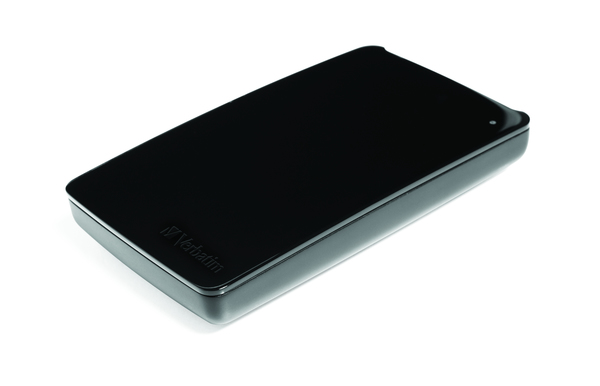
The Verbatim Store ‘n’ Go Hard Drive for Macs is a portable hard drive specially created for the Mac community. The sleek, minimalist design in a glossy black or white finish will fit with any MacBook.
There are two models available; a FW800 / USB 3.0 combination formatted for HFS+ for immediate use with Mac OS, and a USB 3.0 model formatted FAT32 for use on both Macs and PC’s. The Store ‘n’ USB 3.0 drive comes with a USB 3.0 Super Speed interface and is formatted FAT 32.
The Verbatim Store ‘n’ Go Hard Drive for Macs features high performance storage using a USB 3.0 “Super Speed” interface. USB 3.0 offers up to 10 times faster data transfer rates than USB 2.0 (based on theoretical USB bus speed) providing ultra fast data transfer on the go.
Verbatim Store ‘n’ Go Portable Hard Drives also come with Green Button energy saving software. Green Button software suspends the hard drive from spinning while not in use increasing efficiency and saving energy.
There are 3 ‘Sleep Setting’ options. Set the suspend mode to come in after 10 minutes of use, or by increments of 10 minutes up to 120 minutes. Set the drive to suspend immediately by double clicking the Green Button icon on the desktop, alternatively you can set the drive to ‘Never Suspend the disk’.
There are two models available; a FW800 / USB 3.0 combination formatted for HFS+ for immediate use with Mac OS, and a USB 3.0 model formatted FAT32 for use on both Macs and PC’s. The Store ‘n’ USB 3.0 drive comes with a USB 3.0 Super Speed interface and is formatted FAT 32.
The Verbatim Store ‘n’ Go Hard Drive for Macs features high performance storage using a USB 3.0 “Super Speed” interface. USB 3.0 offers up to 10 times faster data transfer rates than USB 2.0 (based on theoretical USB bus speed) providing ultra fast data transfer on the go.
Verbatim Store ‘n’ Go Portable Hard Drives also come with Green Button energy saving software. Green Button software suspends the hard drive from spinning while not in use increasing efficiency and saving energy.
There are 3 ‘Sleep Setting’ options. Set the suspend mode to come in after 10 minutes of use, or by increments of 10 minutes up to 120 minutes. Set the drive to suspend immediately by double clicking the Green Button icon on the desktop, alternatively you can set the drive to ‘Never Suspend the disk’.
Multitronic Vaasa: 0 pcs
Estimated delivery: No delivery info
Estimated delivery: No delivery info
Today: Closed
Multitronic Pietarsaari: 0 pcs
Estimated delivery: No delivery info
Estimated delivery: No delivery info
Today: Closed (Easter Sunday)
Multitronic Jyväskylä: 0 pcs
Estimated delivery: No delivery info
Estimated delivery: No delivery info
Today: Closed
Multitronic Lappeenranta: 0 pcs
Estimated delivery: No delivery info
Estimated delivery: No delivery info
Today: Closed
Multitronic Mariehamn: 0 pcs
Estimated delivery: No delivery info
Estimated delivery: No delivery info
Today: Closed
The above technical details are for reference only and may change without notice. We reserve the right to correct printing errors and use illustrations for guidance. Some text may be auto-generated or machine-translated, which could lead to inaccuracies.