

No price development information for this product.
Product unavailable
This product is end of life or currently not available.
This product is end of life or currently not available.
Specifications
Description
Store availability
Delivery
Price development
| Display | |
| Contrast ratio (typical) | 800:1 |
| Aspect ratio | 16:9 |
| Display | IPS |
| Response time | 30 ms |
| Brightness | 250 cd/m² |
| Viewing angle | 160° |
| Diagonal | 33 cm (13") |
| System requirements | |
| Mac compatibility |  |
| Windows operating systems supported | Windows 7,Windows 7 Enterprise,Windows 7 Enterprise x64,Windows 7 Home Basic,Windows 7 Home Basic x64,Windows 7 Home Premium,Windows 7 Home Premium x64,Windows 7 Professional,Windows 7 Professional x64,Windows 7 Starter,Windows 7 Starter x64,Windows 7 Ultimate,Windows 7 Ultimate x64,Windows 7 x64 |
| Mac operating systems supported | Mac OS X 10.11 El Capitan,Mac OS X 10.12 Sierra,Mac OS X 10.13 High Sierra,Mac OS X 10.4 Tiger,Mac OS X 10.5 Leopard,Mac OS X 10.6 Snow Leopard,Mac OS X 10.7 Lion,Mac OS X 10.8 Mountain Lion |
| Weight & dimensions | |
| Height | 13.9 mm |
| Width | 360 mm |
| Depth | 235 mm |
| Tablet weight | 1.1 kg |
| Energy management | |
| Power consumption (typical) | 20 W |
| Input voltage | 100 - 240 V |
| AC input frequency | 50 - 60 Hz |
| Packaging content | |
| Pen holder | |
| Number of pen tips | 10 |
| Tablet stand | |
| Tablet | |
| Connectivity technology | Wired |
| Working area | 294 x 166 mm |
| Resolution | 5080 lpi |
| Device interface | USB |
| Tablet input type | Pen |
| Pen | |
| Pressure levels | 8192 |
| Pen included | |
| Rubber grips | |
| Battery-free pen | |
| Wireless pen | |
| Mouse | |
| Mouse included |  |
| Features | |
| Certification | VCCI Class B, FCC Part 15 Subpart B (class B) and C, CE, IC ICES-003 and 210, RCM, KCC, BSMI, C-tick, CB, CCC, GOST-R |
| Product colour | Black |
| RoHS compliance | |
| EAN | 4949268621502 |
| Warranty | 2 years |
| Source: Icecat.biz | |
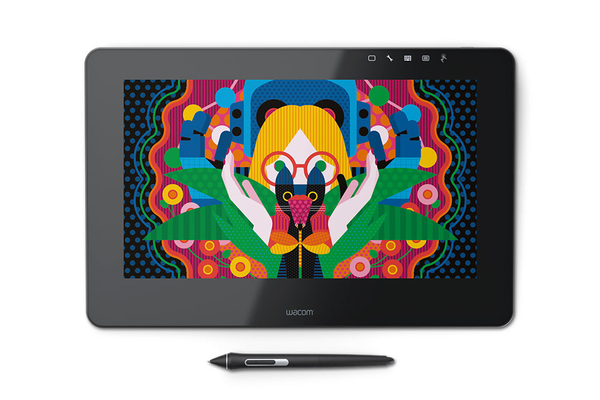
Create directly on screen with our most natural pen experience ever
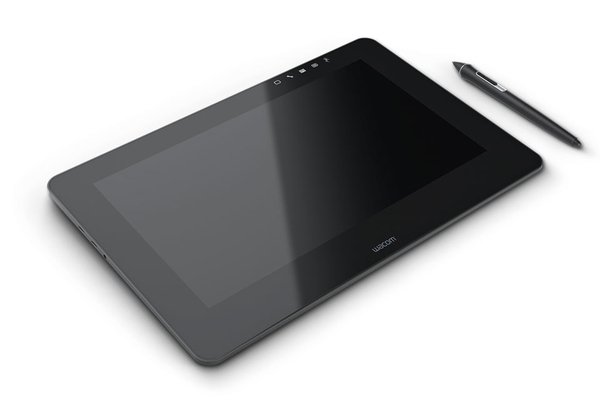
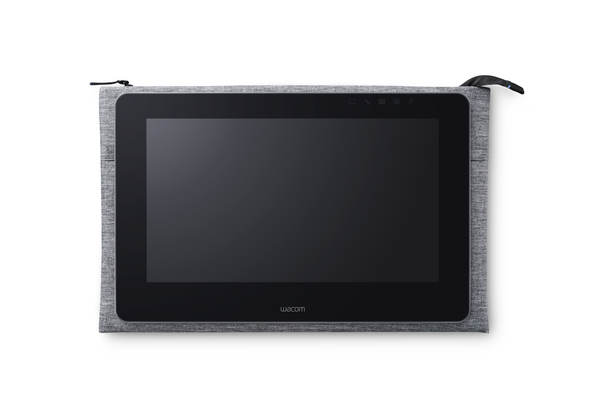
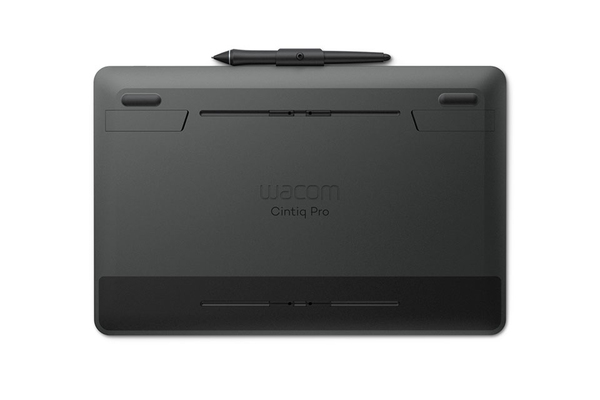
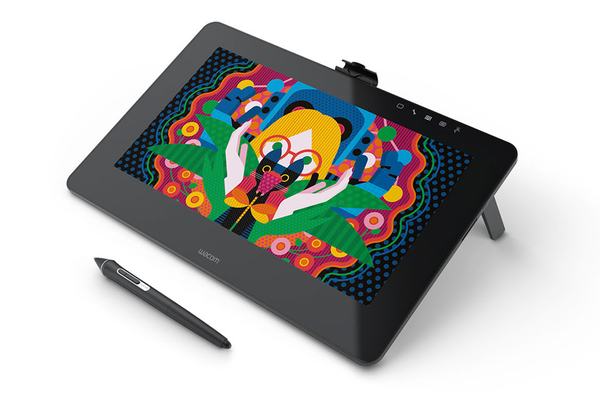
For professional artists and designers who want to add a world-class pen-on screen creative experience to their Mac or PC, Wacom Cintiq Pro offers Wacom’s most powerful array of capabilities in two new high-performance creative pen displays.
- Wacom’s most natural and advanced pen performance with 4x greater accuracy and pressure sensitivity* and virtually lag-free tracking
- Remarkable clarity with high-resolution displays and superior color quality (87% Adobe RGB)
- Multi-touch gestures, customizable ExpressKeys™ (available with optional ExpressKey Remote), Radial Menus and one-touch shortcuts to speed your workflow
- The authentic feel and artistic control of the Pro Pen 2 on the etched glass screen
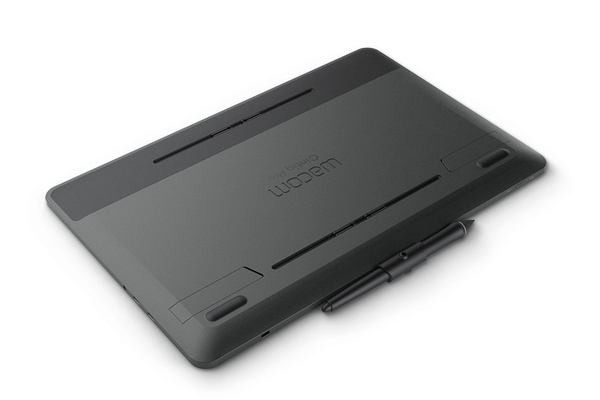
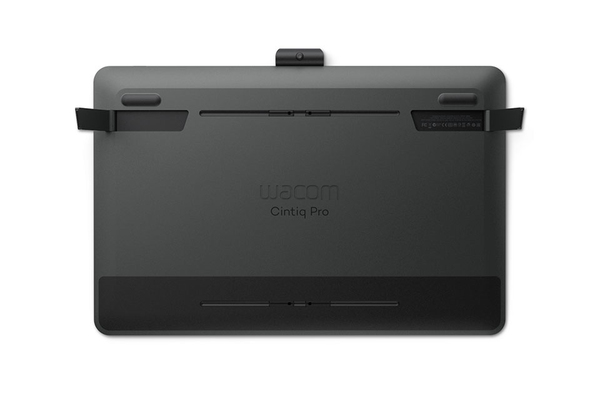
- Integrated pop-out legs for working at an inclined angle
- Customize your workflow with innovative accessories (sold separately) such as the ExpressKey™ Remote, or the three-position adjustable Wacom Stand
- Connect to your Mac or PC with the included Wacom Link Plus adapter. Use either the USB-C cable alone, or Mini DisplayPort and USB-A together. Alternatively, connect to your HDMI and USB-A ports with a high speed HDMI cable. Lastly, connect your Cintiq Pro power cable directly to the Wacom Link Plus for a one-cable solution to your Cintiq Pro 13 display
For professional artists and designers who want to add a world-class pen-on screen creative experience to their Mac or PC, Wacom Cintiq Pro offers Wacom’s most powerful array of capabilities in two new high-performance creative pen displays.
- Wacom’s most natural and advanced pen performance with 4x greater accuracy and pressure sensitivity* and virtually lag-free tracking
- Remarkable clarity with high-resolution displays and superior color quality (87% Adobe RGB)
- Multi-touch gestures, customizable ExpressKeys™ (available with optional ExpressKey Remote), Radial Menus and one-touch shortcuts to speed your workflow
- The authentic feel and artistic control of the Pro Pen 2 on the etched glass screen
- Integrated pop-out legs for working at an inclined angle
- Customize your workflow with innovative accessories (sold separately) such as the ExpressKey™ Remote, or the three-position adjustable Wacom Stand
- Connect to your Mac or PC with the included Wacom Link Plus adapter. Use either the USB-C cable alone, or Mini DisplayPort and USB-A together. Alternatively, connect to your HDMI and USB-A ports with a high speed HDMI cable. Lastly, connect your Cintiq Pro power cable directly to the Wacom Link Plus for a one-cable solution to your Cintiq Pro 13 display
Multitronic Vaasa: 0 pcs
Estimated delivery: No delivery info
Estimated delivery: No delivery info
Today: Closed
Multitronic Pietarsaari: 0 pcs
Estimated delivery: No delivery info
Estimated delivery: No delivery info
Today: Closed
Multitronic Jyväskylä: 0 pcs
Estimated delivery: No delivery info
Estimated delivery: No delivery info
Today: Closed
Multitronic Lappeenranta: 0 pcs
Estimated delivery: No delivery info
Estimated delivery: No delivery info
Today: Closed
Multitronic Mariehamn: 0 pcs
Estimated delivery: No delivery info
Estimated delivery: No delivery info
Today: 10:00 - 14:00
The above technical details are for reference only and may change without notice. We reserve the right to correct printing errors and use illustrations for guidance. Some text may be auto-generated or machine-translated, which could lead to inaccuracies.