

55890€
Show VAT 0%
Show VAT 25,5%
Multitronic Vaasa
Multitronic Pietarsaari
Multitronic Jyväskylä
Multitronic Lappeenranta
Multitronic Mariehamn
Specifications
Description
Store availability
Delivery
Price development
Manuals
| Processor | |
| Processor model | J4125 |
| Processor manufacturer | Intel |
| Processor family | Intel Celeron |
| Processor cores | 4 |
| CPU configuration (max) | 1 |
| Processor frequency | 2 GHz |
| Memory | |
| Internal memory type | DDR4 |
| Flash memory | 4000 MB |
| Internal memory | 4 GB |
| Ports & interfaces | |
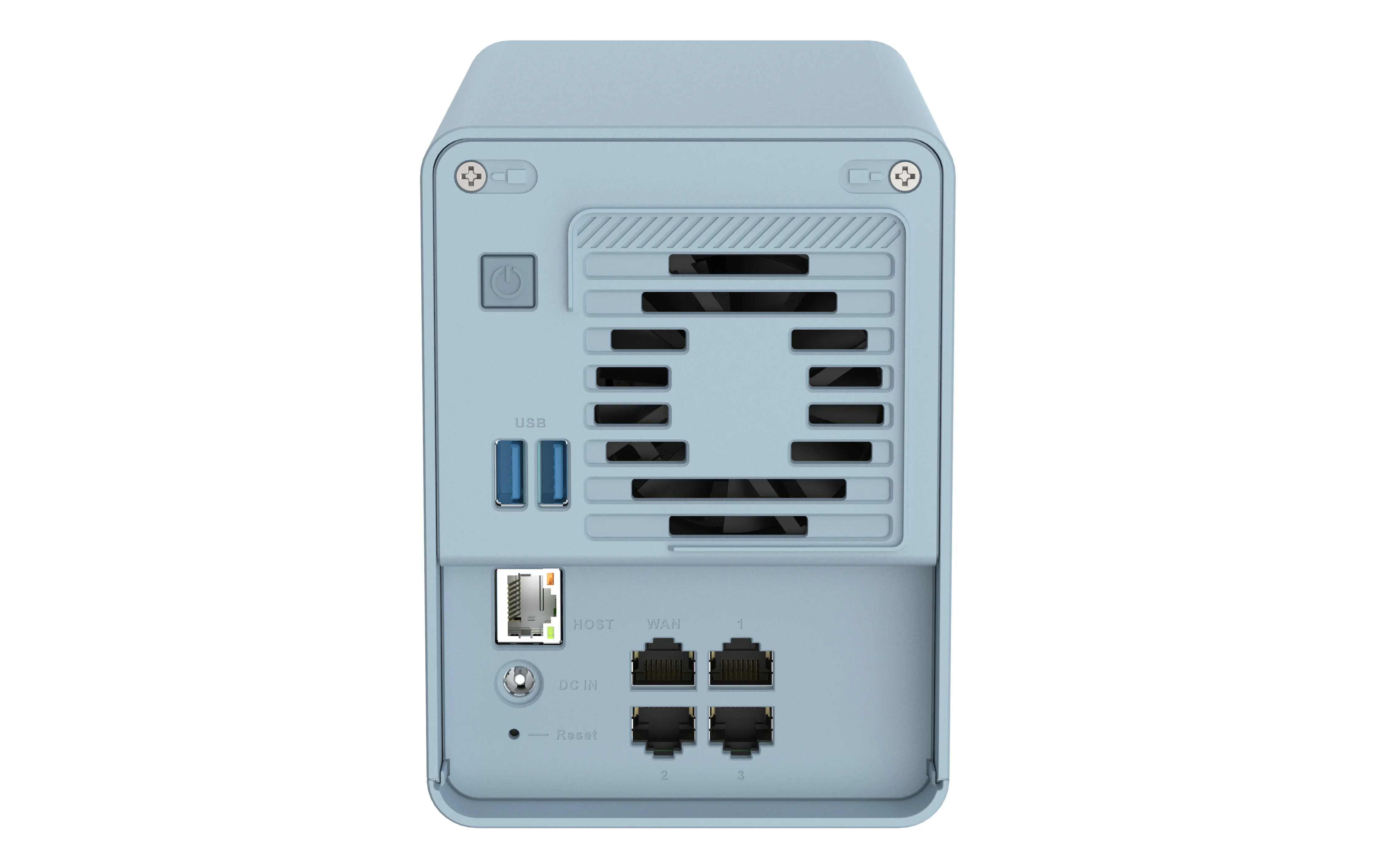
| Ethernet LAN (RJ-45) ports | 5 |
| USB 3.2 Gen 1 (3.1 Gen 1) Type-A ports quantity | 2 |
| USB port |  |
| Weight & dimensions | |
| Weight | 1.44 kg |
| Package weight | 2.15 kg |
| Height | 143.5 mm |
| Width | 105 mm |
| Depth | 183.5 mm |
| Package depth | 268 mm |
| Package height | 228 mm |
| Package width | 142 mm |
| Energy management | |
| Power consumption (typical) | 60 W |
| Number of power supply units | 1 |
| Output voltage | 12 V |
| Power supply location | External |
| Operational conditions | |
| Operating relative humidity (H-H) | 5 - 95% |
| Operating temperature (T-T) | 0 - 40 °C |
| Networking | |
| Ethernet LAN | |
| DHCP client | |
| DHCP server | |
| Ethernet LAN data rates | 1000,2500 Mbit/s |
| Storage | |
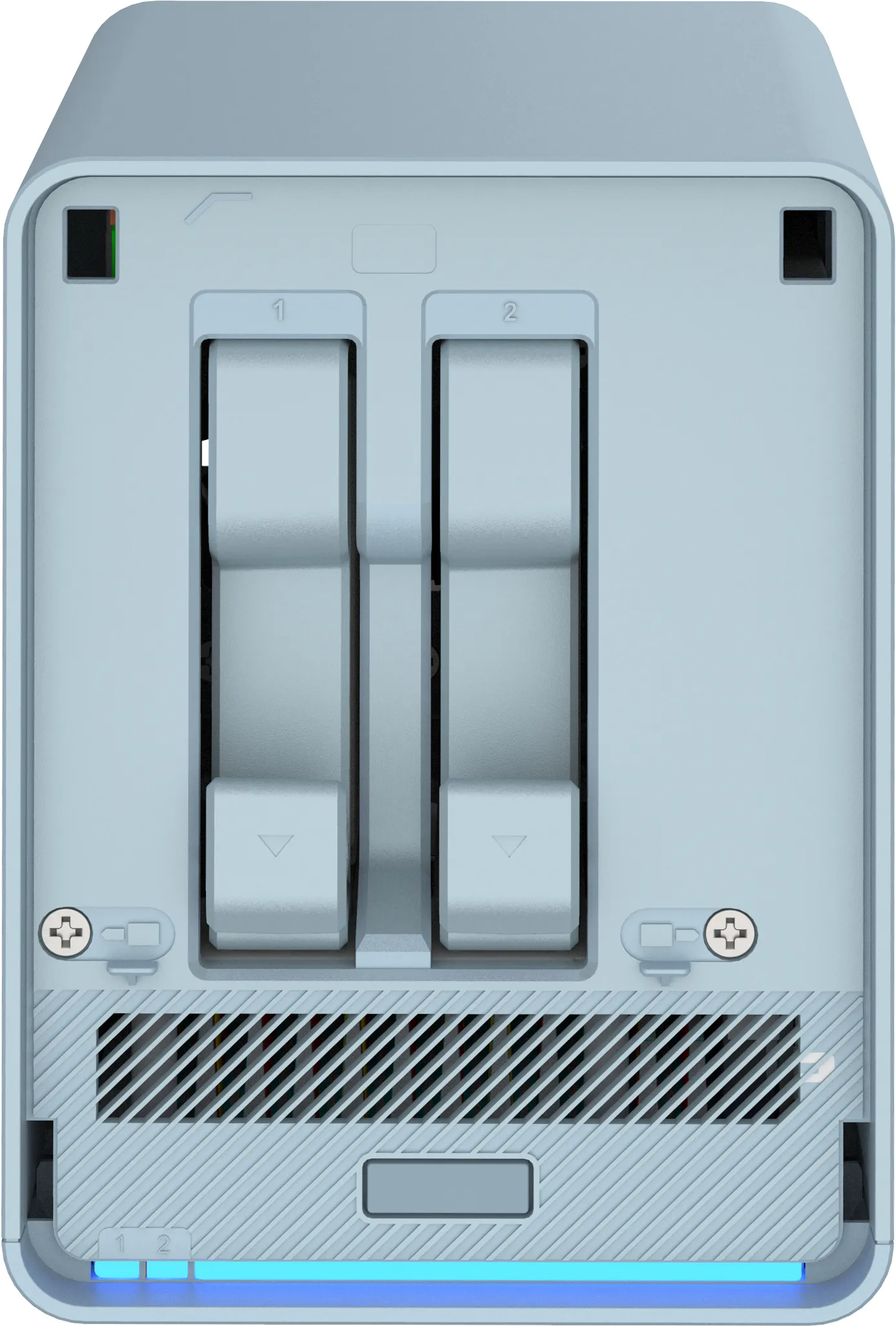
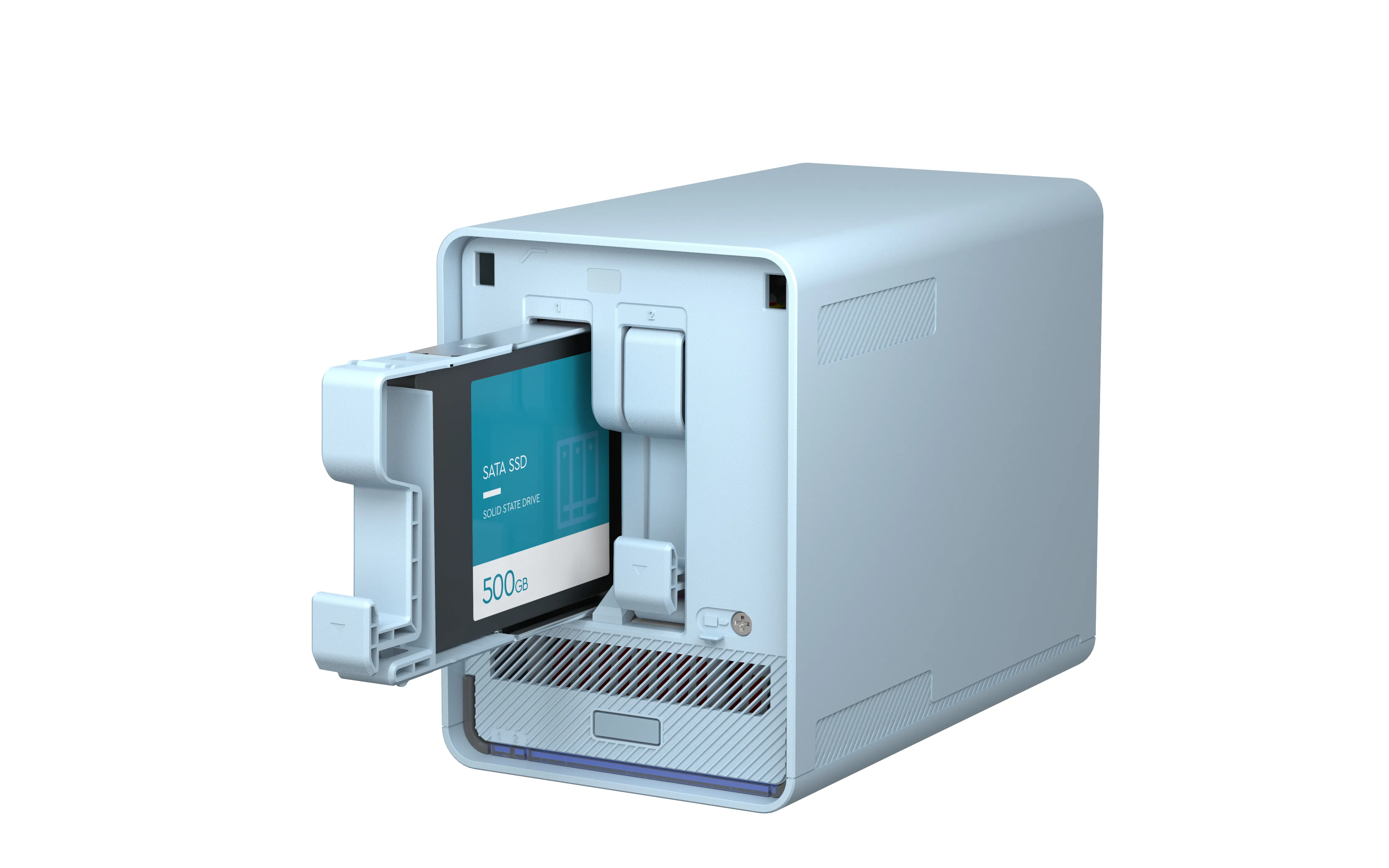
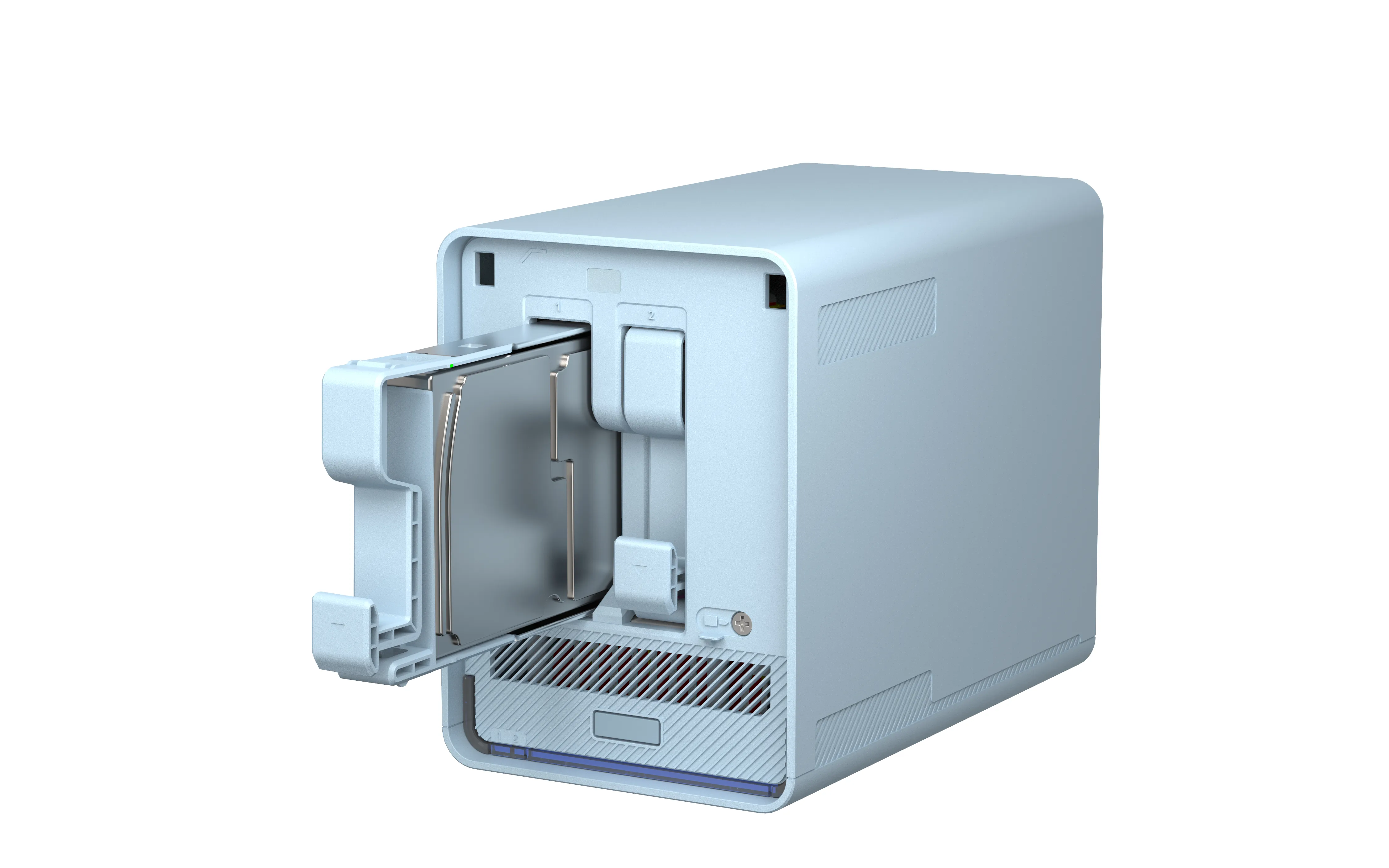
| Number of storage drives supported | 2 |
| Storage drive sizes supported | 2.5" |
| Storage drives installed |  |
| Number of storage drives installed | 0 |
| Installed storage drive type | |
| Supported storage drive types | HDD & SSD |
| Storage drive capacity | 0 GB |
| Supported storage drive interfaces | Serial ATA II, Serial ATA III |
| Total installed storage capacity | 0 TB |
| Operating system/software | |
| Operating system installed | QNAP Turbo System |
| Operating system version | 4.5.2 |
| Packaging content | |
| Cables included | AC, LAN (RJ-45) |
| External power adapter | |
| Package type | Box |
| Other features | |
| Warranty period | 2 year(s) |
| Design | |
| Chassis type | Desktop |
| Product colour | Blue |
| Processor special features | |
| Enhanced Intel SpeedStep Technology | |
| Execute Disable Bit | |
| Idle States | |
| Intel VT-x with Extended Page Tables (EPT) | |
| Embedded options available | |
| Intel 64 | |
| Intel Virtualization Technology for Directed I/O (VT-d) | |
| Intel Virtualization Technology (VT-x) | |
| Performance | |
| Type | NAS |
| Reset button | |
| On/off switch | |
| Device class | Home & Home Office |
| Logistics data | |
| Country of origin | China |
| Products per master (outer) case | 4 pc(s) |
| Harmonized System (HS) code | 84714100 |
| EAN | 4713213518243 |
| Warranty | 2 years |
| Source: Icecat.biz | |
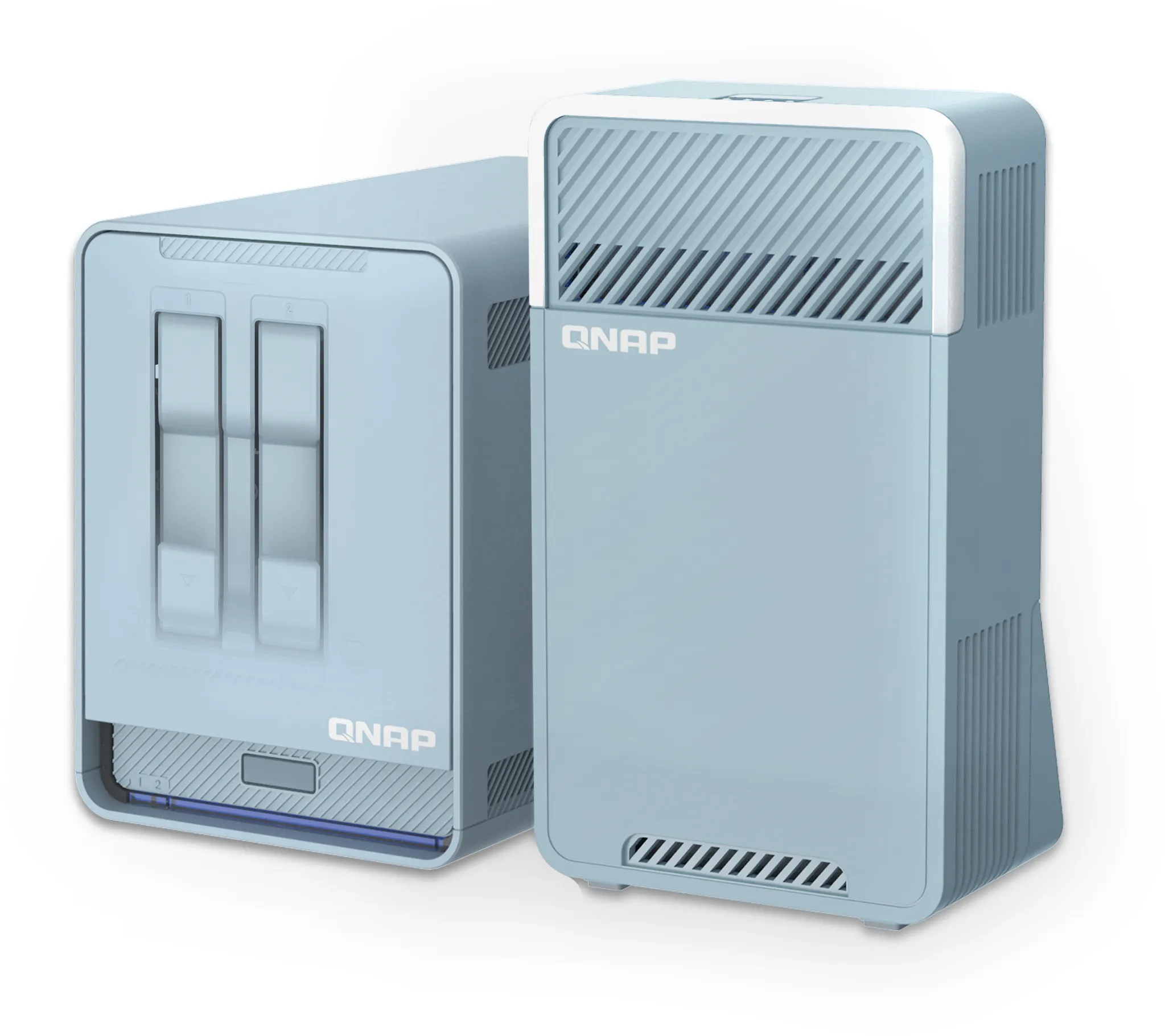
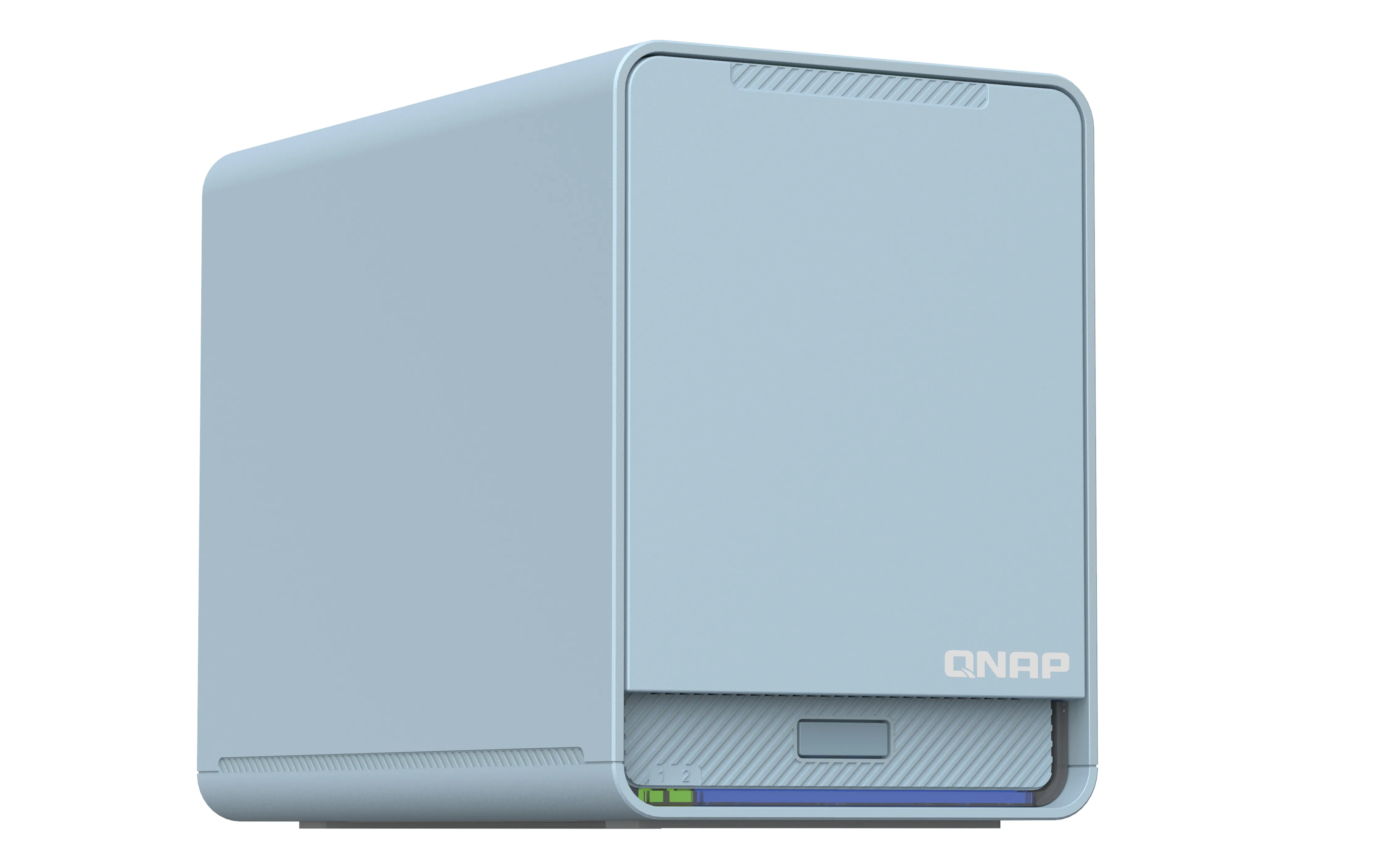
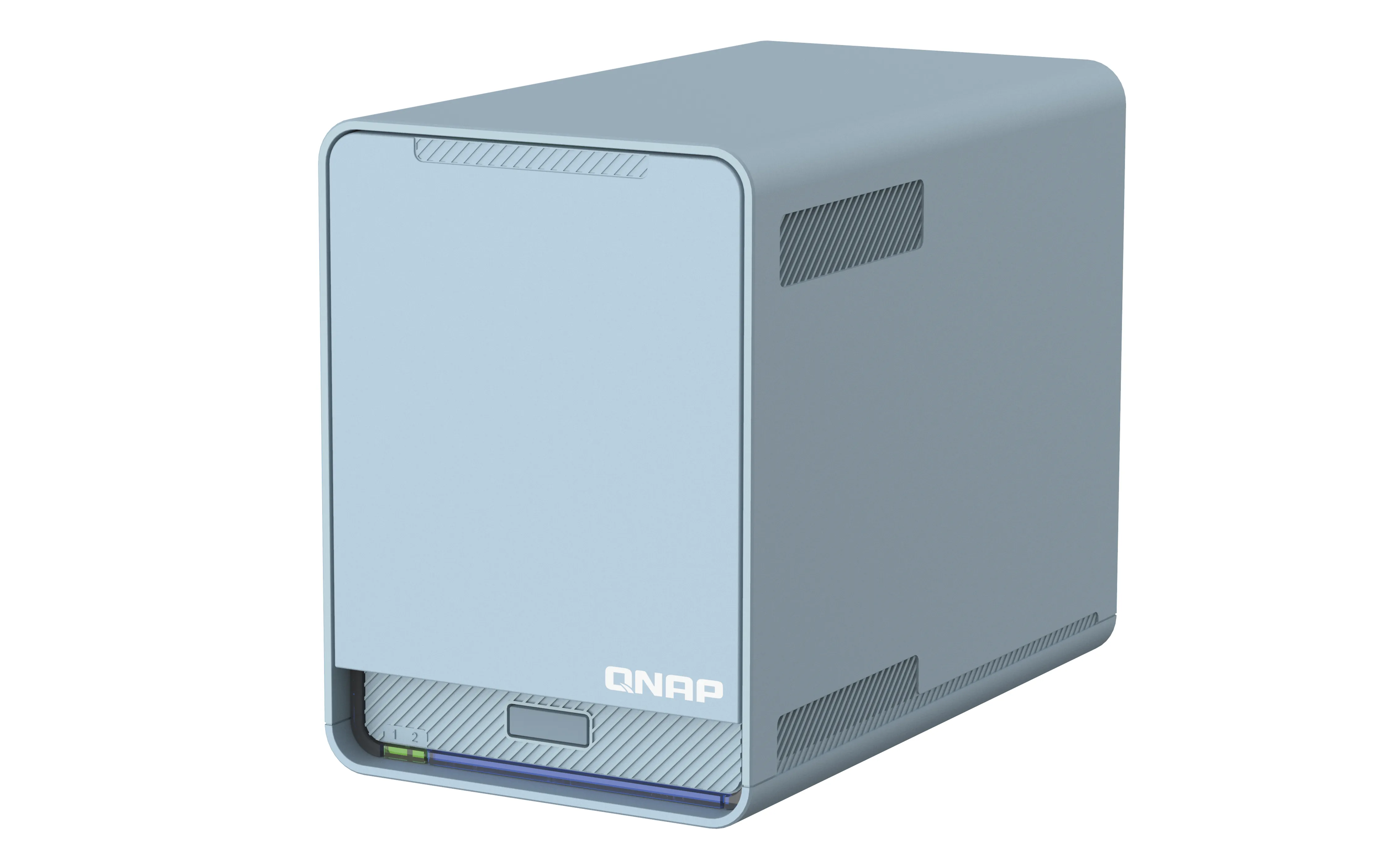
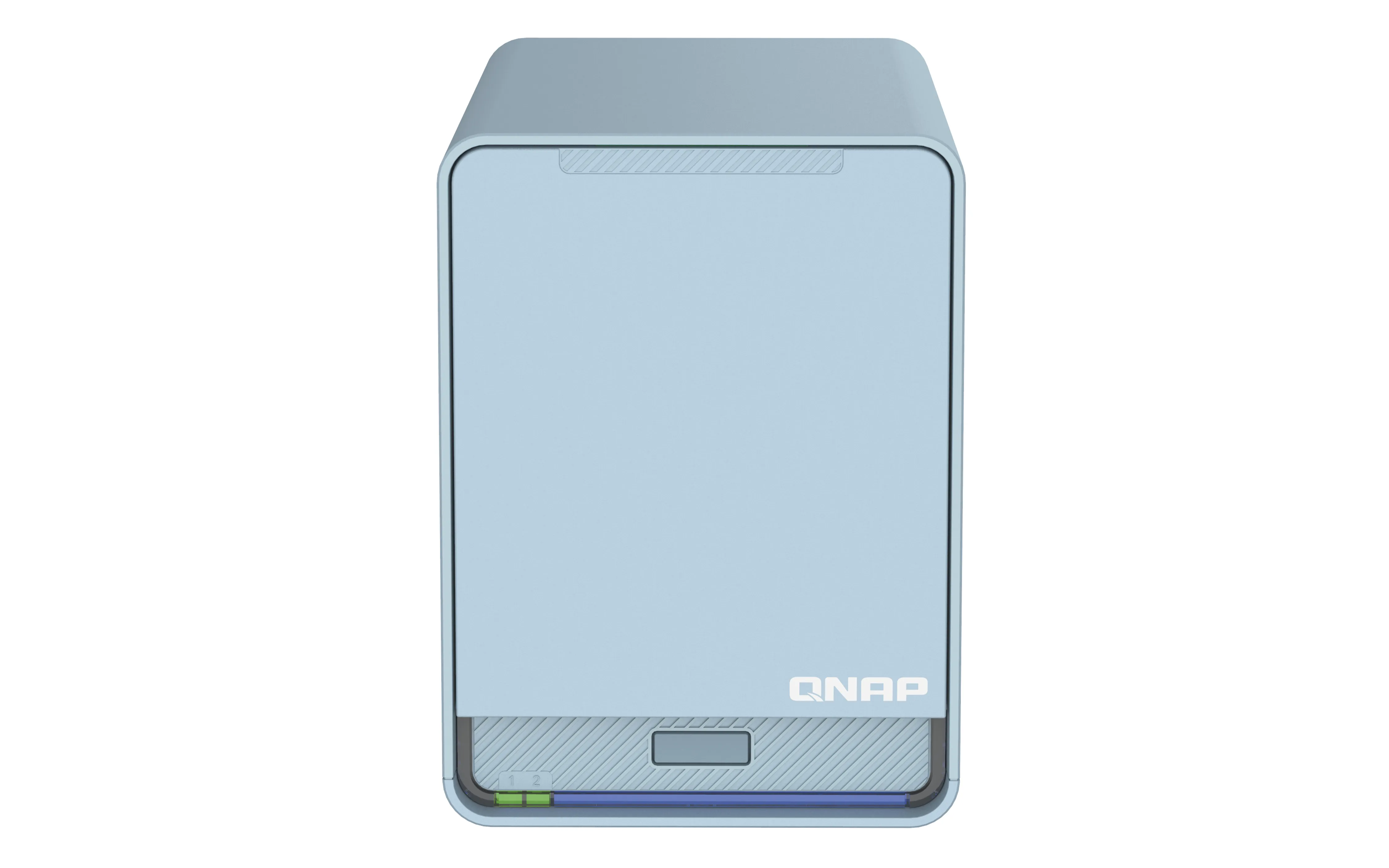
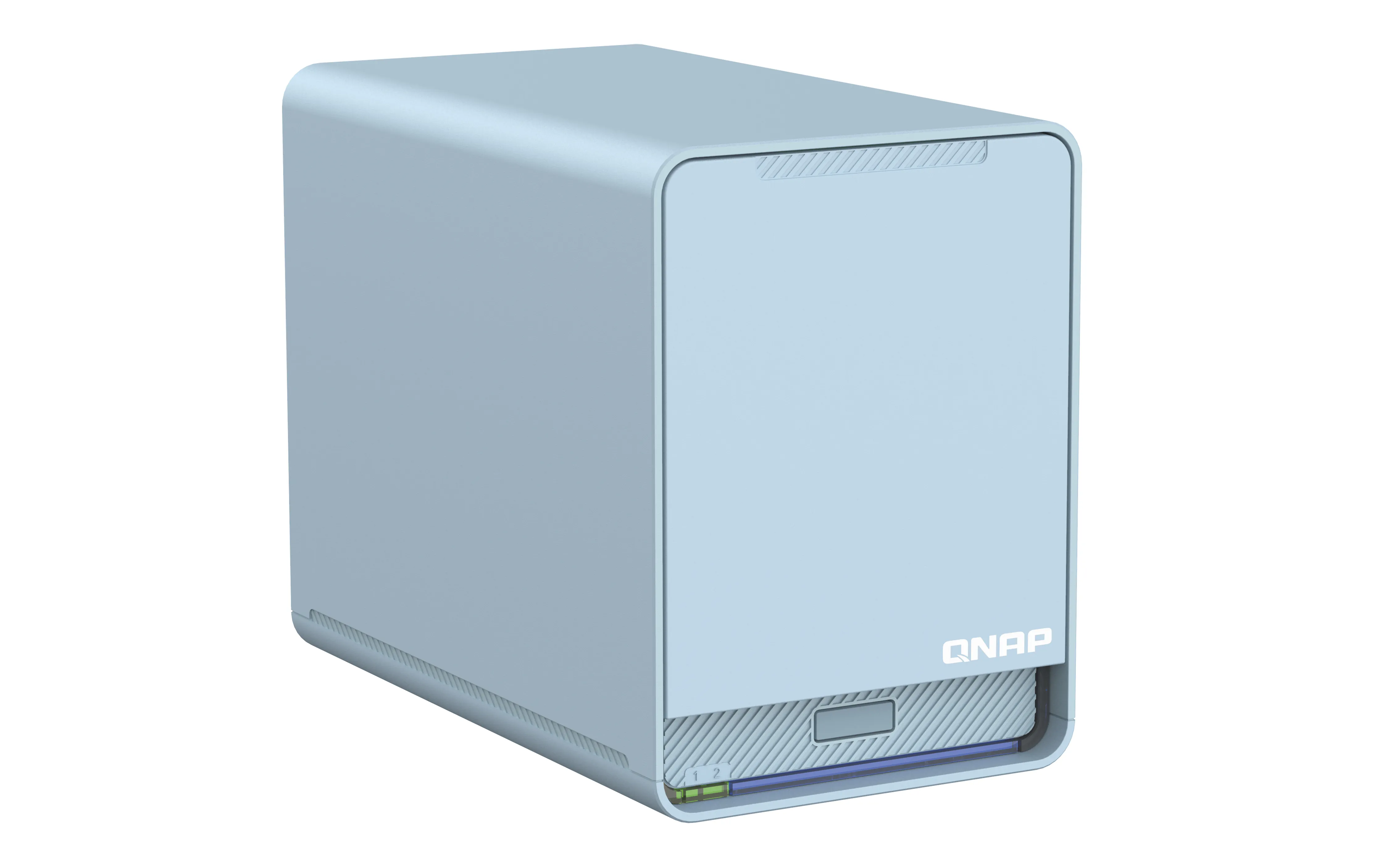
To embrace the new normal of remote working, businesses must deploy not only a remote VPN that is quickly accessible by multi-location users, but also a high-speed in-premises wireless network and a smarter file storage solution. The QMiroPlus-201W with QNAP Home Cloud 2.0 Solution combines a Mesh Wi-Fi AC2200 router and 2.5GbE NAS to decomplicate your network settings. With two 2.5-inch SATA drive bays and SD-WAN technology, QMiroPlus-201W integrates multi-cloud environments allowing you to centrally manage and access locally-stored and cloud-based files and data, building next-generation networks for homes and remote working.
Easy 6-Step Installation with the QuRouter App
Network settings are greatly simplified with the QuRouter App. With Bluetooth and a Settings Wizard you are only six steps away from setting up your smart home network and cloud storage applications.
Connect your Home with High-Coverage Tri-Band Mesh Wi-Fi
Say goodbye to weak Wi-Fi signals by setting up a Mesh Wi-Fi structure in your home. QMiroPlus-201W adopts Wi-Fi Handover technology, allowing multiple users to be automatically connected to the router with the strongest Wi-Fi signal with a single SSID.
Dedicated Tri-Band Mesh Wi-Fi for Smooth Connections
The QMiroPlus-201W supports Tri-band Wi-Fi of 2.4GHz, 5GHz and a dedicated Mesh Wi-Fi 5GHz band for high-bandwidth connections between Mesh Wi-Fi routers. Unlike conventional dual-band routers whose 5GHz band must be shared between Wi-Fi clients and Mesh Wi-Fi routers, the QMiroPlus-201W guarantees smooth and stable Wi-Fi connections.
File Storage and Backup - Easily to Use for All Ages
QMiroPlus-201W provides convenient internet storage space for everyone in your family. Simply follow the beginner’s guide to create family accounts, and then invite them to enjoy centralized data storage and real-time backup services.
Convenient connectivity for remote workers
Working from home has transformed the lives and daily practices of workers and businesses alike, but now the challenge is ensuring that we are always securely connected to business IT. QNAP QuWAN is a SD-WAN solution that enables automatic Mesh VPN topology from corporate networks to personal home routers. Once your home QMiroPlus-201W is set up, QuWAN Cloud Orchestrator enables QMiroPlus-201W to connect to the mesh VPN whether in router mode or AP mode. After that, your QMiroPlus-201W is your gateway to the company cloud. You can even mount storage from your company’s NAS to your QMiroPlus-201W for quick and convenient access to important files and data.
Sync and back up your data anytime, anywhere
With Qsync and Hybrid Backup Sync (HBS) you can easily sync and back up your data from anywhere at any time. Qsync enables you to sync data between a QMiroPlus-201W and other end devices, while HBS helps back up data from the QMiroPlus-201W to a QNAP NAS or public cloud storage. Both apps work seamlessly with the QMiroPlus-201W to create a secure cross-device and multi-version backup solution.
Centralize your Cloud Storage
With the File Station app you can centrally manage various cloud storage accounts (including Google Drive and Dropbox), allowing quick and easy access to your files wherever they are stored. QMiroPlus-201W also supports HybridMount cloud storage, allowing you to mount storage accounts from mainstream cloud providers.
Safe storage for your photos
By combining QNAP’s QuMagie mobile app with the QuMagie Smart Album on QMiroPlus-201W, you can automatically back up photos from mobile devices as soon as they are taken. QuMagie also uses AI deep learning algorithms to help organize your photo collections, including using facial, object, and location recognition.
Create a family-friendly internet environment
Parental controls are included for you to block inappropriate sites and filter keywords on search engines to ensure that everyone in your family can use the internet safely.
Protect yourself from breaches and intrusion
QNAP follows the Zero Trust ("never trust, always verify") security model, helping to protect you from malware and intrusion. Connections, devices, and IP addresses can also be blocked using the NAT.
QuRouter OS: User-Friendly Router Management
With a web-based GUI and at-a-glance dashboard, the QuRouter OS provides a user-friendly interface for everyday network management. The QMiroPlus-201W also supports wireless router or AP mode configuration via the QuRouter OS, allowing dispatching an IP address as a master router or receiving an IP address from another main router. With the QuRouter OS, not only can users efficiently manage all connected wired and wireless devices in real-time, but they can also configure NAT, VPN, security and QuWAN advanced functions.
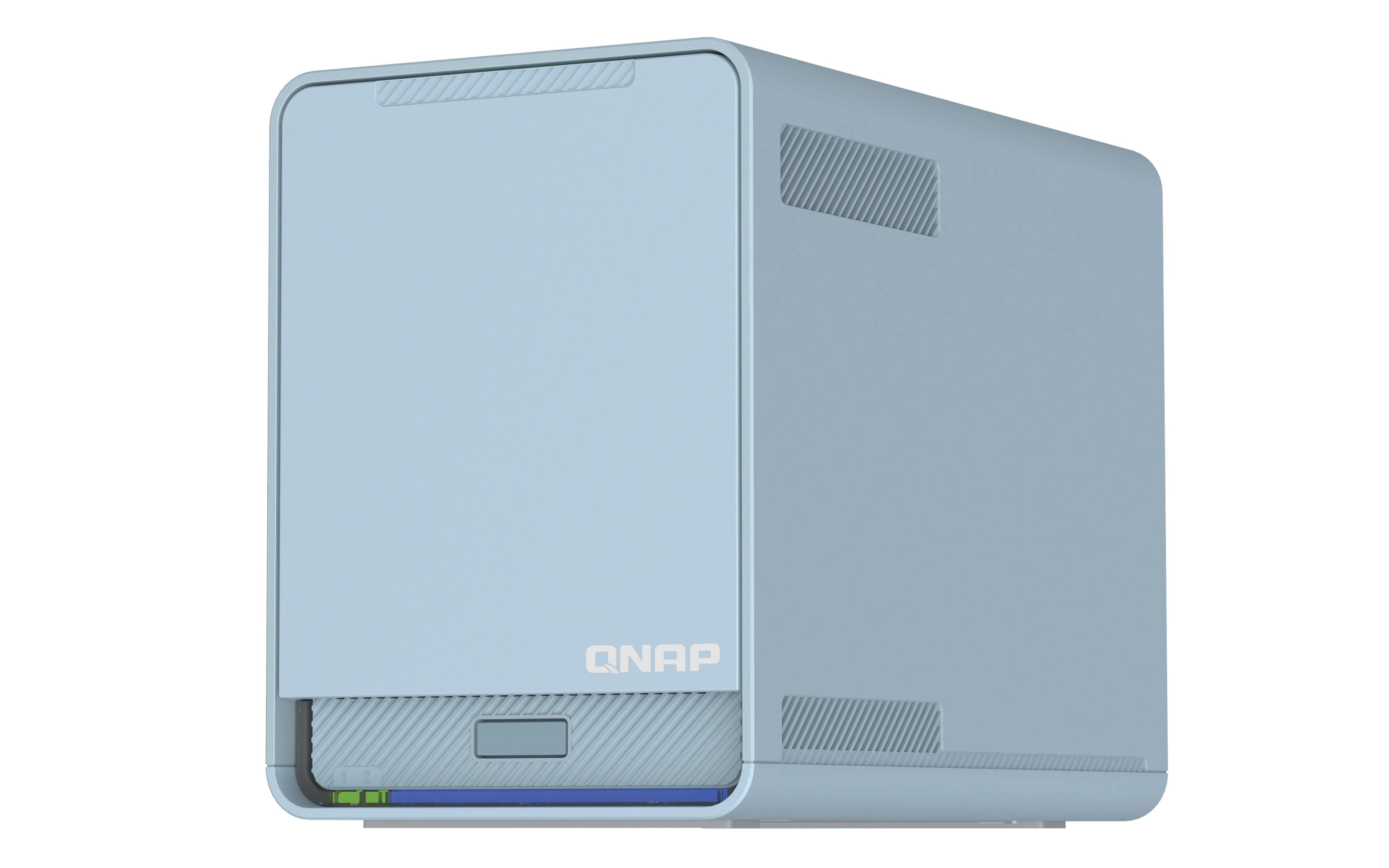
Stylish Morandi blue and fanless design for homes
Combining style and functionality to fit modern digital homes, the QMiroPlus-201W’s design includes Morandi colors and near-silent cooling design.
Easy 6-Step Installation with the QuRouter App
Network settings are greatly simplified with the QuRouter App. With Bluetooth and a Settings Wizard you are only six steps away from setting up your smart home network and cloud storage applications.
Connect your Home with High-Coverage Tri-Band Mesh Wi-Fi
Say goodbye to weak Wi-Fi signals by setting up a Mesh Wi-Fi structure in your home. QMiroPlus-201W adopts Wi-Fi Handover technology, allowing multiple users to be automatically connected to the router with the strongest Wi-Fi signal with a single SSID.
Dedicated Tri-Band Mesh Wi-Fi for Smooth Connections
The QMiroPlus-201W supports Tri-band Wi-Fi of 2.4GHz, 5GHz and a dedicated Mesh Wi-Fi 5GHz band for high-bandwidth connections between Mesh Wi-Fi routers. Unlike conventional dual-band routers whose 5GHz band must be shared between Wi-Fi clients and Mesh Wi-Fi routers, the QMiroPlus-201W guarantees smooth and stable Wi-Fi connections.
File Storage and Backup - Easily to Use for All Ages
QMiroPlus-201W provides convenient internet storage space for everyone in your family. Simply follow the beginner’s guide to create family accounts, and then invite them to enjoy centralized data storage and real-time backup services.
Convenient connectivity for remote workers
Working from home has transformed the lives and daily practices of workers and businesses alike, but now the challenge is ensuring that we are always securely connected to business IT. QNAP QuWAN is a SD-WAN solution that enables automatic Mesh VPN topology from corporate networks to personal home routers. Once your home QMiroPlus-201W is set up, QuWAN Cloud Orchestrator enables QMiroPlus-201W to connect to the mesh VPN whether in router mode or AP mode. After that, your QMiroPlus-201W is your gateway to the company cloud. You can even mount storage from your company’s NAS to your QMiroPlus-201W for quick and convenient access to important files and data.
Sync and back up your data anytime, anywhere
With Qsync and Hybrid Backup Sync (HBS) you can easily sync and back up your data from anywhere at any time. Qsync enables you to sync data between a QMiroPlus-201W and other end devices, while HBS helps back up data from the QMiroPlus-201W to a QNAP NAS or public cloud storage. Both apps work seamlessly with the QMiroPlus-201W to create a secure cross-device and multi-version backup solution.
Centralize your Cloud Storage
With the File Station app you can centrally manage various cloud storage accounts (including Google Drive and Dropbox), allowing quick and easy access to your files wherever they are stored. QMiroPlus-201W also supports HybridMount cloud storage, allowing you to mount storage accounts from mainstream cloud providers.
Safe storage for your photos
By combining QNAP’s QuMagie mobile app with the QuMagie Smart Album on QMiroPlus-201W, you can automatically back up photos from mobile devices as soon as they are taken. QuMagie also uses AI deep learning algorithms to help organize your photo collections, including using facial, object, and location recognition.
Create a family-friendly internet environment
Parental controls are included for you to block inappropriate sites and filter keywords on search engines to ensure that everyone in your family can use the internet safely.
Protect yourself from breaches and intrusion
QNAP follows the Zero Trust ("never trust, always verify") security model, helping to protect you from malware and intrusion. Connections, devices, and IP addresses can also be blocked using the NAT.
QuRouter OS: User-Friendly Router Management
With a web-based GUI and at-a-glance dashboard, the QuRouter OS provides a user-friendly interface for everyday network management. The QMiroPlus-201W also supports wireless router or AP mode configuration via the QuRouter OS, allowing dispatching an IP address as a master router or receiving an IP address from another main router. With the QuRouter OS, not only can users efficiently manage all connected wired and wireless devices in real-time, but they can also configure NAT, VPN, security and QuWAN advanced functions.
Stylish Morandi blue and fanless design for homes
Combining style and functionality to fit modern digital homes, the QMiroPlus-201W’s design includes Morandi colors and near-silent cooling design.
Multitronic Vaasa: 0 pcs
Estimated delivery: 28.08 - 31.08
Estimated delivery: 28.08 - 31.08
Today: 10:00 - 18:00
Multitronic Pietarsaari: 0 pcs
Estimated delivery: 28.08 - 31.08
Estimated delivery: 28.08 - 31.08
Today: 09:00 - 17:00
Multitronic Jyväskylä: 0 pcs
Estimated delivery: 28.08 - 31.08
Estimated delivery: 28.08 - 31.08
Today: 10:00 - 17:00
Multitronic Lappeenranta: 0 pcs
Estimated delivery: 28.08 - 31.08
Estimated delivery: 28.08 - 31.08
Today: 10:00 - 18:00
Multitronic Mariehamn: 0 pcs
Estimated delivery: 28.08 - 31.08
Estimated delivery: 28.08 - 31.08
Today: 10:00 - 17:00
Fetch from the shop
Estimated delivery time: 28.08 - 31.08
Estimated delivery time: 28.08 - 31.08
Posti: Parcel lockers and service points
Estimated delivery time: 28.08 - 30.08
Estimated delivery time: 28.08 - 30.08
Posti: Postal package
Estimated delivery time: 29.08 - 31.08
Estimated delivery time: 29.08 - 31.08
Matkahuolto: Parcel lockers and service points
Estimated delivery time: 29.08 - 31.08
Estimated delivery time: 29.08 - 31.08
Posti: Doorstep delivery
Estimated delivery time: 29.08 - 30.08
Estimated delivery time: 29.08 - 30.08
Matkahuolto: Business Parcel
Estimated delivery time: 28.08 - 31.08
Estimated delivery time: 28.08 - 31.08
Matkahuolto: Home Parcel
Estimated delivery time: 28.08 - 31.08
Estimated delivery time: 28.08 - 31.08
Posti: Home delivery
Estimated delivery time: 29.08 - 30.08
Estimated delivery time: 29.08 - 30.08
- manual pdf (English)
- leaflet (English)
The above technical details are for reference only and may change without notice. We reserve the right to correct printing errors and use illustrations for guidance. Some text may be auto-generated or machine-translated, which could lead to inaccuracies.